
15 min read · Last updated August 2026
What This Guide Covers
You’re not asking “what is coding.” You already know your child needs to engage with technology. The real question is: which type of coding or robotics class is right for my child, and how do I know if a program is actually worth it? With hundreds of options online and in-person, many parents end up picking the wrong one — and their child quits after three sessions.
This guide covers every decision you’re facing: coding vs. robotics, online vs. in-person, what age to start, what a good program looks like, what your child should be building, and what you should realistically expect to pay. Every answer is grounded in what ItsMyBot sees working — and not working — across thousands of sessions with kids aged 5–15 globally.
Table of Contents
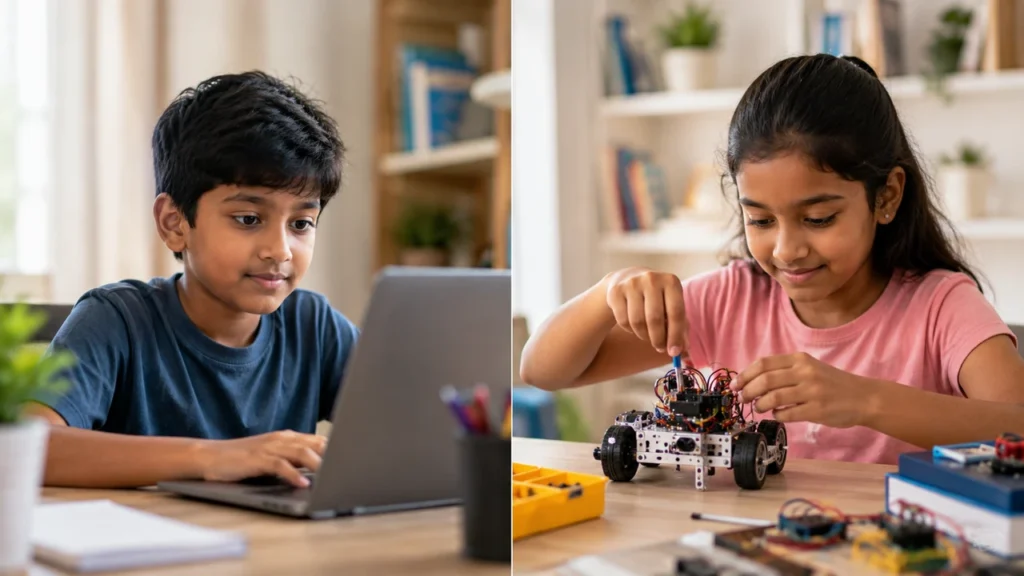
This is the first decision most parents face — and it’s easier than it looks once you understand what each one actually teaches. They’re not competing options. They’re different tools for different goals, and the best children often do both at different stages.
| Coding Classes | Robotics Classes | |
|---|---|---|
| Primary focus | Logic, language, software — screen-based creation | Hardware + code together — physical builds that move and respond |
| What they build | Games, apps, websites, AI tools, animations | Line-follower robots, obstacle-avoiders, robotic arms, IoT devices |
| Languages used | Scratch, Python, JavaScript, C++, HTML/CSS | Block coding + C++, Python (for hardware control) |
| Best for children who… | Love games, storytelling, apps, or creative digital work | Love building, tinkering, engineering, or science fairs |
| Equipment needed | Laptop or tablet — nothing else | Robot kit (provided or purchased separately) |
| Career pathways | Software engineering, AI, web development, data science | Mechanical engineering, IoT, hardware, automation |
| Ideal starting age | 5+ (with age-appropriate tools) | 7+ (some physical coordination needed) |
Let your child’s interests lead. A child obsessed with Minecraft or Roblox will thrive in coding. A child who loves taking things apart or building LEGO sets may be wired for robotics. Many children at ItsMyBot do both — starting with coding to build the logic foundation, then moving into robotics once they can command hardware with code.
This is the second-biggest decision. Both formats work — but for different reasons, and with different trade-offs your lifestyle needs to weigh.
🌐 Online Classes
Advantages
Limitations
🏫 In-Person Classes
Advantages
Limitations
For a detailed comparison, read our full guide on live 1:1 coding classes vs. group classes for kids and our guide to online coding classes for kids — a complete 2026 parent’s guide.
Use this checklist before enrolling your child in any program. These are the non-negotiables that separate quality programs from expensive screen time.
Live instruction with a real mentor. Pre-recorded videos are not a coding class. They’re tutorials. A qualified instructor who interacts with your child in real time — adapts, corrects, encourages — is the single most important factor in whether your child progresses. Ask: is every session live?
A free trial or demo session before you pay anything. Quality programs let your child experience a session first. If a provider won’t offer a demo, ask why. A single free class tells you more than any marketing page ever will.
Personalised curriculum — not a one-size-fits-all script. A 6-year-old and a 13-year-old need completely different approaches. A child interested in games needs a different project than one interested in science. The curriculum should adapt to your child, not the other way around.
Real project outputs every session. After every class, your child should be able to show you something they built. Not a worksheet, not a score — an actual project. If they can’t describe what they made, they were consuming content, not creating it.
Regular parent progress updates. You’re the one making the financial and time investment. You deserve to know what your child is learning and how they’re progressing. A quality program keeps parents informed proactively — not just when asked.
Age-appropriate curriculum. A program for “kids” that doesn’t differentiate between a 5-year-old and a 14-year-old is not a good program. The right tools, language, and pace look completely different across those age ranges.
Industry-level tools and languages. Programs that teach only proprietary platforms — where the skills don’t transfer outside that ecosystem — aren’t building future-ready skills. Python, Scratch, JavaScript, C++, and real robotics frameworks are what industry actually uses.
Use this alongside our detailed guide: how to choose the right coding course for your child and read about whether online coding is worth it for kids.
Not sure which program fits your child?
Book a free demo session. One class shows you more than any guide can tell you — and it costs you nothing.
The right program at the wrong age produces frustration. The right program at the right age produces breakthroughs. Here’s a clear guide for every stage of your child’s development.
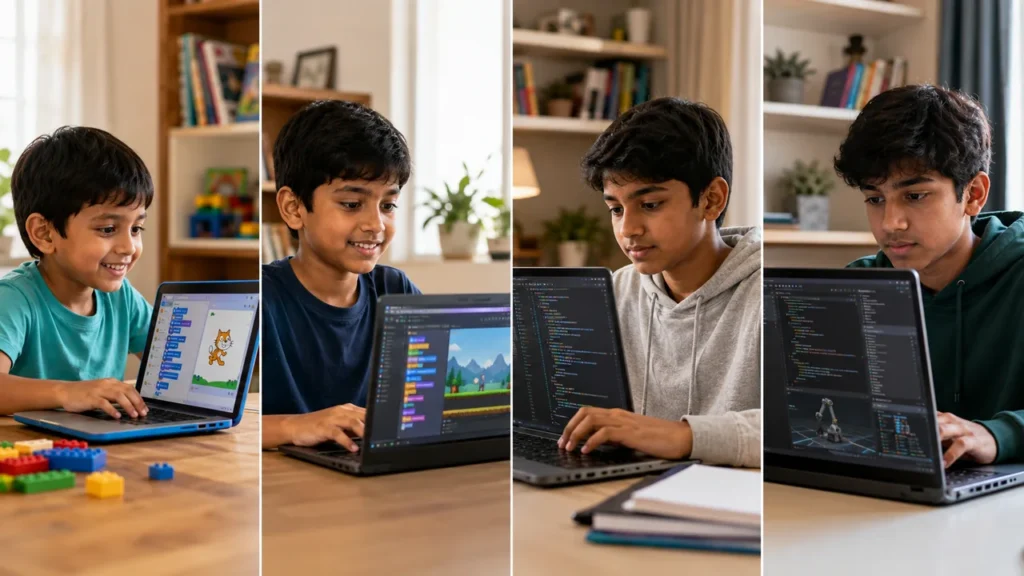
At this age, coding is play. The goal isn’t to teach Python — it’s to build the habit of creating with technology and the confidence that “I can do this.” Children in this window are in the prime language-learning stage for pattern-based thinking.
→ Read: Coding for 5-year-olds — is it possible? | ItsMyBot’s Little Coder programme
This is the sweet spot for structured coding education. Children at this age can follow multi-step instructions, understand cause and effect, and produce meaningful project outputs. They’re ready for Scratch and early Python — and genuinely love showing parents what they’ve made.
→ Read: Best coding classes for 8-year-olds | What age should kids start learning Scratch? | ItsMyBot Junior Coder programmes
This age group transitions from visual block coding to real programming languages. Python is the strongest starting point — readable, immediately visual, and used across AI, data, and web development. Children here can begin building a genuine portfolio for future school and career applications.
→ Read: Coding for 12-year-old beginners | Scratch to Python — how to make the jump | Python for kids — complete guide
At this stage, the goal is specialisation and portfolio depth. A teen who started coding at 11–12 and is now 14–15 should be building projects that could genuinely impress a university admissions team. This is where the investment of early years pays its most visible dividends.
→ Read: Will coding help my teen get into university? | How long does it take for a teen to get good at coding? | Complete coding guide for teens | ItsMyBot Senior Coder programmes
Cost is one of the most common questions parents ask — and one of the hardest to answer without context. Here’s an honest breakdown of what you’ll encounter across the market, and how to evaluate whether a price reflects genuine value.
| Program Type | Typical Cost Range | What You Get | Value? |
|---|---|---|---|
| Free apps/platforms | £0 / $0 | No mentor, no personalisation, no progress tracking | ⚠️ Intro only |
| Self-paced online courses | $10–$50/month | Recorded videos, no live instruction, limited engagement | ⚠️ Supplementary only |
| Local group classes (in-person) | $80–$200/month | Group instruction, limited personalisation, commute required | ✅ Depends on quality |
| Live 1:1 online classes (specialist) | $100–$250/month | Full personalisation, live mentor, parent updates, real projects | ✅✅ Highest ROI |
| Robotics programs (with kit) | $150–$350/month + kit | Hardware + software instruction, physical builds | ✅ Strong for engineering-minded kids |
Also read our honest assessment: is online coding worth it for kids? and see what’s included in our free coding trial classes.
Outcomes are the most honest measure of any program. A child who has been coding for 6 months should be able to show you real work. Here’s what good looks like at each level — verified from ItsMyBot’s own curriculum.
🎮 Games & Animations (Scratch)
🐍 Python Projects
🌐 Web & App Projects
🤖 Robotics Projects
🧠 AI & Advanced Projects
🎲 Roblox Game Development
These are the warning signs that a program isn’t worth your investment — spotted across the market in 2026.
🚩 No free demo or trial session offered. Every quality provider will let your child experience a real session before you commit. Refusing this means they know the experience won’t sell itself.
🚩 Pre-recorded videos sold as “live classes.” If the “instructor” is on a recorded video, your child is watching a tutorial — not having a lesson. There’s no adaptation, no feedback, no mentorship.
🚩 No visible project output after 4 sessions. If your child can’t show you something they built after a month, the curriculum is focused on consumption — not creation.
🚩 A single curriculum for ages 5–18. A program that doesn’t differentiate between a 6-year-old and a 16-year-old hasn’t thought carefully about either. Look for clear age-specific tracks.
🚩 No parent visibility or progress reporting. If you have no idea what your child is learning week to week, something is being hidden — usually the fact that progress isn’t happening.
🚩 Proprietary platform skills only — nothing transferable. If your child’s “coding” only works inside one platform and the skills don’t transfer to real programming languages, they haven’t learned to code.
Also read: how to keep kids motivated in online coding classes and signs your child is ready to start coding.
See what a quality program actually looks like.
One free demo session at ItsMyBot answers every question on this page — live, in real time, for your child specifically.
ItsMyBot offers age-specific programs across every stage from ages 5 to 15+, each built on the same core principles: live instruction, personalised curriculum, real project outputs, and parent visibility. Here’s the full programme map.
🌱 Little Coder
Ages 5–7
Play-based coding with ScratchJr and beginner block tools. Every session ends with an animated project they can show the family.
💻 Junior Coder
Ages 8–11
Scratch, Python foundations, web design, Roblox Lua, AI basics. Multiple specialisation tracks — children choose the direction that excites them.
🚀 Senior Coder
Ages 12–15+
Python, JavaScript, C++, full-stack development, advanced AI. University-portfolio-focused outcomes with industry-level projects.
🤖 Robotics Courses
Ages 8–15
From entry-level Cruiser robotics to advanced IoT and Python-controlled hardware. Physical builds combined with real programming instruction.
View the full programme overview on our courses page, explore our AI courses for kids, or see our 2026 summer coding camp for an intensive introduction.
What You Now Know
Choosing between coding and robotics, online and in-person, one age group and another is far easier once you anchor every decision in one question: what does my child actually build? Programs that produce real outputs are worth the investment. Programs that produce screen hours are not.
ItsMyBot serves children aged 5–15 globally with live 1:1 instruction, personalised curriculum, real project outputs, and parent visibility at every stage. Whether your child is starting from zero at age 6 or building a university portfolio at 15, there’s a programme designed specifically for where they are right now.
The best next step? Book a free demo session. One class tells you more than this entire guide — because your child will be in it.
Turn screen time into skill time — one free session first.
Coding Foundations
Robotics & AI
What’s the difference between coding and robotics classes for kids?
Coding classes focus on software — building games, apps, websites, and AI tools using programming languages on a screen. Robotics classes combine hardware and software — children build physical robots and then write code to control them. Both build programming logic, but robotics adds mechanical and engineering thinking. The best choice depends on your child’s interests.
What age should kids start coding or robotics classes?
Children can start coding from age 5 with play-based visual tools like ScratchJr. Robotics typically suits ages 7 and up, once physical coordination for building is established. The most effective starting point is whenever your child shows curiosity about how technology works — interest level matters more than a specific age.
Are online coding classes as effective as in-person classes for kids?
Yes — when the class is live, 1:1, and with a qualified mentor. Research consistently shows that personalised live instruction outperforms group classes — online or in-person — for skill development and long-term engagement. The format matters less than whether the instruction is live, personalised, and project-based.
How do I know if a coding or robotics program is actually good?
Ask two questions: Does the program offer a free demo session? And can your child show you a real project after every class? Quality programs always say yes to both. If a provider won’t offer a trial, or if your child ends sessions with nothing to show, the program isn’t delivering real education.
How much do coding and robotics classes for kids cost?
Self-paced apps cost $0–$50/month but provide no live instruction. Group in-person classes typically run $80–$200/month. Live 1:1 online instruction from specialist providers sits at $100–$250/month. The measure isn’t cost per session — it’s whether your child is building real, transferable skills in each one.
Does coding or robotics help with school performance?
Yes — significantly. Research from Google and Gallup shows children who learn to code score higher in maths and reading comprehension. The structured problem-solving that coding and robotics develop transfers directly into academic performance, particularly in science, maths, and logic-heavy subjects.
Can kids with ADHD do well in coding or robotics classes?
Often exceptionally well. The immediate feedback loop of coding — write something, see it run instantly — suits how children with ADHD process reward and engagement. Robotics similarly benefits from the tangible, hands-on nature of physical builds. A personalised 1:1 session format also removes the group-dynamic triggers that can make classroom settings difficult. Read our guide: how coding helps kids with ADHD.
How long does it take for a child to see real progress in coding?
Most children complete their first visible project — a game, animation, or working tool — within 1–3 sessions with live instruction. Noticeable, independent problem-solving ability typically develops within 4–8 weeks of consistent weekly classes. Commit to at least 8 sessions before evaluating a program, as the biggest breakthroughs often come just after the first difficult stretch.