
You’ve decided your child should learn something meaningful in technology. But now you’re facing a choice that sounds simple and turns out to be surprisingly nuanced: coding or robotics? Both show up in school enrichment programmes, online courses, and “future skills” conversations. Both get enthusiastic endorsements. And both, done badly, can bore a child off technology entirely.
The problem is that most comparisons either oversimplify (“robotics is more fun!”) or get so technical they’re useless to a parent who just wants to make a good decision for their child. And the stakes are real — a mismatched starting point means a disengaged child, a wasted term, and a missed window in the years that matter most for building a lasting relationship with technology.
This guide gives you a clear, honest framework for coding vs robotics for kids — what each actually involves, how they connect, what suits different children, and when doing both is the right answer.
Table of Contents
Before comparing them, it helps to be precise about what each one actually is — because both terms are used loosely in the children’s education market.
Coding — or programming — is the process of writing instructions that tell a computer what to do. For children, this starts with visual block-based tools like Scratch (where blocks of logic are snapped together to create programmes) and progresses to text-based languages like Python.
Coding education for children is primarily screen-based. The outputs are software: games, animations, apps, chatbots, data tools. The environment is entirely digital.
Robotics for children involves designing, building, and programming physical machines — robots — that interact with the real world. It combines mechanical construction (motors, sensors, structural components), electronics (circuits, power), and programming (the code that controls the robot’s behaviour).
Robotics is inherently physical. The output is a machine you can hold, watch move, and observe responding to its environment. Read our full robotics for kids guide for a comprehensive breakdown of what’s involved.
Here’s what most parent comparisons miss: robotics requires coding. A robot without programming is just a model. The code is what makes it a robot — what tells it when to move, how to respond to a sensor, when to stop. This overlap is important because it means the two disciplines aren’t truly competing alternatives. They’re different entry points into the same fundamental skill set.
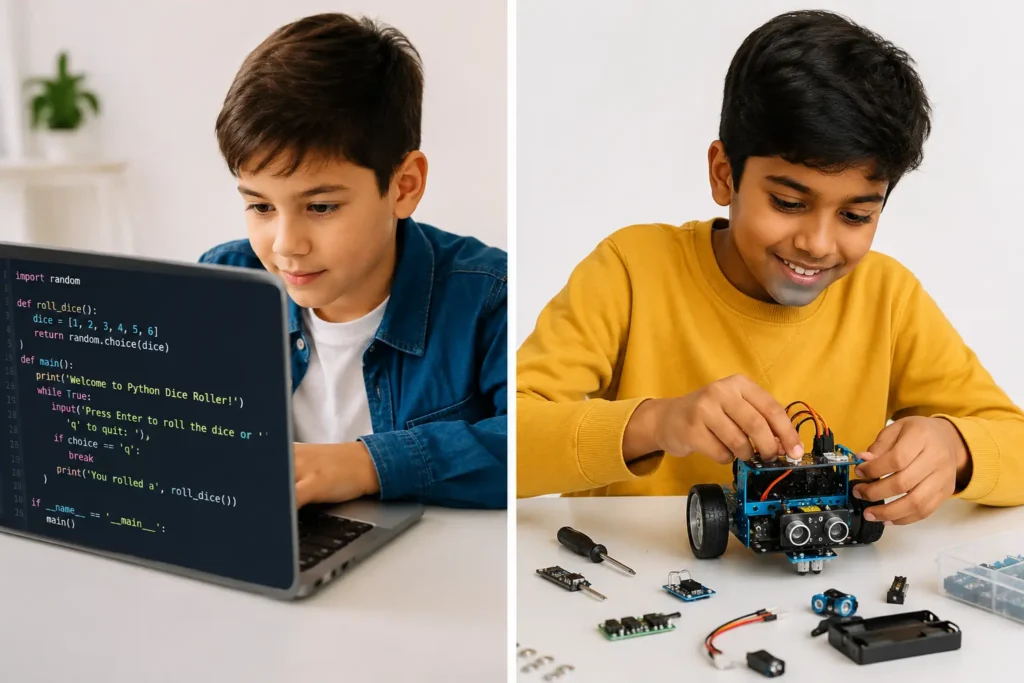
Understanding the relationship between coding and robotics makes the choice much clearer. They’re not opposites — they’re the same tree with different branches.
All robotics education involves programming. When a child programs a robot to follow a line, avoid obstacles, or respond to sound, they’re writing and debugging code — exactly the same logical thinking as software coding. The difference is that in robotics, the code has immediate, visible, physical consequences. The robot moves, stops, turns, flashes. Cause and effect are tangible.
Coding education without robotics produces software — games, applications, tools — where the outputs are entirely digital. The feedback loop is still real, but it exists on screen rather than in the physical world.
Research consistently shows that children who do both develop stronger computational thinking than those who only pursue one path. The physical feedback of robotics reinforces abstract coding logic; the precision of coding disciplines the sometimes imprecise intuitions that come from physical building.
For a deep look at how the two disciplines intersect, read our posts on how robotics and coding ignite children’s potential and how robotics and coding inspire learning through fun. For the AI angle, our post on artificial intelligence in robotics shows where these disciplines converge at advanced levels.
Here’s an honest, practical comparison across the dimensions that matter most when making this choice for your child.
| Factor | 💻 Coding | 🤖 Robotics |
|---|---|---|
| What it involves | Writing instructions that control software on a screen | Building and programming physical machines that move |
| Output | Games, apps, animations, tools, websites | Physical robots with programmed behaviour |
| Learning environment | Screen-based; works equally online and in-person | Physical; requires hardware kits or in-person access |
| Feedback loop | Visual on-screen; changes are immediate but digital | Physical and visible; robot moves, stops, responds |
| Best for | Kids who love games, storytelling, creative digital projects | Kids who love making things, engineering, physical creation |
| Online delivery | Fully accessible online; no hardware required | Requires a hardware kit at home or in-person attendance |
| Coding involvement | Core skill; the entire activity is programming | Essential component; robots without code are models |
| STEM breadth | Primarily CS and maths logic | CS + engineering + physics + electronics |
| Career pathways | Software development, AI, web, data science, game dev | Mechanical engineering, robotics, IoT, manufacturing AI |
| Entry age | Can start from age 5 with visual tools | Most effective from age 8+ with physical kits |
The comparison above shows that neither is objectively “better” — they optimise for different things. The right choice depends on your child, not on a universal ranking. For the robotics side of this comparison in depth, read our posts on the importance of robotics in STEM learning and what to expect from online robotics classes for kids.
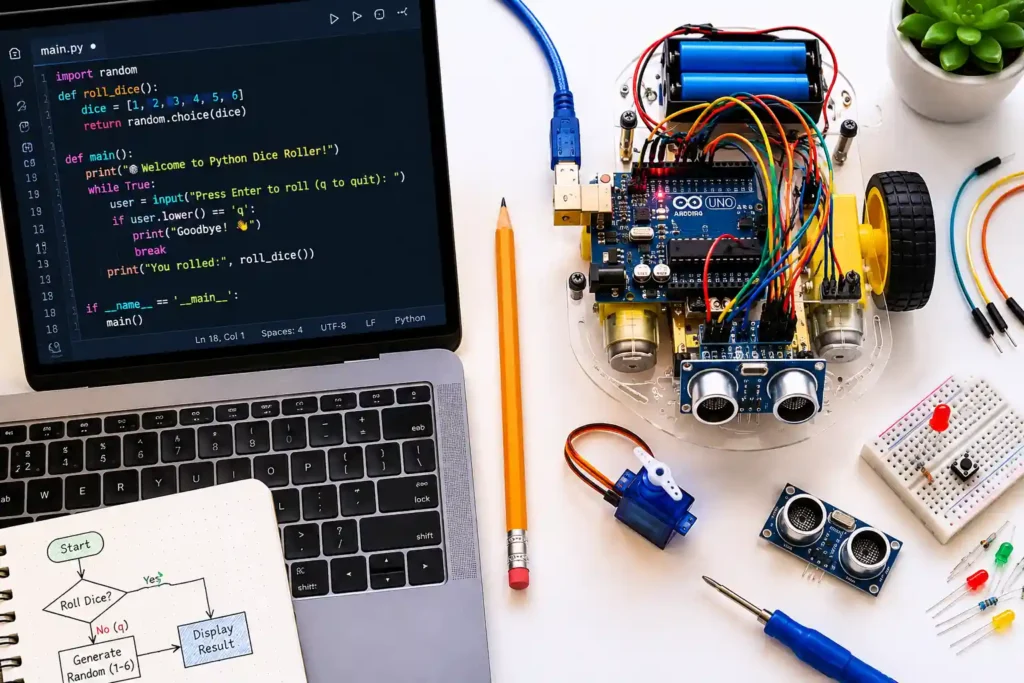
Learning style and personal interest are the strongest predictors of engagement — and engagement is the strongest predictor of lasting skill development. Use this guide to match your child to the right starting point.
Children who spend time in Roblox, Minecraft, or Scratch already think in terms of rules, cause and effect, and systems. They’re primed for coding. A Roblox coding course or a Scratch programme meets them exactly where their interest already lives.
A child who takes apart toys to see the mechanism inside, builds elaborate LEGO structures, or is fascinated by machines is a natural robotics learner. The physical feedback of watching their code move a real motor is uniquely satisfying. Our guide on the best robotics kits for beginners and best beginner robotics kits for kids helps with the hardware side.
Academically confident children can thrive in either track — the key is ensuring the content is genuinely challenging. For coding, that means moving quickly to text-based Python. For robotics, it means complex sensor logic, multi-component builds, and real programming. Our post on how to prepare kids for coding competitions and robotics science fair projects show what high-challenge outputs look like in each track.
The physical, immediate feedback of robotics is highly effective for children who find abstract digital concepts hard to engage with. When code makes something tangible happen — a wheel spins, a sensor blinks — the connection between instruction and outcome is visceral. See also our article on how coding helps kids with ADHD.
AI, machine learning, and the most future-relevant technical skills are all built on programming foundations. A child interested in where technology is heading should build strong Python foundations first, then move into AI — and eventually robotics AI if they want to bridge the two. See our guides on moving from Scratch to Python and why AI learning is important for kids.
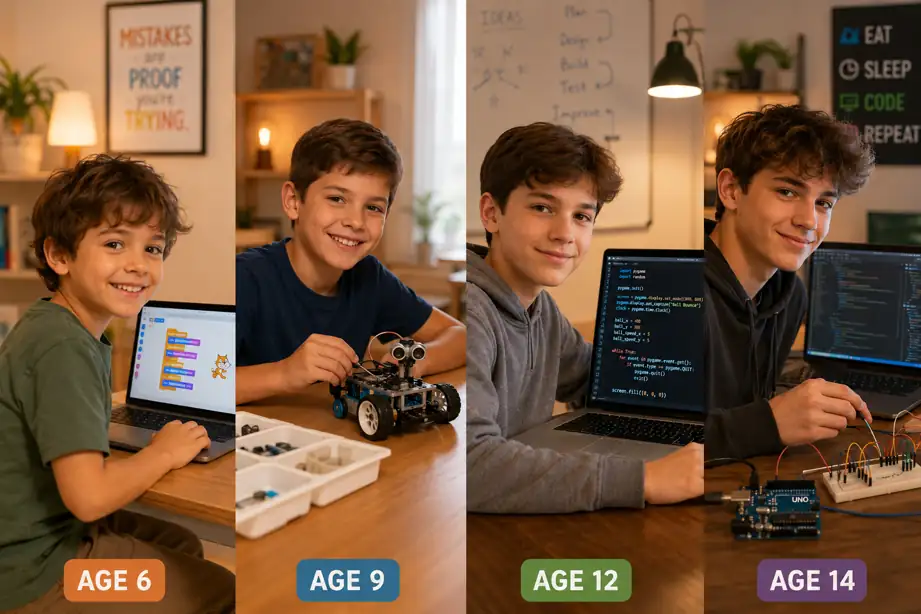
Age and developmental stage are real constraints — not everything is appropriate at every age. Here’s a practical framework:
| Age | Coding Readiness | Robotics Readiness | Recommended Starting Point |
|---|---|---|---|
| Ages 5–7 | Visual block coding (Scratch Jr); short, playful sessions | Simple programmable toys; no complex kits yet | Coding — Scratch or visual tools |
| Ages 8–10 | Scratch projects; intro to Python concepts | Beginner kits (LEGO Spike, mBot); supervised builds | Either — matched to interest |
| Ages 11–13 | Python; game dev; web; AI intro | Arduino; line followers; RC robots; sensor programming | Both — increasingly complementary at this stage |
| Ages 14–15 | Advanced Python; AI/ML; full-stack web; data science | Advanced robotics; IoT; AI-controlled robots; Raspberry Pi | Both — serious portfolio-level work in each |
For age-specific guidance on coding readiness, see our posts on the best age to start coding, what age kids should start learning Scratch, and signs your child is ready to learn coding.
Seeing the actual output of each learning path makes the choice much more concrete. Here are real project examples at different levels for both disciplines.
Related: Scratch projects for kids | beginner Roblox game projects | Python coding challenges for beginners
Related: how to make a line follower robot | how to build a remote controlled robot | robotics science fair projects | components of a robot — anatomy and functionality
Both coding and robotics develop children’s futures — but they do so with different emphasis. Understanding these differences helps you align the learning with what matters most for your child.
For context on broader skill development, read our guides on why STEM education matters, benefits of coding for elementary kids, and is coding really helpful for kids.
For most children aged 10 and above — yes, and the combination is often more powerful than either alone. Here’s why:
When children learn coding and robotics in parallel, they encounter the same concepts — variables, loops, conditionals, functions — in two very different contexts. This dual exposure dramatically accelerates understanding. The abstract concept of a loop in Python becomes concrete when that loop controls a robot spinning its wheels. The robotics build becomes richer when the programmer understands why the code is structured the way it is.
This is why the best STEM programmes don’t force a rigid either/or. They use each discipline to deepen understanding of the other. Projects that bridge both — a robot controlled by a Python script, or a simulation that models a real robot’s behaviour — are among the most effective learning experiences available.
ItsMyBot’s curriculum reflects this: children start in the track that matches their interests, build strong foundations, and then expand into the complementary discipline as they grow. For families who want a year-round progression, see our full coding classes for kids and summer programmes that span both tracks.
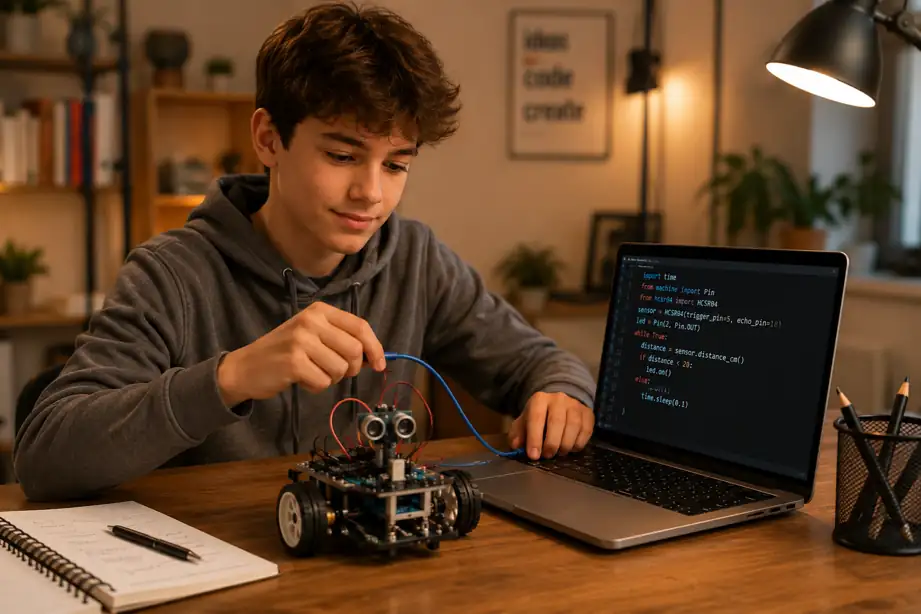
At ItsMyBot, we turn screen time into skill time — and for robotics, we add physical time into skill time too. Our programmes are built around the belief that the choice between coding and robotics shouldn’t be a forced binary. Both paths lead to the same future-ready skills. We help families find the right entry point and build from there.
Explore our summer and year-round options: summer programmes (coding + robotics) | year-round coding classes | Singapore | Doha | Abu Dhabi | Malaysia
Not Sure Which Track Is Right for Your Child?
Book a free demo session. Our mentors will assess your child’s interests and level — and recommend the right starting point. No commitment required.
Neither is objectively better — they’re different entry points into the same fundamental skill set. Coding suits children who love digital creativity, games, and software. Robotics suits children who love making things, engineering, and physical creation. Both build computational thinking; the best choice depends on what your child finds genuinely engaging. Many children benefit most from both.
Not necessarily. Robotics education designed for beginners includes programming at the appropriate level — you don’t need prior coding experience to start. That said, a child with coding foundations picks up robotics programming faster. For children aged 8–10, starting in parallel is often the most effective approach.
Yes — all meaningful robotics involves programming. A robot without code is a static model. The programming controls movement, sensor responses, decision logic, and all behaviour. Learning robotics is therefore always learning to code in a physical context. Read our guide on programming robots: a beginner’s guide.
Most children are ready for structured robotics education from age 8. Younger children (5–7) can engage with simple programmable toys, but complex kit assembly and sensor-based programming typically works best from 8 onwards. See our post on best beginner robotics kits for kids for age-appropriate hardware options.
It depends on the platform. Beginner kits often use visual block coding. Arduino-based robots use a C-like language (simplified for beginners). Python is increasingly used for more advanced robotics, AI-controlled robots, and Raspberry Pi projects. Children who learn Python for coding find the transition to advanced robotics programming straightforward.
Yes — and the combination is often more powerful than either alone. The two disciplines reinforce each other: abstract coding concepts become concrete when they control a physical robot, and robotics builds provide immediate physical proof that code works. For children aged 10+, pursuing both in parallel significantly accelerates overall development.
Both build strong career skills, but in different directions. Coding leads most directly to software development, AI, web development, and data science. Robotics leads to mechanical engineering, robotics, IoT, and manufacturing AI. The skills most valued across both — logical thinking, problem solving, systems design — are built by either track. Read our post on best STEM careers for kids to explore.
Watch what they build voluntarily. A child who designs elaborate Minecraft worlds or spends hours on Roblox will likely love coding. A child who takes apart toys, builds LEGO kits from scratch, or is fascinated by machines will likely love robotics. When in doubt, a free demo session — where your child tries both — removes the guesswork entirely.
Coding or Robotics — Either Way, Your Child Builds the Future
The best starting point is the one your child finds exciting. ItsMyBot helps you find that starting point — and then builds from it, step by step, with live mentors and real projects that grow with your child.
→ Explore ItsMyBot Coding and Robotics Courses

Online coding, AI, and robotics classes that help kids ages 6–18 build real skills — and confidence — one project at a time.
No commitment · Live class with an expert teacher
© ItsMyBot 2026. All Rights Reserved.