
I remember the exact moment when everything changed for Maya. She was 11 years old, sitting in front of her laptop during one of our sessions, and she looked up at me with this mixture of confusion and frustration.
“Wait,” she said. “You’re telling me that the code I’ve been writing in Scratch for the past year isn’t real code?”
I get this question more often than you’d think. Kids spend months or even years building games, animations, and interactive stories in Scratch. They learn about loops, variables, conditionals, and all the fundamental programming concepts. Then someone tells them that “real programmers use Python” or “Scratch is just for kids,” and suddenly they feel like all their effort was wasted.
Here’s what I told Maya that day, and what I want to tell you now: Scratch is absolutely real code. And more importantly, it’s the perfect foundation for learning Python.
This isn’t just my opinion. I’ve watched it happen dozens of times. Kids who start with Scratch don’t just survive the transition to Python. They thrive. They understand concepts that trip up adult beginners. They think like programmers before they ever type their first line of text based code.
Maya’s story is proof. But before I tell you where she ended up, let me explain why the path from Scratch to Python works so well.
When the MIT Media Lab created Scratch, they weren’t trying to teach kids a watered down version of programming. They were solving a fundamental problem: how do you teach computational thinking without the barrier of syntax?
Think about learning to drive. You wouldn’t start by explaining how the internal combustion engine works or making someone memorize traffic laws before they ever sit in the driver’s seat. You’d start with the basics: steering, braking, accelerating. The mechanics come later, once the fundamental skills are solid.
That’s exactly what Scratch does for programming. It removes the syntax barrier so kids can focus entirely on the logic. When you’re not worried about whether you typed a semicolon or used the right capitalization, you can actually think about what you’re trying to make the computer do.
Python, on the other hand, is one of the most widely used programming languages in professional software development. It powers everything from Instagram’s backend to NASA’s data analysis tools. Companies like Google, Netflix, and Spotify use it daily. Scientists use it to analyze data and model climate patterns. It’s as “real world” as programming gets.
But here’s what makes Python special: it’s also incredibly readable. The syntax is clean and intuitive. It was designed to be as close to human readable English as a programming language can be. This makes it the perfect next step after Scratch.
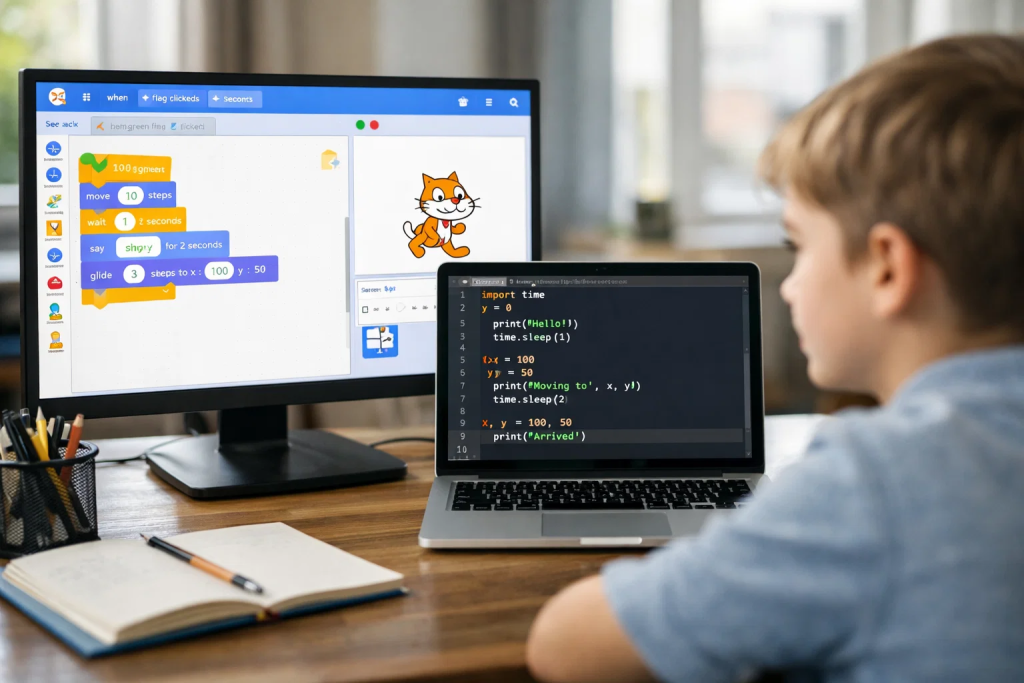
Let me explain something that most people don’t realize about Scratch. When you snap those colorful blocks together, you’re not playing with toys. You’re building real programs using the same logical structures that professional developers use every day.
A forever loop in Scratch is conceptually identical to a while True loop in Python. An if then block works exactly like an if statement. Variables, lists, functions, broadcasting messages between sprites? These are all fundamental programming concepts that exist in every language.
The Scratch Foundation didn’t dumb anything down. They just made it visual and immediately rewarding. You can see your code run instantly. You get instant feedback. And because the blocks only connect in ways that make logical sense, you can’t make certain types of mistakes that frustrate beginners in text based languages.
I’ve taught hundreds of kids over the years, and the ones who start with Scratch consistently outperform those who jump straight into Python or JavaScript. Not because Scratch teaches them Python syntax. But because it teaches them how to think in algorithms. How to break problems into smaller pieces. How to debug when things don’t work.
These are the hard parts of programming. The syntax is actually the easy part, once you understand what you’re trying to do.
Let me tell you more about Maya’s story, because it illustrates this transition perfectly.
She started with me when she was 9, working on simple Scratch projects. First, basic animations. Then interactive stories. Within a few months, she was building platformer games with multiple levels, scoring systems, and enemy AI.
By age 10, she had published a dozen projects on the Scratch community. Other kids were remixing her work. She was commenting on forums, helping younger students debug their code. She understood loops, conditionals, variables, custom blocks, and cloning. She just didn’t know that’s what they were called in formal computer science terms.
When she turned 11, we had a conversation about what comes next. She’d hit a ceiling with what Scratch could do. She wanted to build things that could run outside the Scratch website. She’d heard about “real programming” and Python kept coming up.
That’s when she asked me if Scratch was real code. And that’s when I showed her something that changed her perspective entirely.
I opened two windows side by side. On the left, one of her Scratch projects. On the right, a Python script I’d written that did the exact same thing. I walked her through them block by block, line by line.
“See this forever loop?” I said. “That’s while True in Python. This if then checking if the sprite is touching the edge? That’s an if statement checking coordinates. This variable tracking the score? Same thing, just written with text instead of a block.”
Her eyes widened. It wasn’t a completely new language she had to learn. It was the same logic she already knew, just wearing different clothes.
Within two weeks, she’d written her first Python program. Within a month, she’d recreated one of her Scratch games in Python using the Pygame library. Within three months, she was writing programs I hadn’t taught her, figuring things out by reading documentation and applying the problem solving skills she’d developed in Scratch.
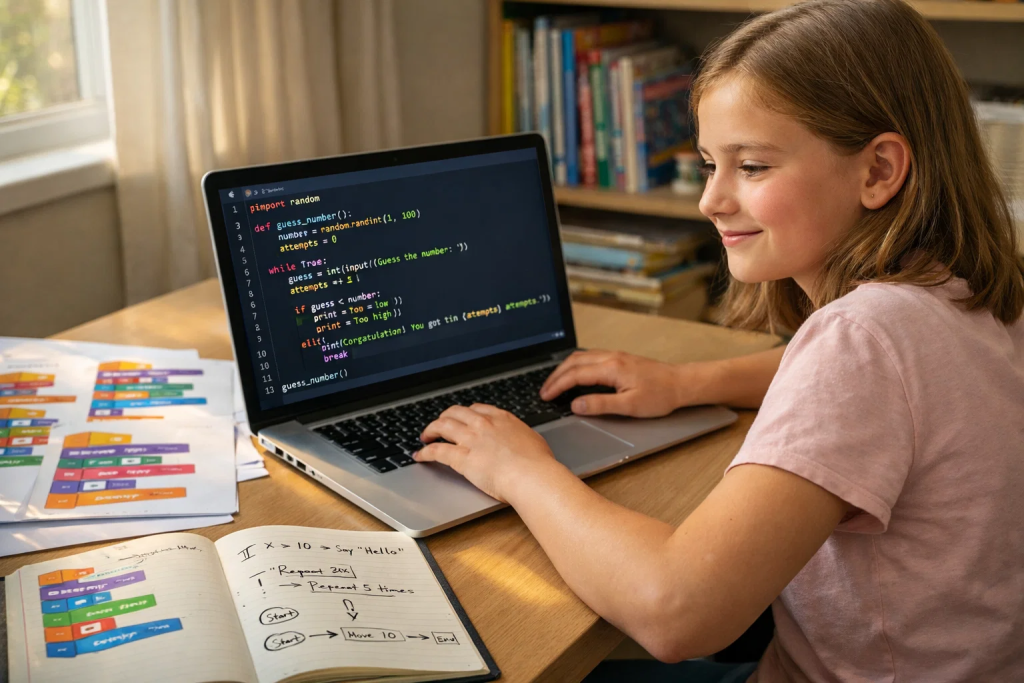
I want to be practical here. Moving from Scratch to Python isn’t instant or automatic. There are challenges. But they’re manageable challenges, not insurmountable walls.
The first hurdle is syntax. In Scratch, you don’t type. You click. You drag. The computer handles all the formatting. In Python, you have to type everything correctly. Capitalization matters. Indentation matters. Forget a colon and your code won’t run.
For kids who’ve been using Scratch, this feels frustrating at first. They know exactly what they want the computer to do. They have the logic clear in their head. But now they’re making “stupid mistakes” like forgetting to close parentheses or misspelling variable names.
Here’s what I tell them: this is temporary. These errors are annoying, but they’re not conceptual errors. They’re mechanical errors. And just like learning to type, you get better with practice.
Most kids who transition from Scratch to Python work through the syntax frustration within two to four weeks. After that, typing code becomes second nature, and they’re back to focusing on the logic.
Scratch is visual by design. You can see your sprites. You can watch them move. Everything happens on the stage right in front of you.
Python, especially when you’re first learning, is often text based. You run a program and see output in a terminal window. It’s less immediately satisfying.
This is why I always start Python learners with libraries that create visual output. Pygame for games. Turtle graphics for drawings. Tkinter for simple interfaces. This bridges the gap. They can still see what their code does, which makes debugging easier and keeps the experience engaging.
Once they’re comfortable with Python’s syntax and structure, then we can move into pure text based programs, web development, data analysis, or whatever direction interests them.
In Scratch, a lot is done for you. Collision detection is built in. The stage automatically refreshes. Sprites know their positions. The Scratch Foundation designed it to handle the tedious parts so kids can focus on creativity.
In Python, you build more from scratch (no pun intended). You need to understand more about how programs work under the hood. This can be overwhelming at first.
But here’s the advantage: this deeper understanding makes you a better programmer. When you know why something works, not just that it works, you can solve more complex problems. You can build things that don’t fit into Scratch’s framework.
Kids who’ve used Scratch understand the concepts. They just need to learn how to implement those concepts with more control and less scaffolding. It’s like moving from training wheels to a regular bike. Yes, you have to balance yourself now. But that means you can go places you couldn’t before.
Despite the challenges, so much transfers directly from Scratch to Python. In fact, some things transfer better than if they’d never used Scratch at all.
Kids who’ve built games in Scratch know how to think in steps. They’ve learned to break complex problems down: “First I need to check if the player pressed space. Then I need to make the character jump. Then I need to apply gravity to bring them back down. Then I need to check if they’ve landed on a platform.”
This is algorithmic thinking, and it’s the foundation of all programming. Adults learning to code often struggle with this. Kids who’ve used Scratch already have it internalized.
Every Scratch user has experienced this: you build something, test it, and it doesn’t work the way you expected. So you go back, check your blocks, run it again, add some debugging blocks to see what values your variables have, test it piece by piece until you find the problem.
This is debugging. Professional developers spend half their time doing exactly this. And Scratch kids have been practicing it for months or years before they ever see a Python error message.
When Maya encountered her first Python error, she didn’t panic or give up. She read the error message, went to the line it indicated, looked at what she’d written, and fixed it. Her Scratch experience had taught her that errors are normal and fixable.
Building a complex Scratch project requires planning. You need to think about what sprites you need, what each one should do, how they’ll communicate with each other. You learn to build features incrementally and test as you go.
These are software development practices. And kids learn them naturally through Scratch because the platform encourages experimentation and iteration.
When Maya started building Python projects, she didn’t write hundreds of lines of code and then hope it worked. She wrote small pieces, tested them, added the next piece, tested again. She planned her projects by sketching out what needed to happen, just like she’d done with her Scratch games.
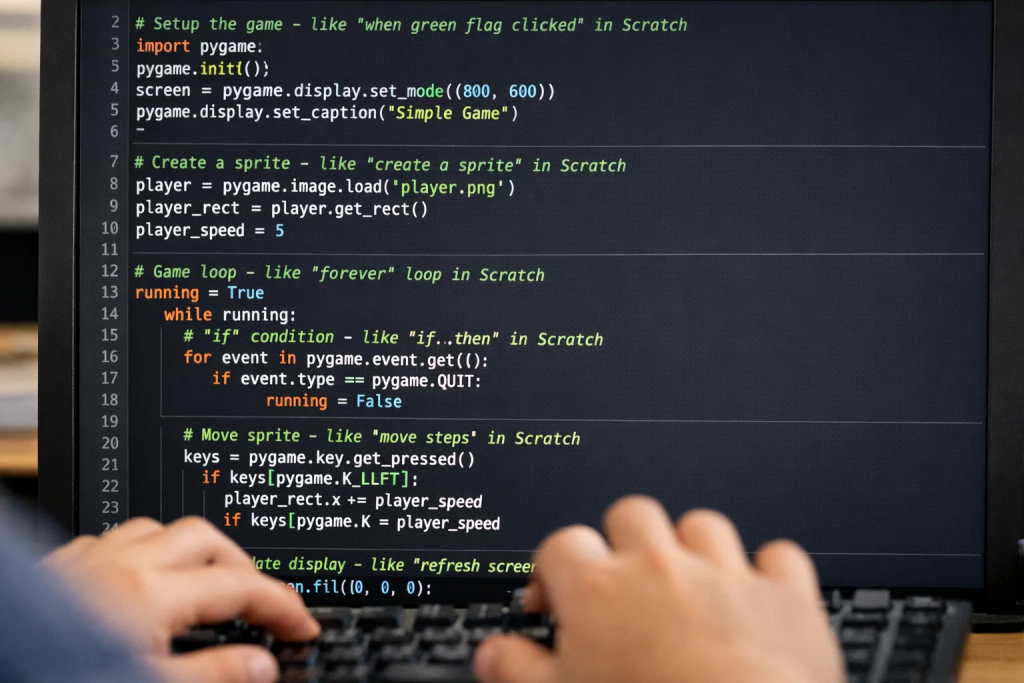
Of all the text based languages a student could learn after Scratch, Python is consistently the best choice. And I say this having taught kids JavaScript, Java, C++, and half a dozen other languages over the years.
Python’s syntax is clean and readable. There’s minimal punctuation. The structure is enforced by indentation, which means the code looks organized by default. This matters enormously for learners who are still getting comfortable with reading and writing code.
Python is also incredibly versatile. Want to build games? Use Pygame. Want to make websites? Use Flask or Django. Interested in data science? Python is the industry standard. Curious about AI and machine learning? Every major framework has Python support. Robotics? Python runs on Raspberry Pi.
This versatility means that whatever direction a student’s interests go, Python can take them there. They’re not locked into a single application like they are with some specialized languages.
And finally, Python is beginner friendly while still being professional grade. It’s not a “toy language” that you’ll need to unlearn later. The Python you write as a student is the same Python used at Google, NASA, and thousands of other organizations.
At ItsMyBot, we’ve refined a progression that works consistently well. Students typically spend 6 to 12 months building confidence in Scratch, learning all the core programming concepts in a visual, forgiving environment. Then they transition to Python, where they already understand the logic and just need to learn the new syntax and tools.
Our instructors are experienced with both platforms. They can see when a student is ready for the transition, and they can draw explicit connections between Scratch blocks and Python code. This guided transition makes all the difference.
Let me tell you where Maya is now, about 18 months after she made the switch to Python.
She’s 12 years old. She’s built multiple games using Pygame. She’s written programs that automate tasks on her computer. She’s analyzing data from her school science projects using Python libraries. She’s even started experimenting with basic machine learning using TensorFlow tutorials.
More importantly, she’s confident. She sees a programming problem and thinks “I can figure this out” instead of “I could never do that.” She knows how to read documentation. She knows how to search for solutions. She knows how to break big problems into small pieces and solve them one at a time.
These are professional developer skills. And she has them at 12 because she started with Scratch at 9.
She’s not unique, either. I’ve seen this pattern repeat with dozens of students. Kids who start with block based programming and transition to text based languages consistently develop stronger problem solving skills and more confidence than those who start directly with text based code.
The key is having support during the transition. A good instructor can make the connections explicit, can choose projects that build on existing knowledge, and can help students push through the frustration of learning new syntax.
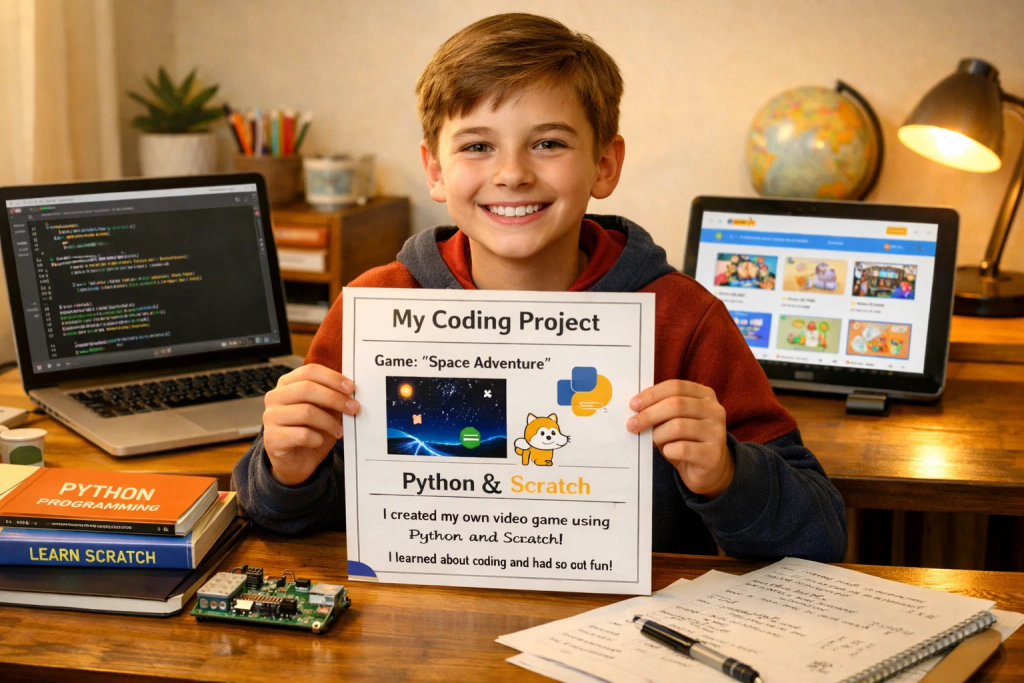
If you’re reading this because you have a child learning Scratch, or because you’re teaching Scratch and wondering what comes next, here’s my advice:
Don’t rush the transition. Let them build confidence in Scratch first. Let them create projects they’re proud of. Let them internalize computational thinking and algorithmic problem solving. This foundation is more valuable than you might think.
When they’re ready for more, when Scratch starts feeling limiting, that’s when Python makes sense. Not before. Not based on age alone. Based on readiness.
During the transition, make the connections explicit. Show them how Scratch concepts map to Python syntax. Start with visual projects so they can see what their code does. Be patient with syntax errors. Focus on what they’re trying to build, not just on writing correct code.
Most importantly, remind them that their Scratch experience wasn’t practice or preparation. It was real programming. They’ve been building real skills. Now they’re just learning a new way to express the same ideas.
At ItsMyBot, this is how we approach the Scratch to Python transition with every student. We meet them where they are. We build on what they already know. We help them see that they’re not starting over. They’re moving forward.
And if you want to see what that looks like in practice, if you want experienced instructors who understand both platforms and can guide your child through this journey, that’s exactly what we’re here for. We’ve walked this path with hundreds of students. We know what works. And we’d love to help your child make the same successful transition that Maya did.
Maya’s story isn’t special because she’s exceptionally gifted. It’s special because it’s repeatable. It’s the natural outcome when kids learn programming in a developmentally appropriate sequence, with proper support and guidance.
Scratch isn’t a stepping stone to “real programming.” It is real programming. It teaches the hard part: thinking computationally. Python just teaches a new syntax for expressing those same computational thoughts.
When you understand this, the transition from drag and drop to real code stops being intimidating. It becomes exciting. It becomes the natural next chapter in a programming journey that started with colorful blocks and curiosity.
That’s the success story. Not that kids can eventually write Python despite starting with Scratch. But that they can write Python, and write it well, precisely because they started with Scratch.
At what age should a child transition from Scratch to Python?
Age is less important than readiness. Most kids are ready for Python somewhere between ages 10 and 13, but I’ve seen successful transitions as young as 9 and as old as 15. The key indicators are: they’ve built multiple complete projects in Scratch, they understand loops and conditionals intuitively, they’re starting to feel limited by what Scratch can do, and they’re curious about text based programming. If they’re still enjoying Scratch and learning new concepts, there’s no rush. Let them build that foundation strong before moving on.
How long does the transition from Scratch to Python typically take?
The initial transition, where a student can write basic Python programs and understands the syntax, usually takes 4 to 8 weeks with consistent practice. Getting truly comfortable, where Python feels as natural as Scratch did, typically takes 3 to 6 months. But here’s the important part: students with Scratch backgrounds learn Python significantly faster than absolute beginners because they already understand programming concepts. They’re just learning new syntax, not learning to think algorithmically from scratch.
Will my child have to relearn everything from Scratch when moving to Python?
Not at all. This is one of the biggest misconceptions. About 80% of what they learned in Scratch transfers directly: how loops work, what variables do, how to use conditionals, how to think through problems step by step, how to debug when things break. The main things they’re learning with Python are the new syntax (how to write these concepts with text instead of blocks), some new tools and libraries, and more control over lower level details. If you’re interested in understanding what kids actually learn from Scratch beyond the blocks, our guide on block based vs text based coding breaks down the transferable skills.
Is Python really the best choice after Scratch, or are there other options?
Python is the most common and often the best choice, but it’s not the only option. JavaScript is great if your child wants to build websites and interactive web applications. Java works if they’re interested in Android app development. The reason Python is so popular as a next step is that it’s readable, versatile, widely used professionally, and has excellent learning resources. At ItsMyBot, we help families choose based on the student’s interests and goals, but Python is our recommendation for about 80% of students making the transition.
My child struggles with typing. Should we wait on Python?
Basic typing skills help, but they don’t need to be a fast typist to start learning Python. What matters more is that they can type letters and numbers without constantly looking at the keyboard. If typing is slow but accurate, they’ll naturally get faster as they practice coding. If typing is a major struggle (lots of errors, constantly hunting for keys), spending a few weeks on typing practice first will make the Python experience much less frustrating. Tools like TypingClub or Typing.com can help build this skill before or alongside early Python learning.
Can you really get a job knowing Python, or is it just educational?
Python is one of the most in demand programming languages in professional software development. According to industry surveys, Python developers are hired for web development, data science, artificial intelligence, automation, scientific computing, and many other fields. Companies like Google, Netflix, Instagram, Spotify, and NASA use Python extensively. Learning Python as a young person absolutely opens doors to future careers. That said, the goal at this age isn’t job training but building problem solving skills and computational thinking that will be valuable regardless of career path. If you’re curious about where coding skills can lead, our article on what is Python used for explores real world applications.
What if my child gets frustrated during the transition and wants to quit?
Frustration is normal and expected during the transition. The syntax errors, the typing mistakes, the feeling of “I could do this easily in Scratch” is part of learning. The key is having support during this phase. A good instructor or parent can help them see that these frustrations are temporary and mechanical, not conceptual. They can celebrate small wins, help debug tricky errors, and keep the focus on building interesting projects rather than just learning syntax. At ItsMyBot, our instructors are specifically trained to guide students through this frustration phase. Most students who feel supported during the transition come out the other side more confident than ever.
Want your child to go further? Explore ItsMyBot’s Best Python Programming Classes for Kids — structured coding courses designed for kids!

Online coding, AI, and robotics classes that help kids ages 6–18 build real skills — and confidence — one project at a time.
No commitment · Live class with an expert teacher
© ItsMyBot 2026. All Rights Reserved.