
Every parent who types “online coding classes for kids” into a search engine faces the same overwhelming result: hundreds of options, near-identical marketing claims, and no reliable way to tell a genuinely educational programme from a polished screen-time subscription. The stakes are real — choose well and your child builds skills that last a lifetime; choose poorly and they finish a term with a certificate, no project, and no lasting progress.
This is not a list of platforms. This is a complete parent’s framework for understanding online coding classes for kids in 2026: what genuine education looks like, how to evaluate any programme, which format suits your child’s age and learning style, what children should be building at each stage, and what questions to ask before you book a single session.
Table of Contents
The question of whether online education “works” for children was settled, empirically, during the years that forced the world to find out. The answer — nuanced but clear — is that online education works when it is well-designed, live, and instructor-led. It doesn’t work when it’s a pre-recorded library with a progress bar.
For coding specifically, the case for online delivery is particularly strong:
The caveat is real: the word “online” tells you almost nothing about quality. A poorly designed online coding course is worse than nothing — it wastes your child’s time and potentially damages their enthusiasm for technology. This guide is about separating the genuine from the generic.
For a broader view on how online coding education compares to in-person, read our post on live 1-on-1 vs group coding classes for kids. And for those evaluating summer-specific options, see our post on online summer coding camp for kids 2026.
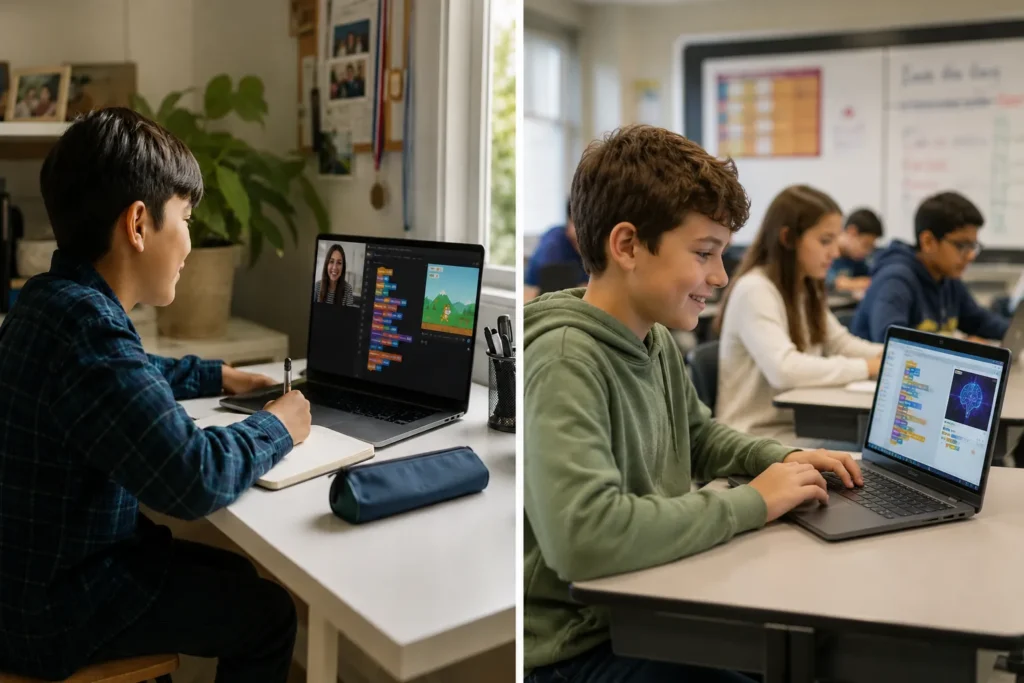
Understanding the landscape of online coding education helps you navigate it. There are five main types — each with fundamentally different learning outcomes.
A single student with a single instructor in real time. The instructor adapts entirely to the child’s pace, level, and questions. Maximum personalisation, maximum support. The most effective format for children who need individual attention, have specific learning goals, or are pursuing advanced curricula (like C++ or AI). This is the format ItsMyBot specialises in.
Typically 3–8 students with one instructor in real time. Allows peer learning and group project dynamics while maintaining meaningful instructor attention. An excellent format for children who are motivated by peer interaction and collaborative challenges. Read our full comparison of 1-on-1 vs group coding classes.
Pre-recorded video lessons with interactive exercises — no live instructor. Examples include many popular subscription platforms. Best used as a supplement to live instruction, not a replacement. Children rarely complete these courses independently, and the absence of real-time feedback means misconceptions go uncorrected. Not recommended as a primary coding education format for ages 5–15.
Gamified platforms that teach coding concepts through puzzles and interactive games. Valuable for building interest and familiarity with basic logic concepts, particularly for ages 5–9. Not sufficient as a standalone coding education — they teach pattern matching more than genuine programming. See our post on top coding apps for kids ages 8–16 for the best options in this category.
A combination of live sessions and self-paced content. When designed well — live sessions as the primary learning environment, self-paced content as reinforcement and extension — this is a strong format. The live component must genuinely dominate; programmes where live sessions are brief check-ins on otherwise pre-recorded content are effectively self-paced with premium packaging.
Age and developmental stage are genuine constraints in coding education — not every format or language is appropriate at every age. Here is a practical breakdown:
At this age, the goal is curiosity and the beginnings of computational thinking — not syntax. Visual, story-driven tools like ScratchJr and age-appropriate coding games build the conceptual foundations (sequencing, cause and effect, simple logic) without demanding premature abstraction. Sessions should be short (30–45 minutes), highly interactive, and play-forward. Read our post on what age kids should start learning Scratch.
Children this age are ready for structured Scratch projects — multi-sprite games, animated stories, interactive projects — and increasingly for introductory Python concepts. Sessions of 45–60 minutes work well. The emphasis should shift from play toward genuine project completion: something a child can share and explain. See our complete guide to Scratch coding and Scratch projects for kids for what’s achievable.
This is the most important age range for building lasting coding skills. Cognitive maturity makes text-based programming accessible; the motivational environment — games, apps, peer status for technical skill — supports sustained engagement. Python, game development (Roblox/Lua), web development, and introductory AI are all appropriate. This is the age range where ItsMyBot sees the most transformative progress. Relevant reading: moving from Scratch to Python, Roblox coding for kids, block vs text-based coding.
Older children who have built solid foundations are ready for genuinely advanced curricula: C++, AI/ML projects, full-stack web development, competitive programming, or robotics. At this level, the quality of the instructor matters most — these children need someone who can challenge them, not just guide them. See our complete guide to Python for kids, why AI learning matters, and AI science fair projects for students.
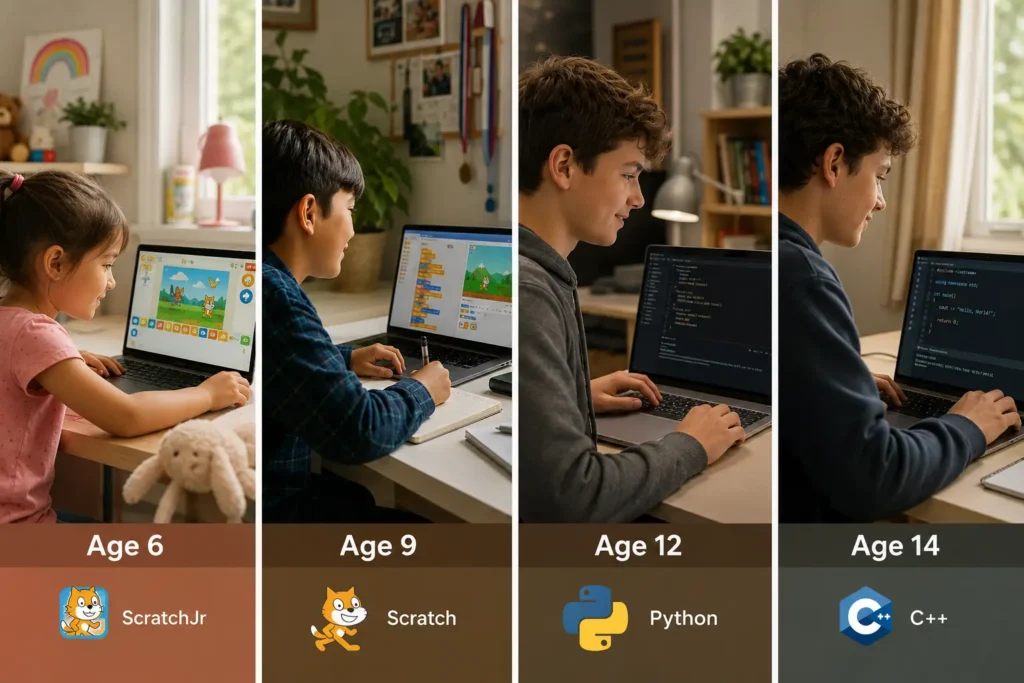
This is the most important question to ask of any programme — and the one most easily obscured by marketing language. Here is what genuine coding education looks like at each stage, and what it doesn’t look like.
The distinction matters enormously for long-term outcomes. A child who has genuinely learned to code can explain what each line of their programme does, debug when something breaks, and apply the same concepts in a new context. A child who has “completed a course” without this depth has only consumed content.
Projects are the most reliable evidence of genuine learning. Here is what children should be building at each stage of a quality online coding programme:
Related: Scratch to Python guide | beginner Roblox projects
Related: Python for kids complete guide | Roblox coding for kids
Related: AI literacy for kids | coding competition preparation
The right first language depends on your child’s age, interest, and goal — but there are clear patterns that hold across most situations.
| Language | Best For | Age Range | What It Leads To |
|---|---|---|---|
| Scratch | Absolute beginners; visual thinkers; creative storytellers | 5–11 | Python, game dev, animation |
| Python | Most versatile first text-based language; AI, data, automation | 9+ | AI/ML, data science, web, C++ |
| Lua (via Roblox) | Kids who love Roblox; game development motivation | 8–14 | Python, game dev, JavaScript |
| HTML/CSS/JS | Kids interested in building websites; visual creative output | 10+ | Web development, full-stack |
| C++ | Competitive programming; game engines; robotics | 11+ (after Python) | Systems, games, robotics, IOI |
| Java | Structured OOP; Android development; academic contexts | 12+ | App dev, enterprise software, ICPC |
For detailed language comparisons, read our posts on Scratch vs Python for kids, Python vs Java — which to learn first, and what Lua programming is in Roblox. For game-specific language guidance, see our round-up of best coding languages for game developers.
This distinction is the most important factor in predicting whether a coding class will produce lasting results — and it’s consistently obscured by platform marketing.
| Factor | ✅ Live Online Coding Classes | ⚠️ Pre-Recorded / Self-Paced |
|---|---|---|
| Instruction | Real-time qualified instructor | Video; no real-time interaction |
| Debugging support | Immediate; instructor sees the error in context | Forum posts; delayed or absent |
| Pacing | Adapted to the child’s actual pace | Fixed by video length; child either waits or rushes |
| Completion rates | High — scheduled commitment, relationship with instructor | Very low — industry average under 10% for self-paced MOOCs |
| Misconception correction | Real-time; errors caught before they calcify | Missed; children build on flawed understanding |
| Motivation | Instructor relationship; peer interaction; accountability | Gamification only; relies entirely on self-motivation |
| Parent visibility | Progress updates, session summaries, project milestones | Badge completion; limited qualitative feedback |
| Best used as | Primary coding education | Supplement to live instruction; reference material |
The honest summary: pre-recorded coding platforms have a role — reinforcing concepts, providing reference material, giving children something to explore independently. But as a child’s primary coding education, they consistently underdeliver. The inability to get a real-time answer to “why isn’t this working?” is not a minor inconvenience; it’s the barrier that stops most children from progressing past beginner concepts.
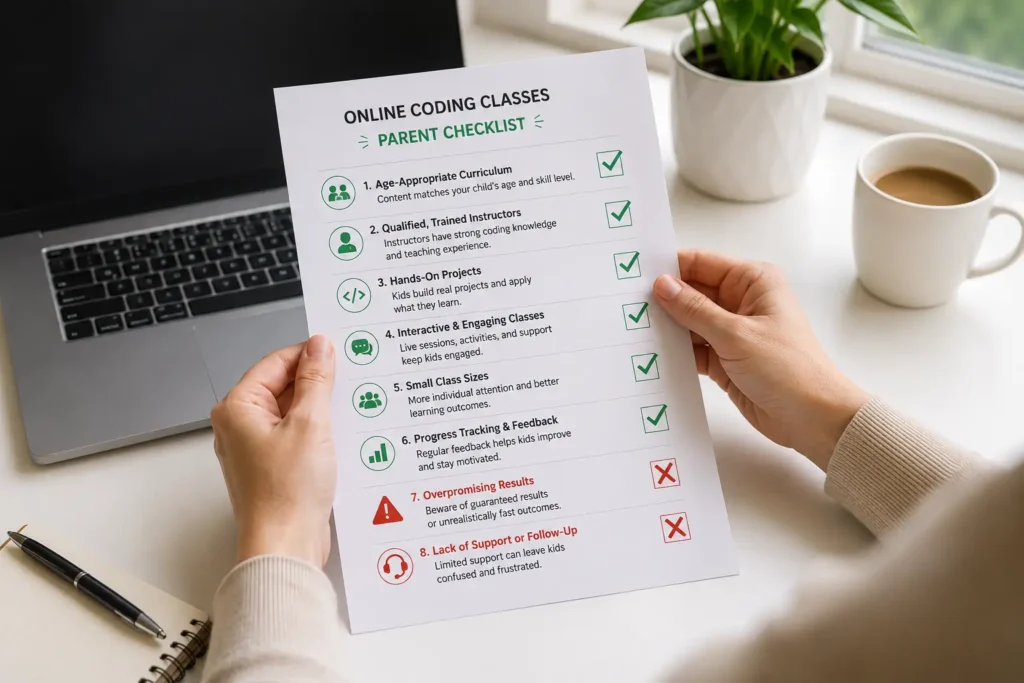
Use this framework before booking any online coding class for your child. A programme that can answer all of these questions confidently is worth serious consideration.
✅ Online Coding Class Quality Checklist
NON-NEGOTIABLE
STRONG QUALITY INDICATORS
DIFFERENTIATORS
For a more detailed framework on making this decision, see our complete guide on how to choose the right coding course for your child.
Recognising a weak programme quickly protects your child’s time, motivation, and trust in technology. These are the clearest warning signals:
🚩 No mention of live instruction on the programme page
If “live” or “real-time” isn’t prominently featured, assume it isn’t. Ask directly before paying anything.
🚩 Certificates with no project commitment
A certificate should represent something built — not something watched. If the programme can’t tell you what project your child will complete, the certificate is meaningless.
🚩 Age-only placement
All 10-year-olds are not the same coder. A beginner and an intermediate learner of the same age need different programmes. Age-only placement means the advanced child is bored and the beginner is overwhelmed.
🚩 No free trial or sample session
A programme confident in its quality offers a trial. Requiring full upfront payment without a sample session means the provider knows a single honest look might not convert.
🚩 Undisclosed instructor qualifications
If the website can’t clearly describe instructor qualifications, vetting process, and child-education experience, that’s a serious concern.
🚩 No parent communication plan
You should know before booking how often you’ll hear about your child’s progress and what that communication looks like. Silence between payment and certificate delivery is not acceptable.
🚩 No pathway beyond the current level
A coding education that ends at a fixed point rather than opening into a progression is a product, not a programme. Ask: “What does my child do after this level?”
🚩 Promised outcomes that sound too large
Claims like “your child will build an app in 3 sessions” or “guaranteed to get a job in tech” are marketing, not education. Genuine providers describe specific, achievable outcomes per level.
For a complete comparison of providers, see our posts on WhiteHat Jr review and alternatives, BrightCamp reviews and alternatives, and our round-up of top coding programmes for kids in 2026.
One of the significant advantages of live 1-on-1 online coding classes is adaptability. Unlike a classroom where the instructor must serve 20–30 students simultaneously, a personal online instructor can adapt pace, communication style, and complexity entirely to the individual child.
Coding’s immediate feedback loop — write code, run it, see what happens — is well-suited to children who struggle with long, abstract tasks. The tangible connection between action and output maintains engagement in ways that many traditional learning formats don’t. Shorter sessions (30–45 minutes), frequent project milestones, and clear visual progress all support children with ADHD. Read our detailed post on how coding helps kids with ADHD.
Online coding classes are a natural fit for homeschooling families — flexible scheduling, specialist instruction in subjects where parents may not have deep expertise, and progress that can be aligned with broader curriculum goals. See our guide on online coding classes for homeschoolers.
Girls are underrepresented in technology careers not because of ability — research consistently shows no meaningful difference in coding aptitude — but because of access to role models, cultural messaging, and early exposure. Coding education for girls benefits most from instructors who actively communicate that coding is for everyone, projects that connect to interests beyond gaming, and environments where confidence is built alongside competence. The content of the curriculum matters less than the quality and attitude of the instructor.
If your child has tried a coding class and found it difficult or disengaging, the most likely explanation is a mismatch — wrong level, wrong language, wrong format, or wrong instructor — rather than a fundamental barrier. A child assessed at the right level, with the right project motivation, and guided by a patient expert instructor, will almost always find coding achievable. Read our post on signs your child is ready to learn coding for a readiness framework.
The parents whose children make the fastest progress aren’t the ones who hover during sessions — they’re the ones who create the right conditions around them.
The most productive practice between sessions is self-directed exploration — letting a child tinker with their project, add a feature they thought of, or try something that might break. Forced practice or homework-style repetition is less effective and can damage motivation. Make the laptop accessible; don’t schedule “coding time”.
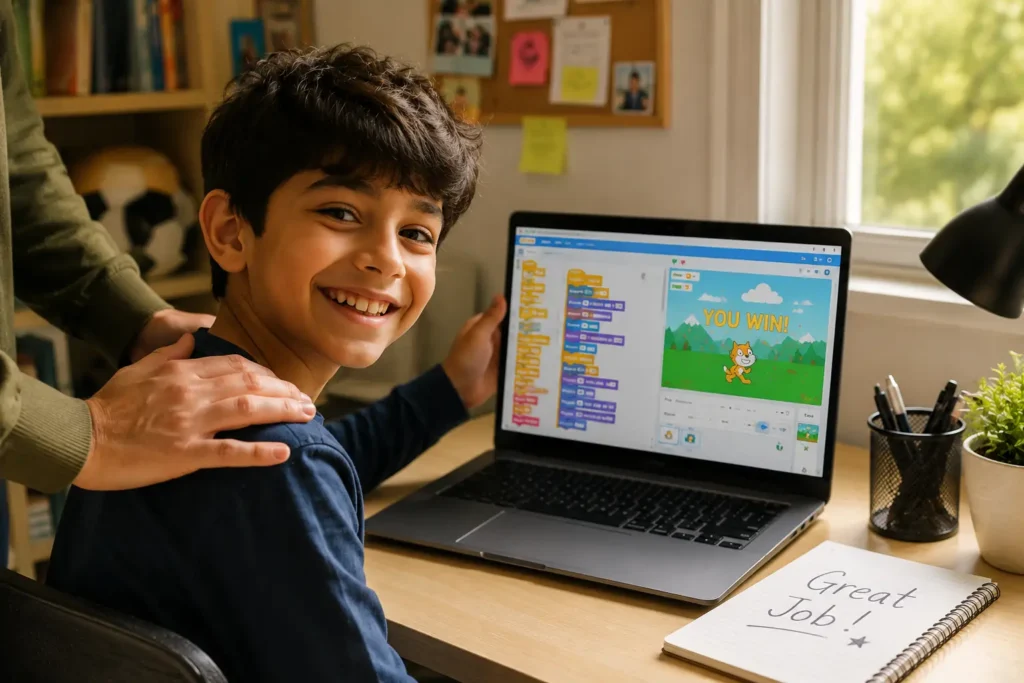
When your child finishes a project — a game, an app, a website — treat it as a genuine achievement. Show it to family. Let them explain it. Encourage them to share it with friends who will actually play it. The pride of “I made this” is the most powerful motivator available for the next level of learning.
For a comprehensive parent’s framework, read our complete guide on how to support your child’s coding journey.
At ItsMyBot, we turn screen time into skill time. Our online coding classes are built for children aged 5–15 who deserve more than a digital babysitter with a coding theme — and for parents who want to invest in their child’s future with confidence.
Here’s what every ItsMyBot family can expect:
ItsMyBot serves families across the globe. Explore our regional summer programmes: Singapore | Doha | Abu Dhabi | Malaysia | Muscat | Kuwait City. Year-round classes available globally at itsmybot.com/coding-classes.
Book a Free Demo — See the Difference a Real Instructor Makes
One live session. No commitment. Your child builds something real with a qualified mentor — and you see exactly what genuine online coding education looks like.
Online coding classes for kids are structured, instructor-led programmes delivered via video call, where children learn to write code, build projects, and develop computational thinking skills. Quality programmes are live and real-time — not pre-recorded. Children aged 5–15 can join, with curricula ranging from visual block coding (Scratch) for beginners through Python, game development, AI, and C++ for advanced learners.
Children as young as 5 can begin with age-appropriate visual coding tools like ScratchJr. Ages 8–10 are ready for structured Scratch projects. Ages 11–13 is the most productive window for Python and text-based programming. Ages 14–15 can pursue advanced curricula including C++, AI, and competitive programming. Read our guide on the best age to start coding.
Yes, significantly — for children. Real-time instruction provides immediate debugging support, adapts to the child’s actual pace, corrects misconceptions before they become ingrained, and maintains motivation through a genuine relationship with an instructor. Pre-recorded platforms have very low completion rates among children and leave learners without support when they encounter problems.
A laptop or desktop computer (not a tablet), a stable internet connection, and headphones. Most platforms require no special software. For younger children starting with Scratch, a free browser-based account is all that’s needed. See our post on best desktop computers for kids if you’re considering a hardware upgrade.
Scratch for ages 5–10; Python for most children aged 9 and above. Lua (via Roblox) for children motivated by game development aged 8–14. The right first language depends on your child’s age, interest, and goals. See our detailed comparison of Scratch vs Python for kids.
Learning to code is not a fixed endpoint — it’s a progression. With one to two live sessions per week, most children are writing original Python programmes within 3–6 months. Building sophisticated project-level skills (multi-file programmes, game development, basic AI) typically takes 12–18 months of consistent learning. The biggest factor in pace is session frequency and instruction quality.
Ask for project evidence at every stage. A child who is genuinely progressing can show you working code they wrote, explain how it works, and demonstrate what they would do if something broke. If a child has been in a coding class for three months and cannot show you a programme they wrote independently, that is not progress. Read our guide on how to support your child’s coding journey.
Yes — the majority of children who join ItsMyBot have no prior experience. Our placement assessment identifies the right starting point for every child, whether complete beginner or returning to coding after a break. The programme is designed to build from wherever a child is, not from an assumed baseline.
ItsMyBot offers a connected progression across: Scratch → Python → Roblox/Lua → Web Development (HTML, CSS, JS) → AI/ML → C++ → Competitive Programming → Robotics. Children can follow the full progression or specialise based on their interests and goals. Every pathway includes live instruction, project milestones, and parent progress updates throughout.
ItsMyBot is a live, instructor-led programme — not a self-paced app. Every session is real-time with a qualified instructor. Children build original projects, receive immediate feedback, and advance at their own pace under expert guidance. Self-paced apps can supplement learning; they don’t replace a qualified instructor. For a comparison of the options, see our post on top coding apps for kids.
Your Child’s Coding Education Starts With the Right First Session
Every criterion in this guide. Every quality indicator on the checklist. One free live session to verify it for yourself. ItsMyBot has been turning screen time into skill time for kids aged 5–15 worldwide — and your child’s journey starts with a single, no-commitment demo.
→ Explore ItsMyBot Online Coding Classes for Kids
→ How to Choose the Right Coding Course for Your Child

Online coding, AI, and robotics classes that help kids ages 6–18 build real skills — and confidence — one project at a time.
No commitment · Live class with an expert teacher
© ItsMyBot 2026. All Rights Reserved.