👉 Limited spots available - Join 10K+ kids already coding with ItsMyBot.

Explore the world of robotics with Robotics Courses

Enroll now to explore the cutting-edge of learning to code online.
👨‍🏫 Live 1:1 Class
📋Personalised Curriculum
💻 100% Online
🎖️ Certificate On Completion
Rated 4.8/5
on TrustPilot
Rated 4.8/5
on Google
500,000+
Hours of learning
40+
Countries
Curriculum Designed by Educators and Technologists who worked for Tech Leaders
Book a Free Trial Class

No commitment. No pressure. Your trial is free and comes with an honest recommendation. Pricing shared after the trial lesson.

Our COURSES

Explore Robotics Courses

Learn more about our customisable learning paths. Choose the learning path according to your child’s needs and goals.
Level 1

Robotics Foundations: Electronics, Circuits & Arduino

  • Block/ Text based with Arduino C++
  • Basic Level : 22 Hrs + 2 Hrs Assessment
    Intermediate Level : 38 Hrs + 2 Hrs Assessment
    Advanced Level : 58 Hrs + 4 Hrs Assessment
Students develop a strong foundation in electronics, circuit design, Arduino programming, sensors, motors and automation through hands-on Tinkercad projects. Build & Understand (Basic): Explore the fundamentals of circuits, electronic components and Arduino. Sense & Control (Intermediate): Use sensors, motors, servos and Arduino programming to create responsive and automated systems. Engineer & Automate (Advanced): Design sophisticated embedded systems using digital logic, memory, communication and robotics.
Level 2

Cruiser-Robotics for Kids

  • Scratch Programming with Microcontrollers
  • Age group: 7 to 12
  • Learning Modules: 26-28 Hours
  • Programming Style: Block-Based
  • Assessments: 2-3 Hours
This course is the perfect introduction to coding for your child, focusing on building versatile electronic systems. With a curriculum grounded in interdisciplinary STEM learning, students will apply scientific principles to tackle real-life problems using block coding and receive immediate feedback. This engaging, playful approach fosters not only their logical thinking but also enhances their psychomotor skills, making learning both fun and effective.
Level 3

Flyer Robotics

  • Learn MicroPython, Microcontrollers, and Sensor Programming
  • Age group: 10 to 14
  • Learning Modules: 44-46 Hours
  • Programming Style: Python
  • Assessments: 2 Hours
Progress from professional Python programming into embedded systems, robotics, and intelligent automation using microcontrollers, sensors, displays, and smart devices. Through engineering challenges and real-world projects, students discover how software controls hardware while developing future-ready skills in robotics engineering, IoT foundations, computational thinking, and innovation.
Level 4

Master IoT Engineering Program

  • IoT, AI/ML, and Cloud Programming with Predictive Analytics
  • Age group: 12 to 15+
  • Learning Modules: 35-38 Hours
  • Programming Style: Python
  • Assessments: 2 Hours
Explore the technologies behind Smart Cities, healthcare, and intelligent automation by designing complete IoT systems. Students learn networking, cloud communication, embedded systems, MQTT, Edge AI, and intelligent connected devices while building enterprise-inspired projects that develop systems thinking, engineering design, and future technology skills.
Robotics Projects preview
Robotics Courses · Student Projects

Projects Built by Our Robotics Students

Explore real projects created by our robotics students across every level.

Emma Pop, creator of Smart Classroom Noise Alert System
Robotics Foundations · Level 1

Smart Classroom Noise Alert System

Can a classroom detect when it gets too noisy? This young engineer designed a smart classroom alert system using Arduino and electronic components.

The project uses sound input and programmed decision-making to activate visual and audio alerts when the noise level exceeds a set threshold. Through circuit building, Arduino programming, and testing, the student explored how electronic systems can respond to real-world conditions.

Skills showcased: Basic electronics, circuit design, Arduino programming, conditional logic, input-output control, and problem-solving.

Meet the maker

Emma Pop is a fourth grader from Cluj Napoca, Romania. She loves music and skiing!

Emma Pop 4th grader · Cluj-Napoca, Romania
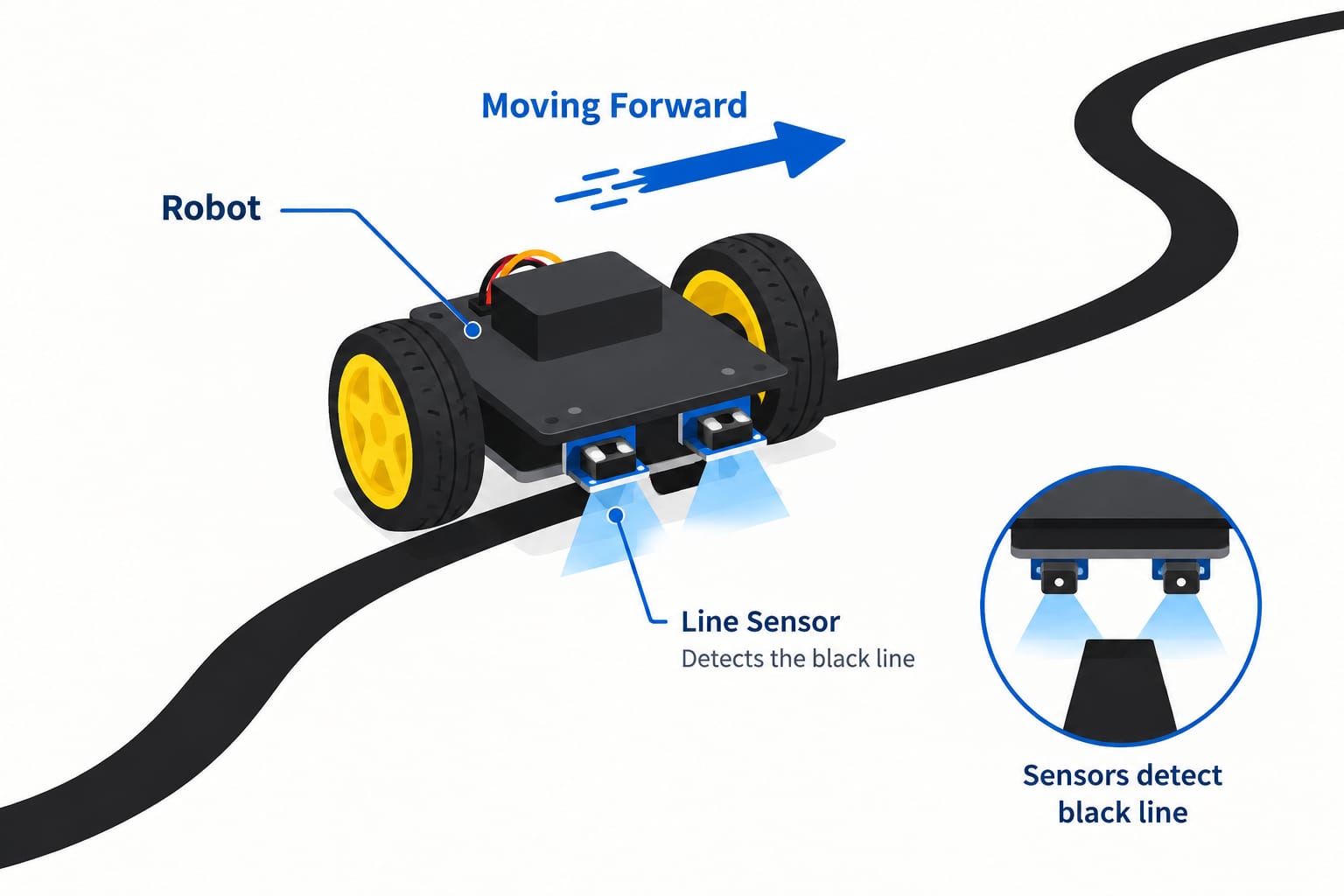
Line-Following Robo – Goods Mover, a Cruiser robotics project by Brock Smith
Cruiser Robotics · Level 2

Line-Following Robo – Goods Mover

Have you ever seen robots that help move boxes in big warehouses? Now, you can build a mini version! This little robot will follow a black line on the ground to move from one place to another, just like real robots in factories and warehouses. It’s a fun way to learn how robots follow paths!

We can enhance our robot by adding an ultrasonic sensor to detect obstacles and stop automatically, and by controlling it with an IR remote for manual operation.

Components Needed

  1. ATmega328P-ELF MainboardThe brain of the robot
  2. Double-way Line-following SensorTo detect and follow the black line
  3. Motors & WheelsTo move the robot
  4. USB CableTo connect to the laptop for programming
  5. Ultrasonic SensorOptional – To detect obstacles and stop automatically
  6. IR Receiver & IR Remote ControlOptional – For manual operation and control

Pseudo Code

# Initialize Libraries and Components
Initialize line-following sensor
Initialize ultrasonic sensor
Initialize motors and wheels
Initialize IR receiver (optional)
Initialize IR remote (optional)

# Start the robot movement
While robot is running:
    Read line-following sensor data
    If sensor detects line:
        Move robot forward
    Else:
        Turn robot to stay on the line

# Obstacle detection
If ultrasonic sensor detects obstacle:
    Stop robot
    Wait for 1 second
    Avoid obstacle (turn or move back)

# Optional: Manual control via IR remote
If IR receiver receives signal:
    Follow manual control commands from remote
Meet the maker

Hi, my name is Brock Smith. I’m 11 years old, and I’m from Perth, Australia. I love tennis and playing video games.

Brock Smith 11 years old · Perth, Australia
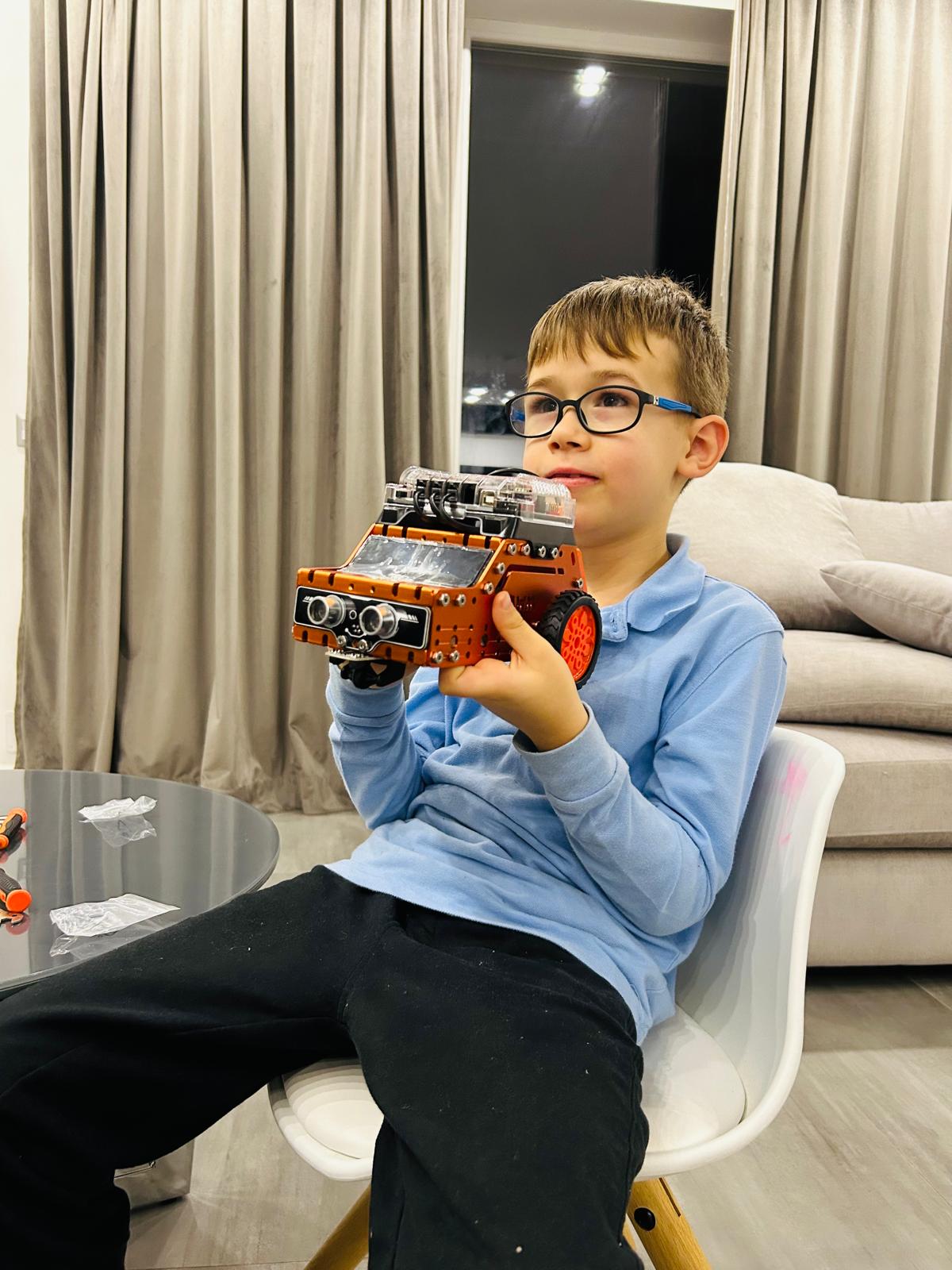
Tudor Stezar with EcoSortBot, his Smart Waste Collection Robot
Cruiser Robotics · Level 2

EcoSortBot – Smart Waste Collection Robot

Can a robot help keep our environment clean? EcoSortBot is a student-designed robotic system that navigates a miniature environment, detects obstacles, and follows a programmed route to reach designated waste collection points. By combining autonomous movement, sensor-based decisions, and creative engineering, the project explores how robotics can contribute to cleaner and smarter communities.

Meet the maker

Tudor Stezar is a fourth grader from Cluj Napoca, Romania. He loves sports, and video games.

Tudor Stezar 4th grader · Cluj-Napoca, Romania
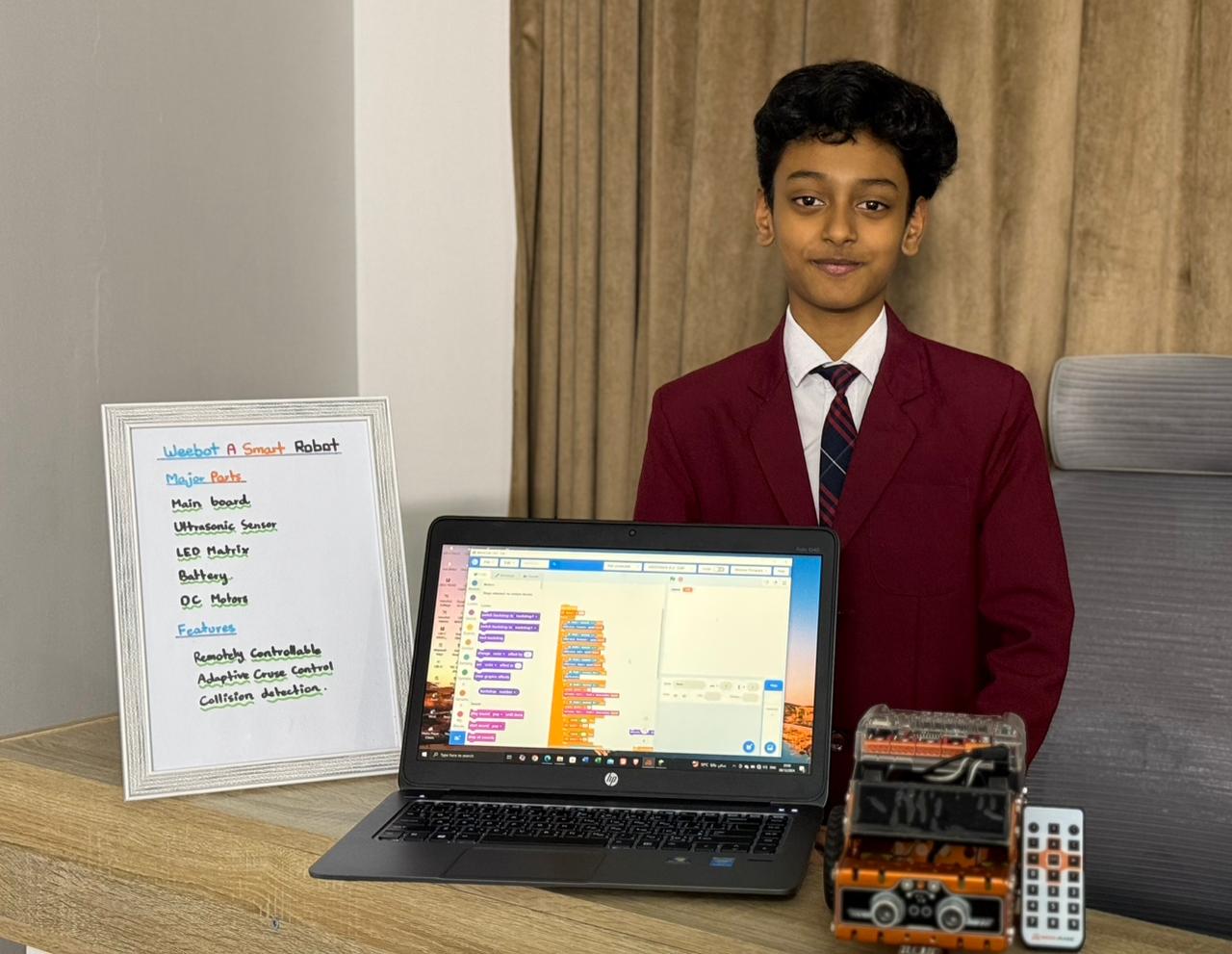
Kashif Shefeeq with his Smart Robot Explorer robotic car
Cruiser Robotics · Level 2

Smart Robot Explorer

Build It. Code It. Make It Smart!

Can you program a robot to explore its surroundings, follow a path, detect obstacles, and respond to its environment?

The Smart Robot Explorer is an exciting robotics project that combines Python programming, sensors, and electronic components to create a programmable robotic car.

Students bring their robot to life by combining different sensors and outputs to explore how machines can sense their surroundings and respond to changing conditions. From following a marked path to detecting nearby objects, the project demonstrates how programming transforms a simple robotic car into an interactive, responsive machine.

What Can the Robot Do?

  1. Follow a PathUsing line-following sensors, the robot can detect a marked path and follow it by adjusting its movement according to the detected line.
  2. Detect ObstaclesThe ultrasonic sensor helps the robot measure the distance to nearby objects, allowing students to program obstacle detection and stopping or turning behaviours.
  3. Drive with a Remote ControlStudents can explore remote-controlled movement, directing the robot to move in different directions and experimenting with manual control.
  4. Respond with Smart LightingThe RGB LED can display different colours to indicate the robot's status, such as moving, detecting an obstacle, or completing a task.
  5. Interact with SoundThe buzzer can produce alerts or signals when the robot encounters an obstacle or reaches a programmed destination.
  6. Sense the EnvironmentLight and sound sensors allow students to experiment with environmental inputs and program the robot to respond to changes in its surroundings.
  7. Explore Infrared TechnologyThe IR sensor introduces students to infrared detection and its applications in robotics, sensing, and control.

At ItsMyBot, students don't just learn to code. They use code to make things happen!

Meet the maker

I am from Saudi Arabia , I love coding, math and science

Kashif Shefeeq Saudi Arabia
Miguel, creator of Smart Parking Assistant Robot
Flyer Robotics · Level 3

Smart Parking Assistant Robot

Python & Robotics

Meet our young robotics innovator! Using Python programming, ultrasonic sensing, and embedded electronics, the student developed a smart parking assistant that detects nearby obstacles and provides real-time distance feedback.

With an OLED display, colour-coded warnings, and audio alerts, the robot demonstrates how sensors and intelligent decision-making can make everyday tasks safer and smarter.

Sense the distance. Make the decision. Engineer the solution!

Meet the maker

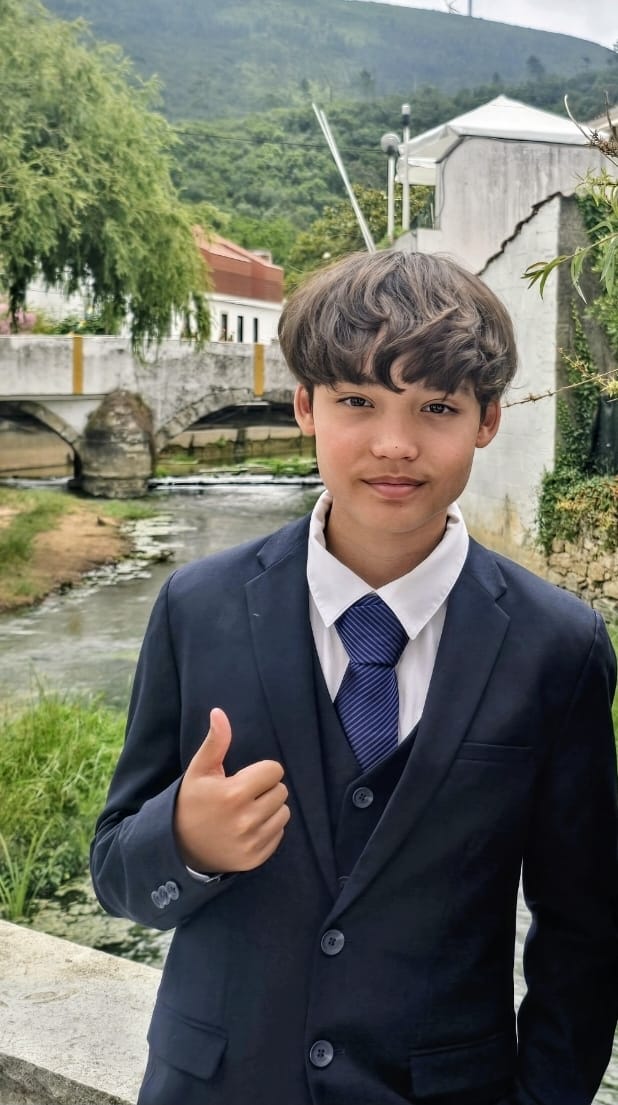
Hi! My name is Miguel Angelo Supriyati Oliveira. I’m 14 years old and in Grade 8 at secondary school. I’m Portuguese and live in Lisbon, Portugal. I love maths, science, and technology, and I enjoy playing video games. When I grow up, I want to become a software engineer.

Miguel Angelo Supriyati Oliveira 14 years old · Lisbon, Portugal
Johan JoeThomas, creator of Smart Energy Monitoring & Optimisation System
Master IoT Engineering Program · Level 4

Smart Energy Monitoring & Optimisation System

IoT, Cloud & Edge AI

Can connected technology help us use energy more intelligently? Our student designed a smart energy monitoring system that collects electricity usage data, visualises consumption in real time, and identifies unusual usage patterns through intelligent monitoring.

Combining IoT communication, MQTT messaging, cloud-connected services, live dashboards, and Edge AI concepts, the project demonstrates how connected systems can support more efficient energy management.

Connect devices. Turn data into insights. Engineer a smarter future.

Meet the maker

I am a 7th grader from California and I love to read and code.

Johan JoeThomas 7th grader · California, USA
Why This Course?

Benefits of Coding for Kids Ages 7–12

Strong Problem-Solving Skills
Solves real-life challenges through logical thinking, experimentation, and structured, hands-on problem-solving.
Coding Meets Engineering
Blends programming with hardware, showing how software controls motors, sensors, and microcontrollers in the real world.
Creativity & Innovation
Designs and builds original robotics projects, turning ideas into working machines with confidence and creativity.
AI, IoT & Future Tech
Explores Internet of Things, AI/ML, and predictive analytics, building skills that power tomorrow's technology.
Hands-On STEM Learning
Learns by building real robots and electronic systems with a physical STEM kit, not just screens and theory.
Personal 1:1 Guidance
Learns through live one-on-one classes with expert instructors who give real-time feedback and support.
Progressive Learning Path
Advances step by step from block-based coding to Python, then to advanced IoT, AI, and cloud programming.
Real Programming Languages
Moves from block coding to Python and MicroPython, programming microcontrollers the way real engineers do.
Future-Ready Skills
Develops STEM, coding, and engineering skills that prepare kids for competitions, advanced study, and tech careers.

THE ITSMYBOT ADVANTAGE

Why Parents Love Our Programs

Every child learns differently. That's why we combine exceptional educators, personalised guidance, and continuous progress tracking to create a learning experience parents can trust and children enjoy.

Highly Selected Instructors

Highly selected instructors focused on creativity and engagement.

Personalized Live Classes

Personalized live classes tailored to each child's learning pace.

Progress Reports & Parent Updates

Progress reports and regular parent updates after sessions.

Flexible Scheduling Options

Flexible scheduling options including evenings and weekends.

Project-Based Learning

Project-based learning designed to keep children motivated and confident.

Safe & Encouraging Learning Environment

Safe, encouraging learning environment that supports creativity and innovation.

Explore Robotics Courses

Our COURSES
Learn more about our customisable learning paths. Choose the learning path according to your child’s needs and goals.

Robo-Coder

This robotics learning path empowers your child to become a tech whiz. Through engaging, hands-on projects, they'll gain the confidence and skills to master modern robotics technology. It's the perfect way to nurture their budding interest in robotics.
Boy learning coding on tablet with friendly robot, interactive kids programming class concept

Level 1: Cruiser-Robotics for Kids

  • Scratch Programming with Microcontrollers
Age group: 7 to 12
Learning Modules: 32 Hours
Programming Language: Block-Based
This course is ideal for introducing coding to your kid by building versatile electronic systems. The curriculum is based on interdisciplinary learning with STEM and application of Science to solve real life problems with block-coding, and immediate feedback. Students enjoy the playful learning while developing their logical and psychomotor abilities.

Level 2: Flyer-STEM Programming with Python

  • Learn MicroPython, Microcontrollers, and Sensor Programming
Age group:10 to 14
Learning Modules: 48 Hours
Programming Language: Python
Learn the fundamentals of Python and apply them to program microcontrollers in this hands-on MicroPython course. Explore embedded systems and scrolling displays while mastering hardware programming, bridging the gap between software and physical technology to build real-world, industrial-grade solutions.

Level 3: Master-Advanced Hardware programming with Python

  • IoT, AI/ML, and Cloud Programming with Predictive Analytics
Age group:12 to 15+
Learning Modules: 64 Hours
Programming Language: Python
Implement solutions with industrial experts using advanced Python, Object Oriented Programming, Internet of Things (IoT), Predictive Analytics with Artificial Intelligence/Machine Learning, and Cloud programming fundamentals. The STEM kit used in the Flyer course can be reused for this course.

Transparent Pricing

Pay monthly.
Stay because you love it.

Most coding academies ask you to pay upfront for months - before your child has even had a single class. At ItsMyBot, we think that's backwards. You pay month to month, and you're always in control.

What you get
Other Academies
ItsMyBot
Monthly billing
✗
✔ Yes
Full upfront payment required
✗ Often yes
✔ Never
Freedom to pause anytime
✗ Rarely
✔ Always
Pricing based on your needs
— Fixed plans
✔ Personalised
📅

Month-to-Month Enrolment

Enrol and pay one month at a time. No annual lock-ins, no large upfront amounts. Your investment stays proportional to the value your child receives.

🔓

Full Flexibility, Always

Life happens. If your needs change after any month, you have complete freedom to adjust. We'd love for you to stay - but we'll never make you feel stuck.

Why don't we show fixed prices? Because we don't believe in one-size-fits-all. Different teachers bring different expertise, teaching methods, and experience - and that's reflected in how we price. The best way to find your fit is to take the free trial lesson first, meet your instructor, and then decide. Pricing is shared after the trial - transparently, with no pressure.

Start for free - no card required

Book Your Free Trial Lesson

No commitment. No pressure. Pricing shared after the trial lesson.

Simple start

How it works

3 Easy Steps to Get Started:

1

Book a free trial

Fill in the form. An academic counsellor will schedule a free session and assess your child's current level and interests.

2

Get a personalised roadmap

Based on the trial, counsellors build a custom learning path — right pace, right projects, right instructor for your child.

3

Build, learn, and earn

Live sessions, progress reports after every class, parent feedback calls, and a certificate on completion. Your child keeps all their projects.

FAQ

Do you have any question?


ItsMyBot offers the Robo-Coder learning path with 4 progressive levels: Robotics Foundations: Electronics, Circuits & Arduino, Cruiser (block-based robotics for ages 7–12), Flyer (MicroPython and sensor programming for ages 10–14), Master (advanced IoT, AI/ML, and cloud programming for ages 12–15+).

Everything we both need to know!

You need to let us know the preferred course. If you are not sure, we will recommend the course that suits you. The instructor demonstrates the course in an approximately one-hour online session. This will be a “get to know” session and is used to evaluate the level of understanding of the child so that we can recommend a suitable course. As a parent, you can find answers to your queries regarding the course structure and curriculum. A recommendation from the instructor will be sent to you soon after to help you decide on the course.

Easy and direct!

We have a simple approach to enrolment. You can schedule a free assessment lesson, and after the session, you get a recommendation for a course that fits you the best. You will be asked to decide on the class format, and classes will be scheduled shortly based on your convenience. If you choose a Robotics course, the STEM kit will be shipped to you.

Activity-oriented it is!

Unlike our software courses, in this course, we use visually appealing hardware modules and extensions to make learning more activity oriented. Kids learn to program the robots with Scratch and Python. We offer live, 1-1 or 1-2, and group Robotics classes.

Yes — a STEM kit is required for the Robotics courses. When you enroll, the kit is shipped directly to you. The good news is the kit used in the Flyer course can be reused for the Master course..

Looking forward to collaborating?

Our group classes (maximum size 6) are prescheduled for two days a week. If you prefer them, please contact us, and we can guide you through the process.


Upon successful completion of our course, you are entitled to get a certificate from us. 

Cruiser is the beginner robotics level for kids aged 7–12. It uses block-based coding to program microcontrollers, with a focus on STEM concepts, logical thinking, and hands-on problem-solving. It's a fun, playful way to introduce your child to both coding and engineering.

Teachers go through a five-step selection process with a 3% acceptance rate. They complete one month of intensive training before teaching and continue to attend professional workshops and receive ongoing mentorship.


In the coding courses, your child works entirely in software. In the Robotics courses, kids use hands-on hardware modules, extensions, and physical kits. They program robots using Scratch and Python, making learning more activity-oriented and tangible.

Definitely!

We encourage them to participate in contests worldwide. We also organize competitions to prepare our students for challenges.

That makes learning more fun!

Yes, kids are encouraged to design and build their own projects. The instructors provide project ideas after every 10 sessions and ask the kids to develop them. There are assignments and regular homework in addition to projects to encourage self-learning.

Testimonials

Trusted By Parents Like You!

  • A Great Learning Experience

    We’ve had such a lovely experience with Itsmybot. My son started his coding journey here with the basics, and it has been wonderful to see how much he has grown and developed his interest over time.

    What we especially love is that he has continued learning with them instead of stopping after one course. He started with basic coding, then moved on to robotics, and he is now learning Roblox. Each new step has kept him excited and curious to learn more.

    As a parent, it’s really rewarding to see your child genuinely enjoy learning something new and feel proud of what he can create.

    I would happily recommend Itsmybot to other parents looking for a fun and engaging way for their children to learn coding and technology.

  • Wonderful Learning Experience with Supportive Teachers

    My daughter has been really enjoying her robotics learning class. She is learning how different sensors work and how to use coding to control the robot’s actions. The hands-on activities keep her engaged and help build problem-solving and logical thinking skills.

    The teachers are patient, knowledgeable, and very supportive with young kids. They explain concepts in a simple and encouraging way, making it easy for children to stay interested and confident while learning. It’s wonderful to see my daughter excited about technology and eager to share what she learns after every class.

  • My 10 year old daughter absolutely loves it

    My 10 year old daughter absolutely love her time with ItsMyBot. At first I wasn’t sure how she would take coding and robotics, but the classes were surprisingly fun and hands on, she actually looked forward to them, which is rare for anything educational these days.

    What I really appreciated, though, was how nice and respectful the team is. We finished one course, got some info about the next one, and that was it, no constant calls, no pressure, no “limited-time offer” emails. Just a simple, “Let us know when you’re ready.” That alone earned major points from me. Honestly, it’s one of the smoother and more worthwhile programs we have tried.

  • Great experience

    We were looking for a more flexible 1-1 program for my son in coding and Robotics and we found this program. He has been truly enjoying his classes.

    The team has been very responsive to my questions and they also send out a lesson report after each class.

    The instructor is truly engaging the entirety of the 1 hour session and my son looks forward to the biweekly classes.

  • Highly recommend this class!

    ItsMyBot has been a great learning experience for my 11-year old son, who is learning robotics. His instructor, Ms. Fatema, teaches the concepts very well, and they are also quite flexible.

    They understand the student's strengths and opportunities, and make sure he has a good understanding of what they are learning. In summary, I highly recommend itsMyBot!

  • Great experience

    We started with coding lessons for our son and since he likes it very much we continued with robotics and AI. Highly recommended with flexible schedules and professional team.

  • From beginner robotics to the Master course

    My son started the Cruiser robotics beginner course with ItsMyBot two years back. He finished the Flyer course in Python and started the Master course sometime back. ItsMyBot has done a great job.

    I can really see the difference in his approach towards technology and real world problem solving.

  • Nice start on programming world

    Me and my daughter now attend the classes of Poornima for 2 months now and we are very excited about every new one.

    I studies electronics and I'm a programmer and being able to enjoy the classes with my daughter is quite unique for me.

    My daughter can learn programing and understand what I do for a living, of course she wants to become a programmer so with the help of Poornima we can help her understand the idea behind programing and robots.

    The classes for both of us are pleasing and we thank Poornima for her dedication and help.

  • Age-appropriate and engaging curriculum

    Johan is very much happy and showing interest in attending Mrs.Poornima’s class. He is able to understand and follow the new concepts she teaches. ItsMyBot curriculum is very much appropriate for his age group. It’s not just coding, the way you introduced circuit devices make my kid engaged and active in his learning process.

    I appreciate Mrs.Poornima’s patience and knowledge to clear his doubts.

  • Robotic classes

    Our son attended the robotic classes with Poornima. He was always looking forward for next one, always excited to start the next challenges.

    The classes are a perfect mix of fun and teaching keeping the children interested and focused. We would definitely recommend-it!

  • Great introduction to programming for kids

    It's great opportunity for kids to learn the basics of programming in a fun way. The project based approach and the little robot makes the experience enjoyable so they learn by playing.

  • Impressive platform to learn coding

    I am so excited about this online training platform. It's great to see my nephew getting the fundamentals of coding and robotics without ever setting foot in a classroom.

    My nephew's teacher is really good, she answers all his questions and teach him with a lot of patience. The student experience is one of the reasons why I love this platform so much.

    He has completed their Cruiser course in Scratch programming and started with Flyer course in Python.

Rated 4.8 out of 5 based on 72 reviews on Trustpilot

Blogs you might like

Online coding, AI, and robotics classes that help kids ages 5–16 build real skills — and confidence — one project at a time.

Book a Free Trial

No commitment · Live class with an expert teacher

© ItsMyBot 2026. All Rights Reserved.