
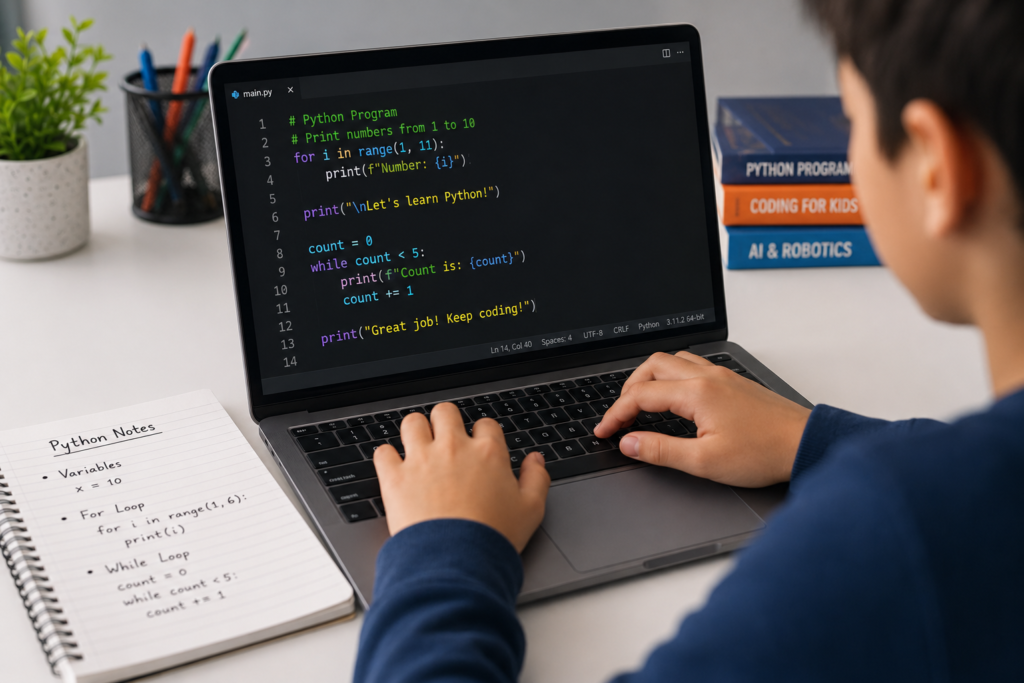
Most kids spend hours on devices. But here’s the truth: very few of them are learning to create anything with that time. That gap — between consuming technology and building it — is exactly where your child’s future skills are lost.
And that’s the problem. In a world where AI, automation, and data science are reshaping every career, children who can’t code are already being left behind. The window to build those skills isn’t years away. It’s right now.
Python for kids is the clearest path forward. It’s readable, powerful, and the same language used by engineers at Google, NASA, and every major tech company. At ItsMyBot, we make Python learning personal, practical, and genuinely exciting — because we know your child deserves more than generic tutorials.
💡 ItsMyBot turns screen time into skill time — with personalised, industry-level Python courses that adapt to your child’s pace and potential.
When parents ask us, “What’s the best programming language for my child to learn first?” — the answer is almost always Python.
Here’s why Python stands apart from every other starting point:
print("Hello, World!") does exactly what it says.Python isn’t a toy language. It’s the professional’s choice and the beginner’s gateway — which makes it uniquely powerful for young learners.
💡 “Let’s build your first Python program! Follow these steps — and remember, every great coder starts with curiosity.” — ItsMyBot Instructor Philosophy
One of the most common concerns we hear from parents is: “Is Python too advanced for my child’s age?” The short answer is no — if taught the right way.
Python can be introduced from age 8, with age-appropriate pacing and projects. Here’s how we approach it at ItsMyBot:
| Age Group | Readiness Level | Entry Point | Example First Project |
|---|---|---|---|
| 8–9 years | Beginner | Variables & print() | Name greeting program |
| 10–11 years | Explorer | Loops & conditions | Number guessing game |
| 12–13 years | Builder | Functions & lists | Simple calculator app |
| 14–15 years | Creator | OOP & APIs | Weather app or chatbot |
Our Python programming classes for kids are structured to meet your child exactly where they are — no prior coding experience needed.
For younger learners starting out, our Little Coder and Junior Coder programmes provide the perfect on-ramp before Python.
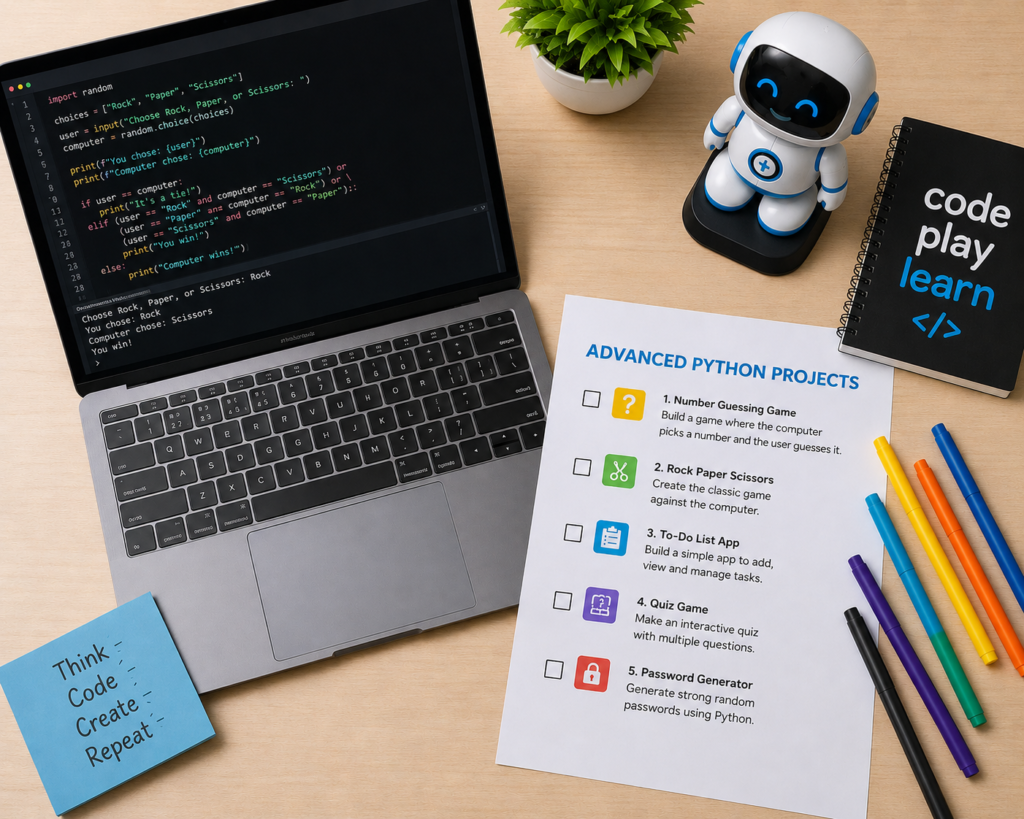
At ItsMyBot, we believe in learning by doing. Your child won’t just study Python theory — they’ll build real programs from day one.
input() and conditionals.Every project is curriculum-designed, mentor-supported, and genuinely portfolio-worthy. This is the kind of hands-on learning that stands out in school and scholarship applications.
Curious about how Python connects to AI? Explore our AI Machine Learning classes for kids and teens.
If you’re exploring coding options for your child, you’ve likely come across Scratch, Python, and JavaScript. Here’s a clear, honest comparison:
| Feature | Scratch | Python | JavaScript |
|---|---|---|---|
| Best Age | 5–10 years | 8–15 years | 12+ years |
| Syntax Type | Visual blocks | Text-based | Text-based |
| Real-World Use | Education only | AI, data, robotics | Web development |
| Learning Curve | Very low | Low–Medium | Medium |
| Project Types | Games, animations | Apps, AI, games | Websites, apps |
| Career Relevance | Low | Very High | High |
| Needs a computer setup | No (browser-based) | Yes (simple) | Yes (browser works) |
Our recommendation: Start with Scratch for ages 5–9 to build logic and confidence, then transition to Python at age 8–10 for real-world skills. JavaScript fits naturally after Python as a web development step.
Learn more in our complete guide to Scratch coding — and explore our JavaScript classes for kids and teens for the next step after Python.
💡 Python is the bridge between learning to code and coding for a living. It’s the language of AI, data, and the future — and it’s accessible to curious 8-year-olds.
Most online coding courses hand a child a video playlist and call it education. We do something different.
At ItsMyBot, our Python teaching approach is built on 5 core principles:
This is what separates ItsMyBot from generic platforms. We don’t just teach Python — we build confidence, creativity, and future-ready skills.
Ready to see it in action? Explore our coding classes for kids or start with a completely free coding trial class — no commitment required.
Our Python curriculum is structured into progressive levels. Here’s exactly what your child learns at each stage:
Explore the full range of coding courses for kids — from Python to robotics to full-stack development.
Python isn’t just a coding language — it’s the gateway language for the most in-demand careers of 2026 and beyond.
Libraries like TensorFlow, PyTorch, and scikit-learn are all Python-based. Children who start Python early are directly building the foundation for AI development — one of the fastest-growing career fields globally.
Explore our Artificial Intelligence course for kids to see how we bridge Python and AI learning. We also offer a hands-on Young Innovators AI Lab — a dedicated environment where curious learners explore AI concepts through real Python projects.
Robotics and Python go hand in hand. From controlling servo motors to processing sensor data, Python is the programming language behind modern educational and professional robots.
Our robotics courses integrate Python programming with hands-on robot building — a combination that develops both logical thinking and creative problem-solving.
Read: Programming Robots: A Beginner’s Guide — how coding and robotics connect in practice. Also: Artificial Intelligence in Robotics — how Python powers modern AI-driven robots.
Data science is one of the highest-paying technology careers, and Python is its primary language. Starting Python young puts your child on a direct path to understanding how data shapes decisions in business, medicine, and government.
Our Data Science classes for kids and teens introduce these concepts in age-appropriate, project-driven ways.
Wondering how to actually make AI using Python? Our blog How to Make AI in Python walks through the foundational concepts step by step — perfect reading before or alongside your child’s Python course.
Python also powers the back-end of websites and applications. Our Full Stack Development course for kids and Mobile App Development course show how Python fits into the broader development world.
Why it’s a problem: Children who jump straight to advanced projects without understanding variables, loops, and functions hit a wall fast. They copy code without truly understanding it.
✅ Correct approach: Build solid foundations with structured levels. Every ItsMyBot Python lesson is sequenced to prevent this exact issue.
Why it’s a problem: Watching Python tutorials is not the same as writing Python code. Passive learning creates the illusion of progress without real skill development.
✅ Correct approach: Our project-first methodology ensures every new concept is immediately applied to a real mini-project. Your child builds something every session.
Why it’s a problem: When a child gets stuck on an error and has no one to ask, frustration kills motivation fast. Self-directed learning has a very high dropout rate for young learners.
✅ Correct approach: Every ItsMyBot student has a live mentor available in sessions. We don’t let confusion become discouragement.
Why it’s a problem: Content that’s too advanced leads to overwhelm; too easy leads to boredom. Both kill motivation quickly.
✅ Correct approach: Our enrolment process includes an assessment to place every child at exactly the right starting level — from day one.
Why it’s a problem: Children progress faster and stay more motivated when parents are informed and engaged — not just paying for a subscription.
✅ Correct approach: ItsMyBot provides regular progress updates, milestone celebrations, and parent-accessible reports to keep families genuinely connected to their child’s learning journey.
Why it’s a problem: Learning Python “just to learn coding” often fades. Children stay engaged when they understand what Python leads to — AI, robotics, games, apps.
✅ Correct approach: Every ItsMyBot course contextualises Python within a real career or project pathway. Your child always knows why they’re learning what they’re learning.
With so many coding platforms available in 2026, choosing can feel overwhelming. Here’s a straightforward checklist for parents:
| What to Look For | Generic Platforms | ItsMyBot |
|---|---|---|
| Live instructor-led sessions | ❌ Often pre-recorded | ✅ Live mentors every session |
| Personalised curriculum | ❌ One-size-fits-all | ✅ Adapts to each child |
| Real project portfolio | ❌ Theory-heavy | ✅ Project-first approach |
| Parent progress updates | ❌ Minimal reporting | ✅ Regular milestone updates |
| Industry-level standards | ❌ Basic exercises only | ✅ Professional-grade curriculum |
| Trial class option | ❌ Subscription-only | ✅ Free trial available |
| Age-specific pathways | ❌ Generic content | ✅ Courses from age 5–15 |
Not sure where your child should start? Explore our best online coding classes for kids and teens for a full overview of the ItsMyBot learning pathway.
For teens specifically, our coding for teens programme and Senior Coder track offer advanced Python pathways and beyond.
For coding by age group:
Python sits at the centre of a powerful learning ecosystem at ItsMyBot. Here’s how it connects to everything else we offer.
| Course | Link | Relevance to Python |
|---|---|---|
| Python Programming Classes for Kids | View Course | Primary Python course page |
| Artificial Intelligence Course for Kids | View Course | Python-powered AI learning |
| AI Machine Learning Classes for Kids & Teens | View Course | Advanced Python for ML |
| Young Innovators AI Lab | View Course | Python + AI in a lab environment |
| Data Science Classes for Kids & Teens | View Course | Python for data analysis |
| Full Stack Development Course for Kids | View Course | Python on the back-end |
| Robotics Courses | View Course | Python for physical computing |
| Advanced IoT Course | View Course | Python for connected devices |
| Best IoT Classes for Kids | View Course | Python in IoT projects |
| JavaScript Classes for Kids & Teens | View Course | Natural next step after Python |
| C++ Course for Kids | View Course | Advanced systems programming after Python |
| Android App Development Course | View Course | Mobile development pathway |
| Mobile App Development Course for Kids | View Course | App building with Python-adjacent skills |
| Website Design Course for Kids | View Course | Companion to Python web development |
| Coding for High School Students | View Course | Advanced Python track for teens |
Most children are ready for introductory Python at age 8–9. We recommend starting with visual coding like Scratch for ages 5–7 to build logical thinking, then transitioning to Python. At ItsMyBot, our Junior Coder programme provides the perfect bridge between the two.
With consistent 1–2 sessions per week, most children complete foundational Python (Levels 1–3) in 3–6 months. Reaching intermediate level — where they can build real apps — typically takes 6–12 months. Progress depends on age, consistency, and mentorship quality.
For children aged 8 and above, yes. Python’s readable syntax, immediate output, and real-world relevance make it the strongest choice. Under age 8, Scratch is often the better starting point. Explore our complete Scratch coding guide to understand the natural learning pathway.
Absolutely. ItsMyBot delivers all Python courses live online — with real instructors, real projects, and real progress tracking. Our platform is accessible from any device, anywhere in the world. Live sessions outperform video-only platforms for retention and motivation in children.
After completing our Python curriculum, students have built chatbots, quiz apps, weather data tools, simple games, and data analysis projects. More advanced students move into AI model building and robotics programming. See our Artificial Intelligence course for kids for what comes next.
ItsMyBot provides live, mentor-led instruction — not just self-paced videos. Our curriculum is personalised, project-based, and designed specifically for children aged 5–15. We also provide regular parent progress updates and industry-level skill development that generic platforms simply don’t offer.
Python is the world’s most in-demand programming language for tech careers in 2026. Data scientists, AI engineers, software developers, and robotics programmers all use Python daily. Starting young gives children a significant head start on future-ready, high-paying careers.
Start with a free coding trial class. Your child will experience a live session, meet their mentor, and complete a mini Python project — all with no commitment required. From there, we’ll recommend the exact right course level for them.
Yes. Python is a great starting language for game development. Beginners can build text-based games immediately, while more advanced students use the Pygame library to create graphical games. Our project levels are designed to make game-building one of the most exciting early milestones.
The concepts are the same — Python is Python. The difference is pedagogy: ItsMyBot uses age-appropriate project themes, shorter concept chunks, visual explanations, and live mentorship designed for how children actually learn. Adults can self-direct through documentation; most children thrive with structured, encouraging guidance.
Python is more than a programming language. It’s the skill that opens doors — to AI, to data science, to robotics, to the careers that don’t even exist yet but will define the next generation.
The earlier your child builds these skills, the more confident and capable they become. Not just in technology — but in thinking clearly, solving problems, and creating things that matter.
At ItsMyBot, we’ve built our entire approach around one idea: that every child deserves a personalised, inspiring, high-quality learning experience. We don’t offer generic tutorials. We build relationships, skills, and futures — one session at a time.
Explore ItsMyBot’s Python courses and book a free trial today — because your child deserves to build the future, not just watch it.
Book a Free Demo Class · Explore All Courses · About ItsMyBot · Contact Us

Online coding, AI, and robotics classes that help kids ages 6–18 build real skills — and confidence — one project at a time.
No commitment · Live class with an expert teacher
© ItsMyBot 2026. All Rights Reserved.