
Quick Overview (5W1H)
What: A structured course that teaches children to build 3D games in Roblox Studio using Lua scripting.
Who: Children aged 9–16 who love Roblox and want to go from player to game creator.
Why: Roblox has 88 million daily active users — learning to build inside it teaches real programming and game design skills.
When: Available year-round as live online sessions with ItsMyBot.
How: Children learn Lua scripting, 3D design, and game mechanics through guided, project-based learning.
Your child spends hours exploring Roblox worlds. You wonder if that time could translate into something more meaningful. You’ve heard that Roblox involves real coding — but you’re not sure where to start, whether it’s age-appropriate, or if a course will actually be worth it.
Here’s what most parents don’t realise: every Roblox game was built by someone who learned exactly what we’re about to teach. Roblox Studio runs on Lua, a professional scripting language used in real-world game development. A Roblox coding course for kids doesn’t just entertain — it builds career-relevant skills in 3D design, logic, scripting, and collaboration.
This complete guide tells you everything you need to know — what the course covers, what your child will build, how it compares to other platforms, and how ItsMyBot teaches it. Let’s get started.
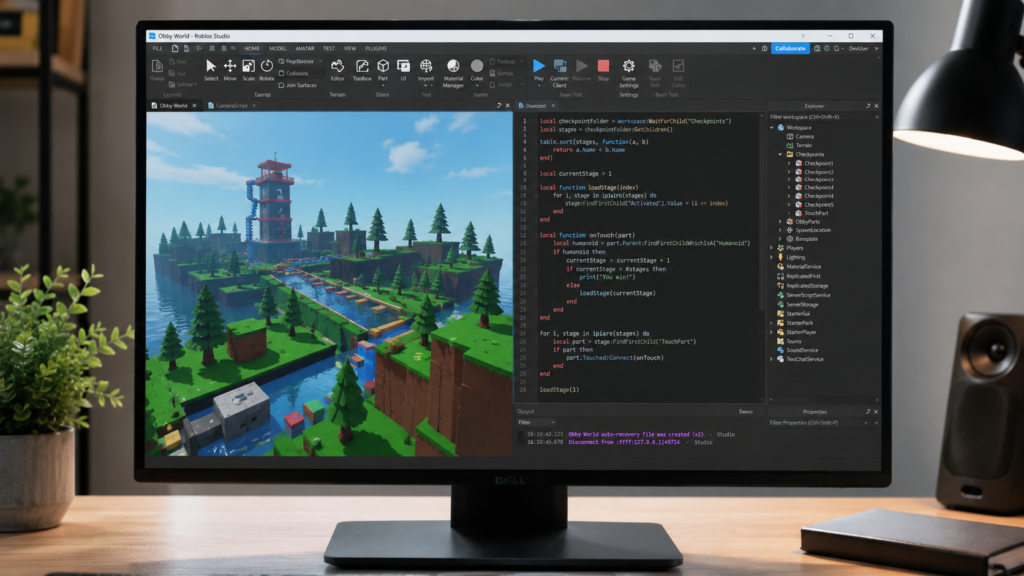
Roblox Studio is the free, professional-grade game development environment inside Roblox. It lets users create and publish 3D games using a combination of visual tools and Lua scripting — a real, industry-used programming language found in professional game engines and embedded systems worldwide.
Roblox itself has 88 million daily active users. Several Roblox creators have earned six-figure incomes from games they built as teenagers — and that starts with learning exactly what a structured Roblox coding course for kids teaches.
When your child takes a Roblox coding course, they’re not just playing games — they’re learning to think like a software engineer.
Most parents have heard of Python. Some have heard of JavaScript. Almost none have heard of Lua — and yet it’s the language their child will write from day one in Roblox Studio. That surprise is worth unpacking, because Lua is far more significant than most people realise.
Lua is a lightweight, fast, and genuinely professional scripting language first developed in Brazil in 1993. It was designed to be embedded inside other applications — which is exactly why Roblox chose it. Lua powers Roblox Studio’s entire scripting layer, but it also appears in Adobe Lightroom, World of Warcraft, Angry Birds, the game engine Corona SDK, and embedded systems across the electronics industry.
Unlike Scratch’s drag-and-drop blocks, Lua is written as real text-based code. Here’s a simple example a beginner student might write in their first few sessions:
-- When a player touches this part, add 10 points to their score
local part = script.Parent

part.Touched:Connect(function(hit)
    local player = game.Players:GetPlayerFromCharacter(hit.Parent)
    if player then
        local leaderstats = player:FindFirstChild("leaderstats")
        if leaderstats then
            leaderstats.Score.Value = leaderstats.Score.Value + 10
        end
    end
end)
That script — which a child can write within their first month of structured learning — detects a player collision, identifies who touched it, finds their score, and adds 10 points. It uses functions, conditionals, variables, and event-driven logic. Those are real programming concepts, not simplified approximations.
| Language | Type | Where It’s Used | Difficulty for Beginners |
|---|---|---|---|
| Lua | Scripting | Roblox, game engines, embedded systems | Low–Medium |
| Python | General purpose | AI, data science, web backends | Low–Medium |
| JavaScript | Web scripting | Websites, apps, front-end | Medium |
| C# | Object-oriented | Unity, .NET applications | Medium–High |
| C++ | Systems language | Game engines, hardware | High |
Lua sits in exactly the right place for a child transitioning from block-based Scratch coding into text-based programming. It’s challenging enough to be real, approachable enough to succeed early, and connected enough to the rest of the programming world to matter long term.
At ItsMyBot, we teach Lua within the Roblox context because that context makes every lesson meaningful. Children aren’t learning syntax for the sake of it — they’re scripting a game they want to play.
Not every child is ready for Roblox Studio at the same age. Here’s how to know which stage fits your child right now.
Children at this age can start exploring the Roblox Studio interface, placing objects, building basic terrain, and understanding simple scripts. We focus on visual building, game logic concepts, and introductory Lua syntax.
This is where children start writing real Lua scripts — spawning enemies, creating leaderboards, building game systems. It’s hands-on, project-led, and genuinely challenging in the best way.
Older students work on full game development cycles — from concept to published game. They learn server-side scripting, data storage, game monetisation concepts, and team collaboration.
A quality Roblox coding course for kids covers far more than “how to make a game”. Here’s what your child genuinely learns — module by module.
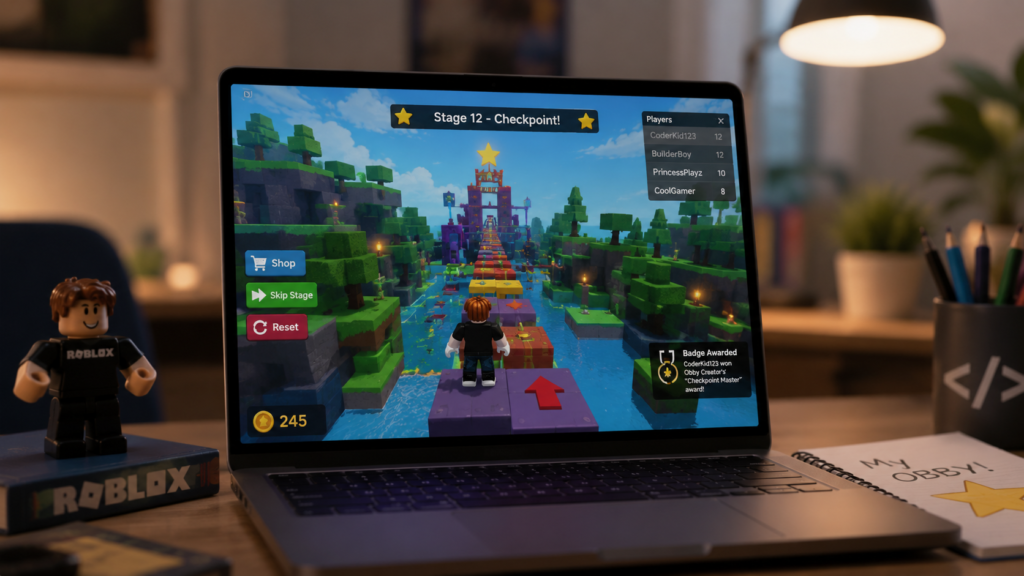
Project-based learning is at the heart of how we teach at ItsMyBot. Here’s what your child actually builds — not just reads about.
| Platform | Language | Best For | Age Range |
|---|---|---|---|
| Roblox Studio | Lua | 3D multiplayer games | 9–16 |
| Scratch | Block-based | 2D games, animations | 7–13 |
| Unity | C# | Professional 3D/2D games | 14+ |
| GameMaker | GML | 2D indie games | 12+ |
| Python + Pygame | Python | Code-first 2D games | 12+ |
Many children begin their coding journey with Scratch coding and naturally progress to Roblox Studio when they’re ready for text-based scripting and 3D game creation. ItsMyBot supports both pathways and helps you know exactly when your child is ready to move forward. If you’re also weighing up Roblox vs Minecraft as learning environments, our comparison breaks down which suits your child’s goals better.
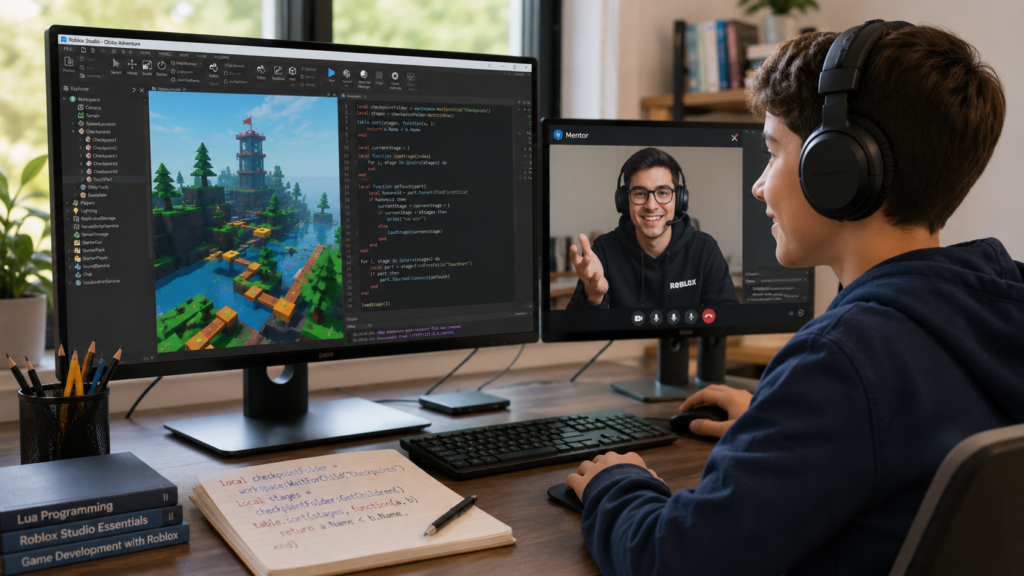
Our Roblox coding course for kids is built on the same principle that drives everything we do at ItsMyBot: personalised, industry-level learning that adapts to your child’s pace and potential.
ItsMyBot turns screen time into skill time. A Roblox coding course for kids isn’t just about games — it’s about building the creativity, confidence, and future-ready skills that open doors to high-paying careers in technology.
If your child is just starting out, our guide to beginner Roblox game projects for kids is the most practical next read — it walks through achievable first builds with no scripting experience needed. For parents curious about how AI tools are entering the game creation space, our post on how to make a game using ChatGPT is worth a look too.
Not sure whether Roblox or Minecraft is the better learning environment for your child? Our Roblox vs Minecraft breakdown covers exactly that question. And if you want to understand the bigger picture of why coding matters early, our piece on why STEM education matters for kids gives you the research behind it.
When your child is ready for the next step, our Roblox Game Development Course is the most direct route — and our free trial class is the easiest way to start.
A Roblox coding course for kids teaches children to build and publish 3D games using Roblox Studio and Lua scripting. Students learn game mechanics, event-driven programming, 3D world design, and project management — all through building real, playable games they can share with friends.
Most children are ready to begin Roblox Studio at age 9–10. Children who’ve already done some Scratch coding often progress faster. By age 11–13, most students can write real Lua scripts and build complete games. Teens aged 13–16 can handle full multiplayer game development.
Most children are ready to begin Roblox Studio at age 9–10. Children who’ve already done some Scratch coding often progress faster. By age 11–13, most students can write real Lua scripts and build complete games. Teens aged 13–16 can handle full multiplayer game development.
Yes — Roblox Studio is completely free to download and use. Children can build and publish games without paying anything. A structured Roblox coding course provides the curriculum, mentorship, and progression that self-directed learning simply can’t replicate.
Lua is a professional scripting language used in Roblox Studio, as well as real-world game engines and embedded systems. Learning Lua teaches children text-based programming with proper syntax, logic, and structure — a clear step up from block-based coding and a strong foundation for Python and JavaScript.
YouTube tutorials are scattered and passive. A structured Roblox coding course provides a sequential curriculum, live mentorship, real-time debugging support, and clear progression milestones. At ItsMyBot, every session builds on the last — and every lesson produces something your child has genuinely built themselves.
After Roblox, natural next steps include Python for data science and AI, JavaScript for web development, or C# for Unity game development. ItsMyBot maps a full learning pathway from Roblox through to advanced, career-ready skills through our coding classes for kids and AI courses.
Scratch uses drag-and-drop blocks for 2D games and animations — perfect for beginners aged 7+. Roblox Studio uses real text-based Lua scripting and builds 3D multiplayer games — ideal for children who’ve outgrown Scratch and want a bigger challenge. Read our complete Scratch guide
Your child’s favourite game is also one of the best learning environments in the world. Help them build it, not just play it.
Every Roblox game ever made was built by someone who started where your child is right now. A Roblox coding course for kids gives them the tools, structure, and mentorship to go from player to creator — and from curiosity to confidence.
At ItsMyBot, we don’t just teach Roblox. We build the skills that travel with your child into every career path technology touches — which, in 2025, is all of them.
Take the next step. Book a free demo class at ItsMyBot

Online coding, AI, and robotics classes that help kids ages 6–18 build real skills — and confidence — one project at a time.
No commitment · Live class with an expert teacher
© ItsMyBot 2026. All Rights Reserved.