
Choosing your child’s first coding tool feels overwhelming — and it matters more than most parents realise. When your child’s first experience with programming is confusing or frustrating, curiosity dies fast.
Both Scratch and Blockly promise a gentle, visual entry into coding. But they’re built for different learners with different goals. This guide breaks down exactly what sets them apart — so you can choose confidently and set your child up to build real skills, not just play with blocks.
💡 Quick Facts
- Scratch is used by over 100 million registered users worldwide (MIT, 2024)
- Blockly is an open-source library used inside tools like Code.org, App Inventor, and MakeCode
- Both use visual, drag-and-drop block interfaces — but serve very different purposes
- Scratch is a standalone creative platform; Blockly is a programming library embedded in other apps
- Age sweet spot: Scratch works best for ages 6–14; Blockly typically appears ages 7+ in STEM contexts
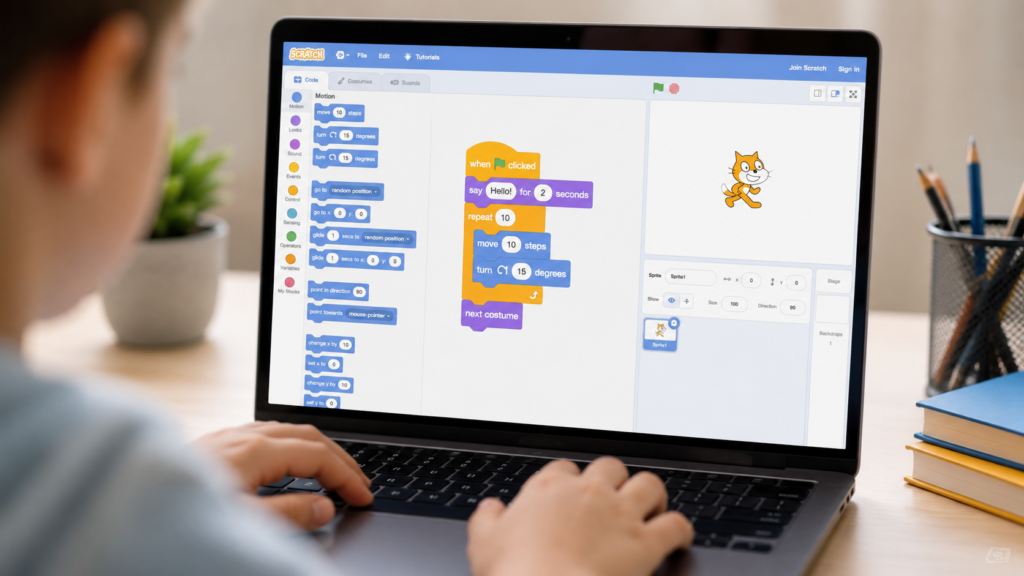
Scratch is a free, browser-based visual programming language developed by MIT. Your child drags colourful code blocks to create interactive stories, animations, and games.
It’s designed as a creative platform first, coding tool second. Kids don’t just learn logic — they build things they care about. A spaceship game. A birthday card that plays music. A quiz for their friends.
That emotional connection to the project is what makes Scratch so powerful for young learners. When your child builds something they’re proud of, they want to build something better next time.
Before diving into any specific tool, it helps to understand the building blocks of coding itself. Read The ABC’s of Coding: Complete Beginner’s Guide for Kids — it gives every parent and child a clear foundation before picking a platform.
Scratch works best for:
Explore the full beginner’s walkthrough in our Guide to Scratch Coding — covering everything from first login to building real projects. You can also explore best Scratch alternatives for kids in 2026 once your child is ready to branch out.
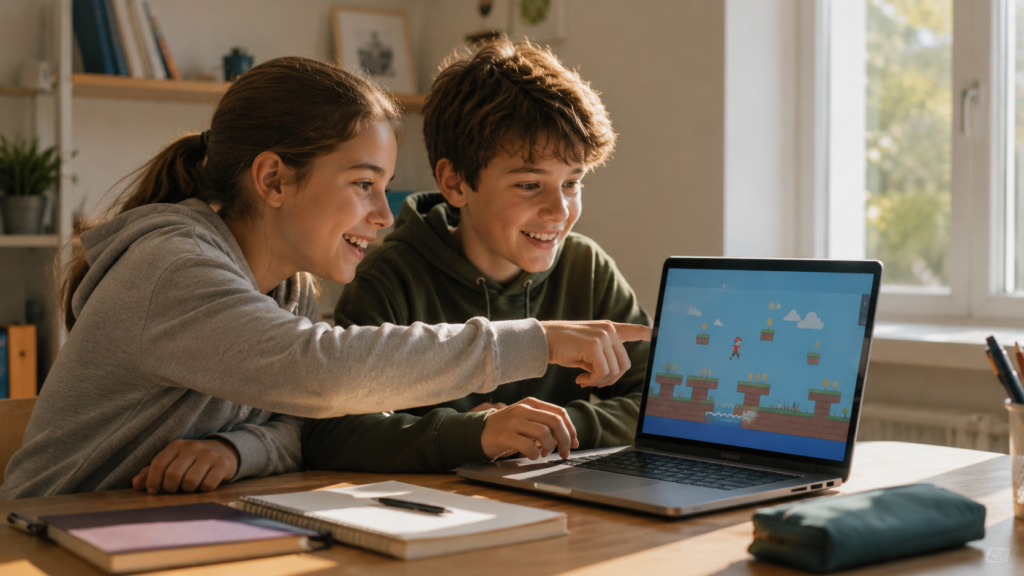
Blockly is an open-source visual programming library built by Google. Unlike Scratch, Blockly is rarely used as a standalone app. Instead, it powers the drag-and-drop interfaces inside tools your child may already know — Code.org, MIT App Inventor, and Microsoft MakeCode.
Blockly’s blocks are designed to mirror the structure of real programming languages. When a child drops a for loop block in Blockly, they can often see the equivalent Python or JavaScript code generated underneath. This makes it an intentional bridge tool — excellent for moving children toward text-based coding.
Blockly works best for:
For a broader look at the block-to-text coding journey, read block-based vs text-based coding for kids.
| Feature | Scratch | Blockly |
|---|---|---|
| Primary purpose | Creative projects (games, stories) | Structured programming logic |
| Developed by | MIT Media Lab | |
| Standalone platform? | Yes | No — embedded in other tools |
| Best age range | 6–14 | 8–15+ |
| Code visibility | Block only | Shows equivalent text code |
| Community sharing | Yes — large, moderated | No direct community |
| Hardware support | Limited (via extensions) | Yes (Arduino, micro:bit, etc.) |
| Transition to text coding | Moderate | Strong |
| Free to use? | Yes | Yes (open source) |
Both platforms use drag-and-drop block coding — but Scratch prioritises creative expression while Blockly prioritises computational thinking and code structure.
Scratch wins here — clearly.
Children aged 5–8 need two things: instant visual results and the freedom to explore. Scratch delivers both. A child can drag a few blocks, press the green flag, and watch their sprite dance on screen within minutes. That immediate feedback loop is exactly what keeps young learners engaged.
Blockly’s strength — showing the underlying code structure — is largely wasted on children who aren’t yet ready to think in loops and conditionals. Starting there too early can make coding feel like schoolwork before curiosity has a chance to build.
What to do: Start with Scratch. Let your child build something silly and fun. Once they’re asking “but how do I make it do this?” — that’s when you know they’re ready for more structure.
Curious about when to start? Read what age should kids start learning Scratch? and The ABC’s of Coding to understand where visual coding fits in the bigger learning journey.
For structured, mentor-guided sessions at this exact stage, ItsMyBot’s Little Coder programme is purpose-built for ages 5–8. See also coding classes for 7-year-olds and coding classes for 8-year-olds.
It depends on your child’s goal.
For an older child who wants to create games and animations, Scratch is still an excellent choice — it scales well and project complexity can grow significantly. Many 12–14 year olds build sophisticated Scratch projects that impress genuine programmers.
For a child who already has some Scratch experience and wants to understand the why behind the code, Blockly-based tools (especially MakeCode or App Inventor) offer the right challenge. The code-view feature helps them connect the visual blocks to real syntax.
Our recommendation for 9–12 year olds: Scratch first, then Blockly-based tools once the logic clicks. ItsMyBot’s Junior Coder programme bridges this journey perfectly. See coding classes for 9-year-olds, 10-year-olds, 11-year-olds, and 12-year-olds.
Our recommendation for 13–15 year olds new to coding: The Senior Coder programme is built for exactly this transition — from structured block logic into Python, JavaScript, and real-world projects. Also explore coding for teens and coding for high school students.
This is where Blockly has a genuine advantage.
Blockly was designed as a bridge. Many Blockly-based environments show a side panel where your child can watch their blocks translate into Python or JavaScript in real time. That moment — “oh, so that’s what a for loop looks like in real code” — is enormously valuable.
Scratch, by contrast, doesn’t show underlying code at all. Transitioning from Scratch to Python requires a deliberate mental leap. It’s absolutely achievable — but it requires a structured learning path.
The best transition path looks like this:
For the full transition guide, read Scratch to Python: how to make the move and Scratch vs Python for kids.
Mistake 1: Starting with Blockly because it “looks more serious” Blockly without creative context is confusing for young children. Scratch’s playground must come first.
✅ Start with Scratch. Move to Blockly when your child asks for more challenge.
Mistake 2: Abandoning Scratch too early Many parents push toward Python the moment their child finishes one project. Real mastery takes time.
✅ Let your child exhaust what Scratch can teach before moving on. Read The ABC’s of Coding to see what true coding fluency looks like at each stage.
Mistake 3: Letting kids use Scratch unsupervised without direction Scratch without goals becomes game time. Kids click randomly instead of building skills.
✅ Set a specific project goal each session — like building a quiz game or animation.
Mistake 4: Ignoring the transition pathway Moving from blocks to text code without structure causes frustration.
✅ Use a structured course to bridge the gap — explore all ItsMyBot courses and try a free coding trial class first.
Read how to choose the right coding course for your child for a complete parent’s decision guide.
With Scratch, kids build:
See real examples in Scratch projects for kids, best Scratch coding games, and the full Guide to Scratch Coding.
With Blockly-based tools (MakeCode, App Inventor), kids build:
Browse every available learning track at ItsMyBot: Our Courses.
ItsMyBot Course Pages:
🏁 In summary: Scratch is the better first choice for most beginners — especially children aged 5–12 — because it builds creative confidence alongside coding logic. Blockly shines as a bridge tool when your child is ready to understand the structure behind real code. The most powerfl path combines both, in that order, guided by a mentor who adapts to your child’s pace. Start that journey with a free demo →
Book a Free Demo Class → Turn screen time into skill time. Your child’s potential is waiting.
For most children aged 6–12, yes. Scratch’s creative, project-based approach builds genuine enthusiasm for coding. Blockly is better once children already understand basic logic and want to see how their blocks connect to real code. If you’re completely new, start with The ABC’s of Coding to understand what beginner coding really involves.
Absolutely. Many children start in Scratch, then progress to Blockly-based tools like MakeCode or MIT App Inventor as their skills grow. Using both in sequence gives children creative confidence first and structured thinking second — a highly effective combination.
Most children benefit most from Blockly-based tools from around age 8–9 onwards, especially those who already have some Scratch experience. Younger children often find Blockly less intuitive without creative context to anchor the concepts.
Yes. Scratch teaches core programming concepts — loops, conditionals, variables, events — in an intuitive way. These concepts transfer directly to Python and JavaScript. Read Python for Kids: Complete Guide to see exactly what the next step looks like.
Yes. ItsMyBot’s Junior Coder and Senior Coder programmes map exactly this journey — from visual coding to real programming languages — with live 1:1 mentorship. Explore all courses →
The natural next steps are Python, then JavaScript or specialised tracks like Roblox game development, robotics, or AI and machine learning.
After Scratch, children typically move to Python, then into specialised areas: AI, robotics, game development, or web design. ItsMyBot’s Senior Coder and Young Innovators AI Lab are designed for exactly this stage.
At ItsMyBot, your child gets a personalised, mentor-guided coding journey — from their first Scratch project to real-world Python and beyond. Every lesson adapts to your child’s pace and potential.
Discover expert articles, coding tutorials, STEM learning guides, AI resources, robotics insights, Scratch projects, and programming tips to help learners build strong technology skills through practical and engaging resources.

Online coding, AI, and robotics classes that help kids ages 6–18 build real skills — and confidence — one project at a time.
No commitment · Live class with an expert teacher
© ItsMyBot 2026. All Rights Reserved.