
Updated October 2026 · 12 min read
⚡ Quick Facts
Your child wants to learn coding. Austin has options — robotics clubs at AISD schools, Saturday coding academies in North Austin, group classes in Round Rock. You’ve tried one. Maybe two. And six months later your child still can’t build anything without a template, still can’t explain what they made, and is losing interest fast.
The problem isn’t your child. It’s the format. Group coding classes — whether in-person or online — give each student 5–10 minutes of individual attention per session. The rest is waiting, watching, or falling behind. Real skill development doesn’t happen that way — especially not in a city where after-school time is already squeezed between homework, sport, and Austin traffic.
This guide explains exactly what Austin families are switching to, why it works, and what your child will actually build.
Table of Contents
Austin’s job market is no longer future-facing — it’s here now. Tesla’s Gigafactory is in Austin. Apple’s $1 billion campus is in Austin. Google, Meta, Amazon, Oracle, and hundreds of high-growth startups have moved their headquarters or major offices here. The city’s tech workforce has grown faster than almost anywhere else in the US over the past five years.
The children growing up in Austin today are growing up inside this economy. Their parents work in it. Their future universities — UT Austin, Texas A&M, UT Dallas — feed directly into it. The ability to build with technology, not just use it, is already a meaningful differentiator for STEM university applications and will be a baseline expectation for the workforce they enter.
Austin-area schools are responding — AP Computer Science courses, robotics teams, coding electives across AISD and Round Rock ISD. These are genuinely worthwhile. But they were designed to introduce concepts and build interest, not to produce confident programmers. The gap between “has heard of Python” and “can build a working Python project from scratch” is wide. After-school coding clubs largely aren’t closing it.
Read more: why coding still matters in the AI era and should kids learn AI in 2026 — the honest answer.
Most of what is marketed as “coding for kids” in Austin is not coding education. It’s coding exposure. The distinction matters — and it’s the reason most children don’t develop real skills from after-school programmes.
| Coding exposure (most Austin clubs) | Coding education (what builds real skill) |
|---|---|
| Following a template someone else built | Writing code from scratch with a blank editor |
| Watching a recorded instructor explain concepts | A live mentor watching your child’s specific code |
| Earning a badge or certificate on a platform | A working project the child can show and explain |
| Group class with 10–20 kids and one teacher | 1:1 instruction — 45–60 min of direct mentor time |
| Using AI to generate code without understanding it | Understanding code well enough to evaluate AI output |
The test for any Austin programme is simple: after six months, can your child open a blank screen and build something working from scratch? If yes — they are learning. If no — they are consuming.
Also read: is coding actually helpful for kids? and how to choose the right coding course for your child.
Readiness matters more than age. The best programmes place by skill level — not by the number on a brochure. Here’s an honest breakdown of what strong coding instruction produces at each stage:
Ages 6–8
Scratch & Block Coding
Ages 9–11
Python Foundations
Ages 12–14
Intermediate Python & Data
Ages 15–18
AI, ML & App Development
Explore the full curriculum: complete guide to Scratch coding for kids, Python for kids — complete guide, and AI for kids — complete 2026 parent guide.
Projects are the evidence. A child who has built something real can show it, run it, explain it, and modify it. Here’s what strong Austin-based coding instruction produces at each level:
Beginner (Ages 6–10): Scratch adventure game with animated characters and scoring · number guessing game using Python loops · weather lookup app calling a real API · story generator using randomised lists.
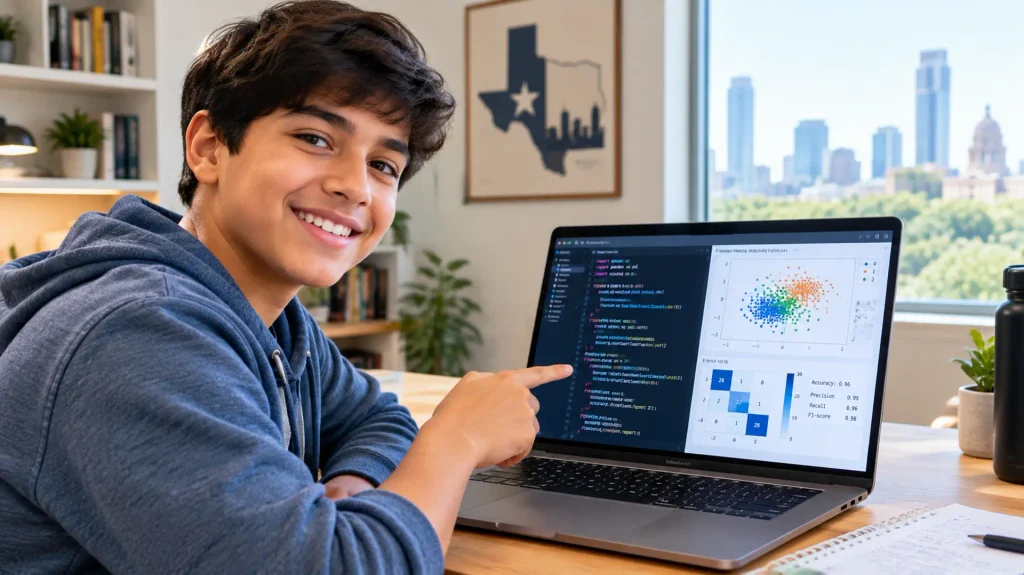
Intermediate (Ages 10–14): Web scraper pulling live sports or news data · student grade tracker with file I/O and visualisation · password strength checker with scoring algorithm · data dashboard using Pandas and Matplotlib on a real dataset.
Advanced (Ages 14–18): Sentiment analysis tool classifying 10,000 product reviews at 80%+ accuracy · image classifier using TensorFlow CNN · working mobile app deployable on Android · AI science fair project with documented methodology and GitHub repository.
See more: 25 best AI science fair projects for students, Python science fair project ideas, and how to make AI in Python — beginner’s guide.
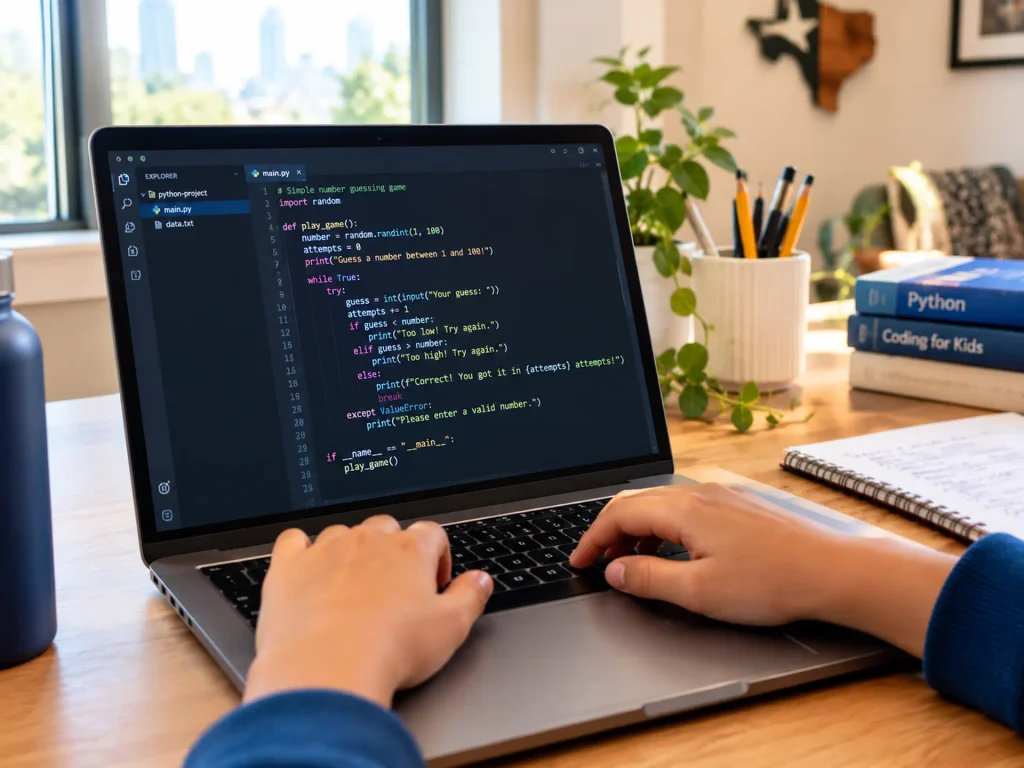
Austin has real in-person options — AISD robotics clubs, Saturday coding academies on North Lamar, group classes in Cedar Park and Round Rock. For introducing concepts and sparking interest, they work. For developing genuine skill, the comparison with live 1:1 online instruction is not close.
| Factor | In-Person Group (Austin) | Self-Paced Online | Live 1:1 Online (ItsMyBot) |
|---|---|---|---|
| Individual attention / session | 5–10 min (1 teacher, 12–20 kids) | 0 min (pre-recorded) | 45–60 min full session |
| Errors corrected in real time | ⚠️ Sometimes | ❌ Never | ✅ Every session |
| Paced to your child’s level | ❌ Group pace | ❌ Fixed modules | ✅ Fully adaptive |
| Completion rate | ⚠️ Moderate | ❌ 5–15% industry avg | ✅ Highest of any format |
| Portfolio output | ❌ Rare | ❌ Certificates only | ✅ Every level builds real projects |
| Austin schedule flexibility | ❌ Fixed location + time | ✅ Anytime | ✅ Morning, evening, weekend |
| Austin traffic (I-35, MoPac…) | ❌ Yes — and it’s Austin | N/A | ✅ Zero commute |
See the full format analysis: live 1:1 vs group coding classes — what the data shows.
When Austin parents join ItsMyBot after trying local programmes, we hear the same themes consistently. These are not complaints — they’re patterns worth knowing before you choose.
🚗 The Austin commute is a real tax
I-35 at 5:30pm on a Tuesday. MoPac on a Friday. A 20-minute drive across town becomes 50 minutes each way. For a weekly after-school commitment, that’s four hours a month in the car. Live online removes it entirely.
👤 The group class pace problem
A motivated 11-year-old held back by a class paced for the least-experienced student wastes the prime skill-building years. A struggling 9-year-old lost while the class moves forward builds a dislike of coding that can last for years.
📋 No visible progress
“My daughter attended eight sessions and couldn’t tell me what she had built.” This is the most common sentence we hear from Austin parents switching programmes. Six months of after-school coding should produce something visible.
🎯 No clear path forward
No GitHub. No progression roadmap. No stated outcome. A good coding programme tells you exactly what your child will build by session 6, session 12, and session 24. If that doesn’t exist, the curriculum isn’t built around outcomes.
— Jennifer K., Austin parent · daughter aged 12
The skill pathway is sequential — not modular. A child cannot skip Scratch and go straight to Python any more than a musician skips scales and goes straight to a concerto. This is how the field works — and it’s how lasting skills are built.
Block Coding Foundations (2–3 months · Ages 6–9). Scratch: sequences, loops, events, conditionals. Animated stories and first interactive games. Logical thinking before syntax — the cognitive scaffolding that makes Python learnable.
Python Foundations (3–4 months · Ages 9–12). Variables, data structures, functions, file I/O. First Python scripts and standalone programs built from scratch — not templates. GitHub introduced by month 2.
Intermediate Python & Data (3–5 months · Ages 11–14). OOP, APIs, NumPy, Pandas, Matplotlib. First portfolio-grade data projects using real datasets. AI-assisted development introduced as a tool — after Python foundations are solid.
AI & Machine Learning (4–6 months · Ages 13–17). scikit-learn, TensorFlow, NLP, computer vision. First working ML models trained on real data. Every concept makes sense — because Python underneath it is already familiar.
Portfolio & Specialisation (Ongoing · Ages 15–18). Independent projects, science fairs, hackathons, Kaggle competitions. University application portfolio complete. The stage that turns skill into evidence of capability.
Read more: Scratch coding for kids — full guide, what is block coding?, and why Python is the first step to AI for teens.
“My child already does coding at school — won’t this duplicate it?”
School coding and specialist instruction serve different purposes. School coding builds awareness of concepts. ItsMyBot builds the ability to execute them independently. A child taking AP Computer Science alongside weekly 1:1 specialist instruction outperforms both peers who relied only on the school course and those who only had private classes.
“My kid gets distracted in online learning environments.”
Group online classes and pre-recorded courses have a distraction problem — your child is invisible in a group, and a video doesn’t notice when they’ve wandered off. A 1:1 live session doesn’t have this problem. There’s a mentor watching the screen every minute. No Zoom fatigue from being one of twenty faces. No wandering off mid-video. The format solves the distraction problem by design.
“How do I know my child is making real progress?”
Progress is visible in code — not points or badges. After three months of weekly sessions, your child should be able to open a blank Python file and build something working. ItsMyBot provides parent progress updates after every session: what was covered, what the child built, what comes next. If none of that is true after three months, the programme isn’t working.
“Is this just for kids who are already into tech?”
No. The most common ItsMyBot Austin student profile is a curious child whose parents want to give them an advantage — not a child who already knows they want to be a software engineer. The free trial is specifically designed to engage children who haven’t thought much about coding yet. Many of our strongest students were “not tech kids” when they arrived.
Read more: signs your child is ready for coding and why AI learning matters for kids.
Austin parents have more coding programme choices than ever — and more mediocre ones than ever. Use this checklist before enrolling anywhere.
Non-Negotiable
Strong Quality Indicators
Differentiators — the Best Programmes Include These
The simplest test: ask the provider “what will my child build in their first eight sessions?” A quality programme answers precisely. A vague answer — “explore programming concepts” or “develop computational thinking” — means the curriculum is not project-led. Related: top coding programmes for kids in 2026.
Every ItsMyBot course is available to Austin families. No I-35. No MoPac. Sessions are scheduled around your family’s calendar — school terms, sport seasons, exam blocks — across all US time zones.
Ages 6–9
Junior Coder — Scratch & Block Coding
First coding experiences through Scratch. Games, stories, animations — all built by your child, not modified from a template.
Ages 9–13
Intermediate Coder — Python Foundations
Text-based Python from day one. Real programs built from scratch — not templates. First GitHub commits by session 4.
Ages 13–15
Senior Coder — Python Programming Foundations
42 live hours. OOP, APIs, data analysis, and first portfolio projects. AI-assisted development introduced from month 4.
Ages 14–17
Advanced Python & AI Foundations
scikit-learn, NumPy, Pandas. First working ML models trained on real data. Portfolio-grade outputs from every level.
Ages 16–18
Advanced AI Engineer Programme
TensorFlow, neural networks, NLP, computer vision. End-to-end AI portfolio projects. University application ready.
Ages 10–16
Mobile App Development
Build real Android and iOS apps. MIT App Inventor and React Native. A working app your child can show and submit to competitions.
What You Now Know
Austin’s tech economy doesn’t reward children who have attended a coding club. It rewards adults who can build with code. The gap between those two outcomes is decided during the school years — and the format of after-school instruction is the biggest variable in how that gap closes.
Live 1:1 online coding consistently produces stronger outcomes than group classes and self-paced courses — more individual attention, faster error correction, adaptive pacing, and a portfolio of real work. For Austin families, it removes the commute and the schedule inflexibility on top of the learning benefits.
The free trial is the right next step: one live session with a specialist mentor, a real project, and a skills assessment. No commitment. No I-35.
Austin’s tech future belongs to kids who learn to build — not just use.
Are there coding classes for kids near me in Austin, TX?
Yes — and the best ones are live online, not in-person. Live 1:1 online coding classes remove Austin’s commute problem and give each child 45–60 minutes of direct mentor attention per session rather than 5–10 minutes in a group class. ItsMyBot serves Austin families from Cedar Park to South Congress to Round Rock with zero commute and flexible scheduling.
What age should my Austin child start coding classes?
Ages 6–8 is the natural entry point with Scratch and visual programming. Ages 9–11 is ideal for Python foundations. If your child is 12 or older and hasn’t started, they can absolutely catch up — one to two live sessions per week builds real skills at any age in the 6–18 range. The only wrong time to start is a year from now.
How much do coding classes for kids in Austin cost?
In-person coding academies in Austin typically charge $200–$450/month for group classes with 10–20 students. ItsMyBot’s live 1:1 online sessions offer significantly more individual attention at competitive rates — and a free trial before any commitment. Contact ItsMyBot for current pricing by programme and session frequency.
Can my Austin child do coding classes online and still get quality instruction?
Yes — and for 1:1 instruction, online is actually the stronger format. In a 1:1 live session, your child gets 100% of the instructor’s attention from the first minute to the last. The mentor can share screens, review code in real time, and catch errors the moment they happen. That’s not possible in an in-person group of fifteen children.
Does ItsMyBot offer after-school coding classes that fit Austin school schedules?
Yes. Sessions are available after school on weekdays, weekend mornings, and during school holidays. Austin ISD, Round Rock ISD, and Eanes ISD school terms and exam blocks are all accommodated. Book a free trial and choose a time that fits your family’s actual schedule.
What coding languages will my Austin child learn?
The progression is: Scratch (ages 6–9) → Python (ages 9+) → Data Science tools (NumPy, Pandas, Matplotlib) → AI and ML (scikit-learn, TensorFlow) → App Development (MIT App Inventor, React Native). All are industry-standard and used by professional developers. No proprietary platforms, no skills that expire with a subscription.
Will coding classes help my Austin teen get into UT Austin or Texas A&M for CS or engineering?
Yes — meaningfully. A portfolio of Python and AI projects, GitHub activity, science fair entries with ML components, and the ability to discuss independent technical work differentiates a STEM applicant beyond what AP Computer Science credits alone can do. Read our full guide on coding and university applications.
Is there a free trial for coding classes for Austin kids?
Yes. ItsMyBot offers a free trial class — one live session with a specialist mentor, a real project, and a skills assessment. No commitment required. The trial tells you more about fit and teaching quality than any comparison site or brochure can.

Online coding, AI, and robotics classes that help kids ages 5–16 build real skills — and confidence — one project at a time.
No commitment · Live class with an expert teacher
© ItsMyBot 2026. All Rights Reserved.