
Science fair judges are tired of volcano models and baking soda reactions. In 2026, a Python science fair project doesn’t just impress — it stands out completely.
The problem? Most kids (and parents) don’t know where to start. Python sounds complicated. Science fair requirements sound rigid. Putting the two together feels impossible.
It’s not. This guide gives you 20 real, buildable Python science fair projects — organized by level — with the skills each one teaches and exactly why judges will remember it.
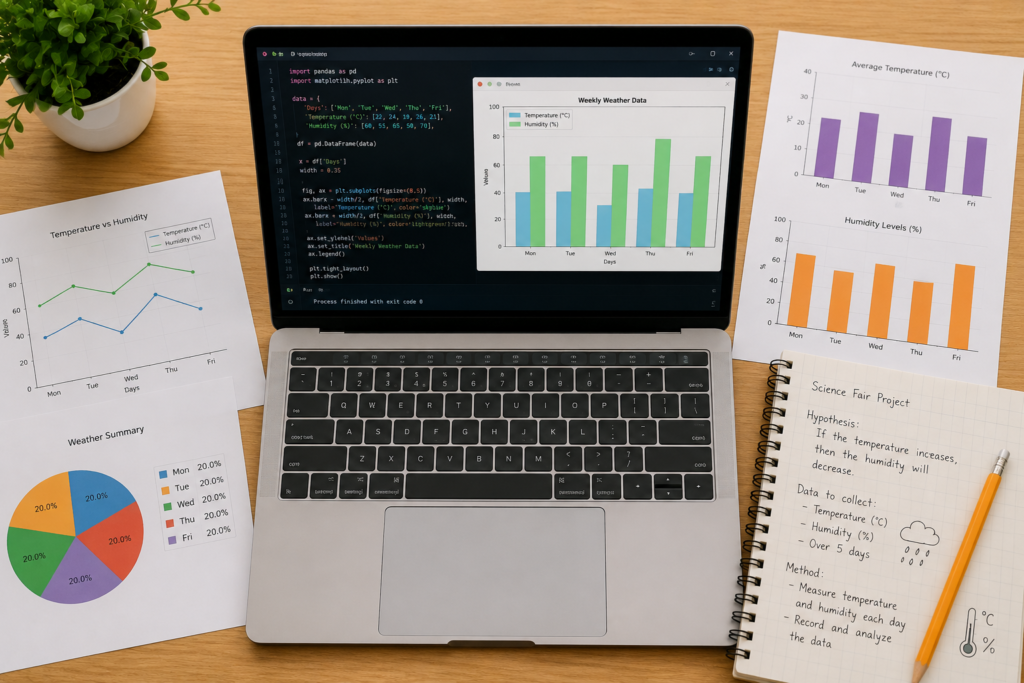
What: A Python science fair project uses real code to explore a scientific question, collect data, visualize results, or demonstrate AI concepts — then presents findings to judges. Who: Students aged 10–17 with 2–6 months of Python experience, or younger students guided by a mentor. Why: Science fairs reward methodology and innovation. Python projects demonstrate both. They show judges the student can think like a scientist and a technologist. When: Most science fairs run in February–May. Start building 6–10 weeks before submission. How: Choose a topic, write Python code that tests a hypothesis, document results, and present with a visual display.
📊 Quick Facts Box
These projects use core Python basics only — print statements, loops, variables, and basic functions. No external libraries required except the ones listed.
The hypothesis: Do common passwords actually fail basic security criteria? Your child writes a Python script that analyzes 50 common passwords. It scores each one by length, character variety, and presence of numbers/symbols.
Python skills: Strings, loops, conditionals, functions Output: A printed report of “Strong”, “Medium”, “Weak” for each password Judge appeal: Cybersecurity relevance — directly tied to real-world digital safety
Build it with our tutorial: how to make a simple password generator in Python.
The hypothesis: Do kids make more arithmetic errors with mental math or calculator-assisted math? Build a Python calculator that logs every operation and result in a text file. Then compare error rates in a test with and without the tool.
Python skills: Functions, file I/O, loops Output: Logged CSV file of calculations Judge appeal: Human behavior + technology intersection
Guide: how to create a calculator using Python.
The hypothesis: Does a random computer opponent win more or less than a human who always plays the same move? Build the game, run 100 rounds, log results, calculate win rates.
Python skills: Random library, loops, variables, counters Output: Win/loss percentage comparison table Judge appeal: Statistics, probability, game theory
Tutorial: how to make rock paper scissors in Python.
The hypothesis: Does reading a word on screen before typing it improve speed or accuracy? Build a Python typing test that measures WPM (words per minute) and error count across two conditions: seeing the word first vs. typing from memory.
Python skills: Time library, input(), string comparison, functions Output: Speed and accuracy stats per condition Judge appeal: Cognitive science meets coding
The hypothesis: Do students understand temperature better in Celsius or Fahrenheit? Build a converter tool. Survey 20 students. Test comprehension with both units.
Python skills: Functions, user input, arithmetic Output: Survey results table and conversion accuracy stats Judge appeal: Educational science angle — popular with judges who value interdisciplinary thinking
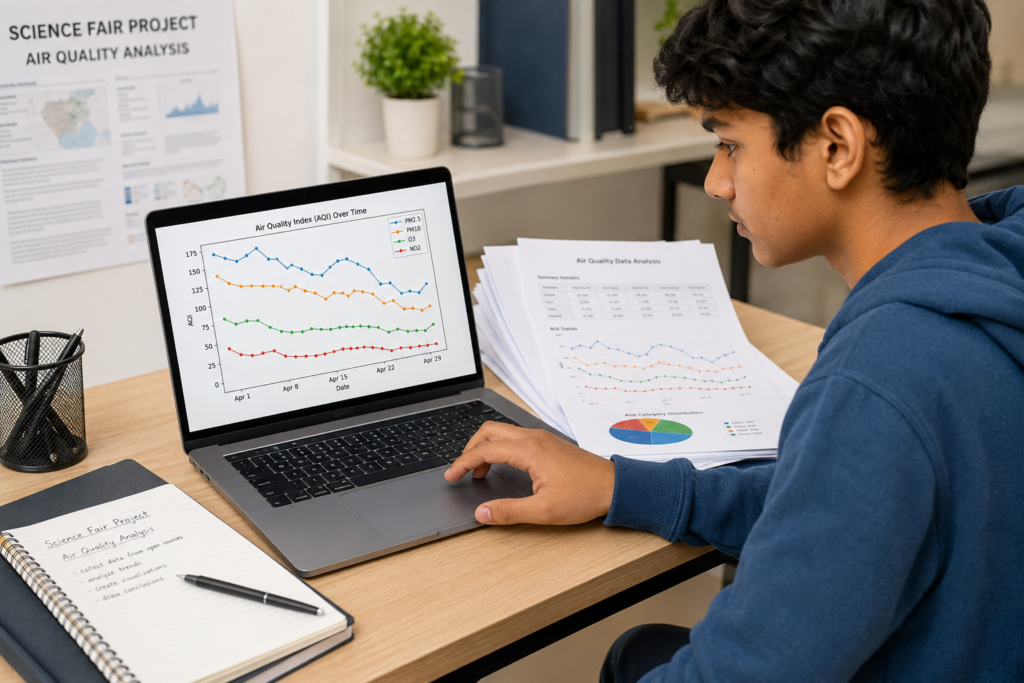
These use external libraries — primarily matplotlib for charts and pandas for data. Your child should have 3–6 months of Python experience.
The hypothesis: Is air quality worse on weekdays than weekends in your city? Download open air quality data from aqicn.org. Use Python with pandas to clean and sort it. Use matplotlib to plot daily trends over 30 days.
Python skills: pandas, matplotlib, CSV reading, data filtering Output: Line graph showing weekday vs. weekend PM2.5 levels Judge appeal: Environmental science + real data = judges love it
Learn the data tools first: how to clean and prepare data with pandas in Python.
The hypothesis: Do students who sleep fewer than 7 hours score lower on tests? Build a self-reporting tool where classmates log sleep hours for 2 weeks and submit test scores. Use Python to plot the correlation.
Python skills: File I/O, pandas, scatter plots, basic statistics Output: Correlation chart with trend line Judge appeal: Health + data science intersection — extremely relevant in 2026
The hypothesis: Can you predict tomorrow’s temperature using the last 7 days of data? Pull weather data from the Open-Meteo API (free, no API key required). Use Python to calculate a rolling 7-day average and compare it to actual next-day temperatures.
Python skills: API calls with requests, pandas, matplotlib Output: Predicted vs. actual temperature chart Judge appeal: Meteorology + machine learning concepts = advanced feel, accessible execution
The hypothesis: Do positive or negative words appear more frequently in trending news headlines? Scrape or paste 100 news headlines into Python. Count word frequency. Visualize with a word cloud or bar chart.
Python skills: String processing, collections.Counter, matplotlib or wordcloud library Output: Bar chart of most frequent positive vs. negative words Judge appeal: Media literacy + NLP — directly relevant to 2026 AI discussions
This touches on what Python is used for — including real-world natural language processing.
The hypothesis: Which household appliances use the most electricity per month? Build a Python tool that accepts appliance wattage and hours of daily use. Calculate monthly cost. Visualize with a pie chart.
Python skills: Arithmetic, loops, matplotlib pie charts, user input Output: Pie chart of energy usage by appliance category Judge appeal: Sustainability angle + practical real-world tool
The hypothesis: Does human reaction time affect Snake game score? Build the game. Have 10 players play 3 rounds each. Log scores and reaction times. Analyze whether faster reactors score higher.
Python skills: Pygame or Turtle, time library, file logging, matplotlib Output: Scatter plot of reaction time vs. score Judge appeal: Game science — unexpected, memorable, interactive for judges to try
Tutorial: how to create a snake game in Python.
The hypothesis: Is there a winning first move in Tic Tac Toe? Build the game. Simulate 10,000 random games. Track win rates for every possible first move position.
Python skills: 2D lists, loops, random library, simulation Output: Heatmap of win rates per starting position Judge appeal: Mathematics + game theory — beautifully visual
Tutorial: how to make a tic tac toe game in Python.
The hypothesis: Which maze-solving algorithm is fastest — depth-first search or breadth-first search? Build both algorithms in Python. Run them on 10 different maze sizes. Track time to solution.
Python skills: Recursion, queues, stacks, time library, matplotlib Output: Bar chart of solve time by maze size and algorithm Judge appeal: Computer science theory — earns respect from any STEM judge
Tutorial: how to make a maze game in Python.
These projects use AI and machine learning libraries — NumPy, TensorFlow basics, or OpenCV. Your child should be 12+ and have completed a structured Python course.
The hypothesis: Can a simple AI model classify text sentences as positive, negative, or neutral with more than 80% accuracy?
Build a basic sentiment classifier using a pre-trained model from Hugging Face. Feed it 100 sentences. Measure accuracy.
Python skills: transformers library (simplified), accuracy calculation, pandas Output: Accuracy report + confusion matrix chart Judge appeal: Cutting-edge AI application — in 2026, AI literacy is a top priority in education globally
Explore: AI projects for kids and AI for kids parent guide 2026.
The hypothesis: Can a Python model predict how tall a plant will grow based on sunlight hours and water volume? Collect real data from 3 plant experiments over 3 weeks. Build a simple linear regression model using NumPy.
Python skills: NumPy, basic linear regression, matplotlib Output: Prediction line chart overlaid on real growth data Judge appeal: Biology + AI = unique, interdisciplinary, highly scoreable
NumPy guide: what is NumPy.
The hypothesis: Can Python sort 100 images into “indoor” and “outdoor” categories with higher accuracy than a human doing the same in the same time? Use a pre-trained image classification model (TensorFlow Keras with MobileNet). Compare speed and accuracy against 5 human participants.
Python skills: TensorFlow (basic usage), image loading, accuracy metrics Output: Side-by-side accuracy and time comparison chart Judge appeal: AI vs human study — judges will engage with the live demo
See: AI vs human intelligence in kids’ education and PyTorch vs TensorFlow for background reading.
The hypothesis: Can a simple rule-based + ML hybrid chatbot answer school subject questions with more than 70% accuracy? Build a chatbot that uses keyword matching plus a trained classification layer. Test it with 50 real student questions.
Python skills: NLTK or ChatterBot, JSON data handling, accuracy testing Output: Accuracy report with example correct/incorrect conversations Judge appeal: Real AI engineering — not just “chatting,” but measured performance
Learn the foundation: how to build a chatbot in Python.
The hypothesis: Do longer words take more guesses to solve, or do word frequency and letter distribution matter more? Build Hangman. Test 200 words across categories. Track guesses-to-solve and word characteristics.
Python skills: String manipulation, statistics, matplotlib Output: Regression chart of word complexity vs. guesses needed Judge appeal: Linguistics + data science — surprisingly deep for judges to explore
Tutorial: how to make a Hangman game in Python.
The hypothesis: Can a Python NLP model score science fair project abstracts for quality criteria with accuracy comparable to a human evaluator? Collect 30 sample abstracts. Score them manually. Train a simple model. Compare model scores vs. human scores.
Python skills: scikit-learn (basic), text feature extraction, matplotlib Output: Correlation chart between human and AI scores Judge appeal: Meta project — an AI that evaluates science projects is unforgettable
Explore our full guide: 25 best AI science fair projects for students.
The hypothesis: Can a Python simulation predict how a real line-follower robot will behave before it’s built? Build a Python simulation of a line-follower robot using Pygame. Tune sensor sensitivity. Then compare simulation behavior against a real robot build.
Python skills: Pygame, physics simulation logic, data comparison Output: Side-by-side behavior chart — simulation vs. real robot Judge appeal: Engineering design meets software — cross-disciplinary, visually impressive
Resources: how to make a line follower robot and robotics for kids guide.
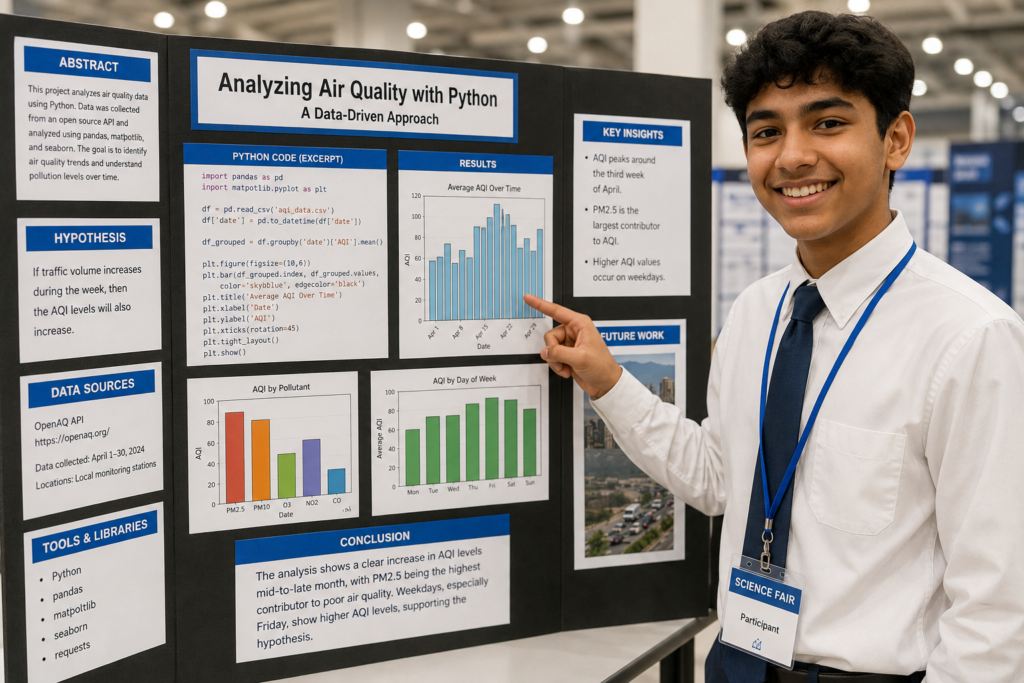
Judges score on three things: question, methodology, and results. Here’s how Python projects nail all three.
Step 1: State your hypothesis clearly — “I believe that [X] will produce [Y result] because [Z reason].”
Step 2: Explain your Python code at the right level — Don’t read code aloud. Instead, show what it does and why you made key decisions.
Step 3: Show your data visually — Print and mount your matplotlib charts. Live demos are impressive but always have a backup.
Step 4: Explain what you learned — Judges respond to self-awareness. “My model was only 65% accurate, so I learned that I needed more training data” is a mature, impressive answer.
Step 5: Answer the “What’s next?” question — Every judge asks it. Have a clear answer ready about how you’d extend the project.
| Project Level | Child Age | Python Experience | Judge Impression |
|---|---|---|---|
| Beginner (Projects 1–5) | 10–12 years | 1–3 months | Strong for local/school fairs |
| Intermediate (Projects 6–13) | 12–14 years | 3–6 months | Strong for regional fairs |
| Advanced AI (Projects 14–20) | 13–17 years | 6–12 months | Competitive at national level |
Not sure where your child stands? Read is Python easy to learn for beginners and what age should kids start coding.
For structured progression, explore our Python for kids course.
❌ Mistake 1: Choosing a project too advanced for your current Python level A project that requires TensorFlow when you haven’t mastered loops yet will fail — publicly. ✅ Fix: Pick a project one level above your comfort zone, not three.
❌ Mistake 2: No real data “I simulated 1,000 results” is weaker than “I collected real data from 20 classmates over 2 weeks.” ✅ Fix: Collect at least some real-world data to ground your project.
❌ Mistake 3: No visualization Raw print() output doesn’t impress anyone. ✅ Fix: Use matplotlib for at least one chart. Judges respond to visuals. Always.
❌ Mistake 4: Not understanding your own code If a judge asks “why did you use a for loop here instead of a while loop?” and you can’t answer, they’ll score you down. ✅ Fix: Make sure your child builds the project themselves — with guidance, not for them.
❌ Mistake 5: No comparison or control Science fairs need methodology. “My AI is accurate” means nothing without a comparison point. ✅ Fix: Always compare your Python tool against a human baseline or a different approach.
The best Python science fair projects for 12-year-olds are data-driven intermediate projects. The air quality analyzer, sleep pattern tracker, or word frequency analyzer each require basic pandas and matplotlib skills — achievable in 3–4 months of Python learning. They produce real visual results that display well and give judges clear data to discuss. Start with our Python coding challenges for beginners to build the skills first.
Most science fair judges at the regional and national level — especially in STEM categories — understand Python or work in fields that use it. However, even judges without Python experience respond to clear charts, confident explanations, and well-structured methodology. Your child doesn’t need to impress them with code complexity. They need to impress them with scientific thinking.
Your child can use AI tools like ChatGPT or Claude to explain concepts and debug errors — but the project hypothesis, data collection, and interpretation must be their own original work. Most science fair rules require students to document their process. A project where AI wrote all the code and a student cannot explain it will fail under judge questioning.
The most useful Python libraries for science fair projects are: matplotlib (charts and visualization), pandas (data handling), numpy (math and statistics), requests (API data fetching), and tkinter (simple GUIs). For AI projects: scikit-learn for beginner ML and tensorflow for advanced work. All are free and installable with pip.
Beginner projects (password checker, calculator) take 1–3 days of focused building. Intermediate data projects take 1–2 weeks including data collection. Advanced AI projects take 3–6 weeks. Add 2–3 weeks for writing up methodology and preparing the display board. Total timeline: 6–10 weeks is ideal for any serious submission.
Python is better for science fair projects because it handles real data, external APIs, statistics, and AI libraries — things Scratch cannot do. Scratch is excellent for creative projects and beginner game building, but Python’s output is more scientifically rigorous. If your child is still on Scratch, see how to transition from Scratch to Python before starting a fair project.
A Python science fair display board should include: your hypothesis (1–2 sentences), a clear research question, materials and tools used (Python, libraries, hardware), your methodology (what you built and why), data collection explanation, your results charts (printed matplotlib graphs), and conclusions. Always include a QR code linking to your live code on GitHub or replit.
Book a free demo class at ItsMyBot and let a mentor help them pick the right project and build it confidently.

Online coding, AI, and robotics classes that help kids ages 5–16 build real skills — and confidence — one project at a time.
No commitment · Live class with an expert teacher
© ItsMyBot 2026. All Rights Reserved.