
October 2026 · 14 min read
What This Guide Covers
Quick Answer
Is JavaScript Hard to Learn? No, JavaScript isn’t too hard for a beginner. It’s moderately easy to start and harder to master. Most beginners build a working interactive web page in two to three weeks. The tricky parts are asynchronous code, the this keyword, and the many ways to solve one problem. Learn in the right order and it’s very manageable.
98.9%
of websites use JavaScript on the client side (W3Techs)
66%
of developers surveyed had used JavaScript (Stack Overflow 2025)
2–3 wks
to a first working interactive page for most beginners
Quick Facts
Key Insights
Table of Contents
JavaScript is the language of the interactive web. HTML builds the structure of a page. CSS styles it. JavaScript makes it respond. If you’re new to that split, read HTML vs CSS vs JavaScript: the difference.
Three things make it beginner-friendly:
alert() and prompt() say what they do.Curious where it came from? Our short history, who developed JavaScript, explains why it works the way it does.
It depends on which part you’re learning. Most of the language is easy. A few topics are genuinely tricky. Here’s the honest scorecard.
| Topic | Difficulty | Why |
|---|---|---|
| Variables, data types, operators | ★☆☆☆☆ Easy | Direct, visible results |
Conditions and loops (if, for) |
★★☆☆☆ Easy–Medium | Needs logical thinking |
| Functions | ★★☆☆☆ Easy–Medium | Reusable steps, a new habit |
| DOM and events (clicks, forms) | ★★☆☆☆ Easy–Medium | Fun, because the page reacts |
| Arrays and objects | ★★★☆☆ Medium | Nested data takes practice |
Asynchronous code (promises, async/await) |
★★★★☆ Hard | Code doesn’t run top to bottom |
The this keyword |
★★★★☆ Hard | Its meaning changes by context |
| Frameworks (React, Vue) | ★★★★☆ Hard | Many concepts at once |
Difficulty ratings are ItsMyBot instructor estimates for a beginner.
var. See var, let, and const explained.== and === differ in loose vs strict equality.| What you want to build | Common tools |
|---|---|
| Interactive websites | React, Vue, Angular, Svelte |
| Servers and APIs | Node.js, Express |
| Mobile apps | React Native, Ionic |
| Desktop apps | Electron |
| Browser games and 3D | Phaser, Three.js |
Learn plain JavaScript first. Every tool above builds on it.
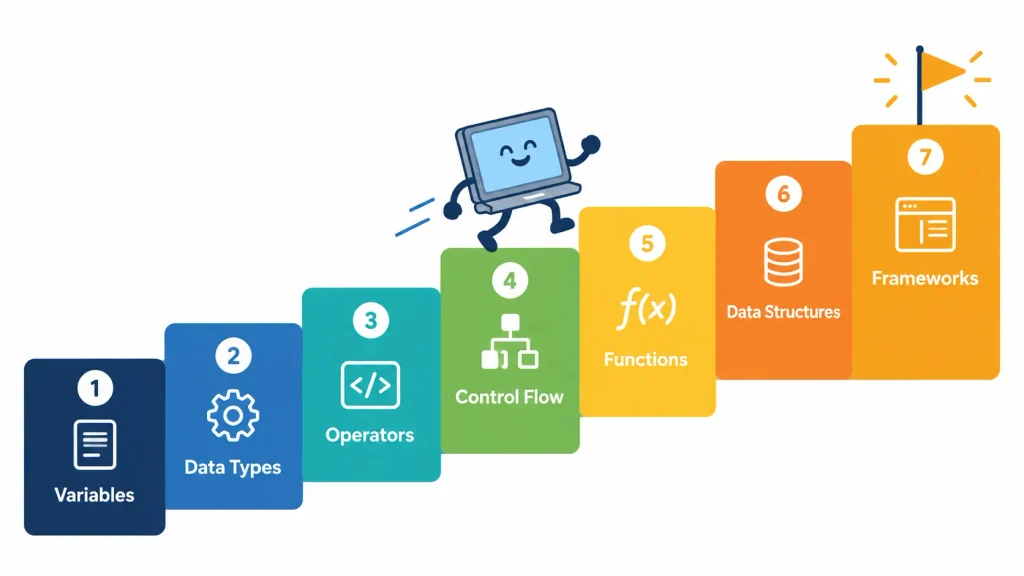
The answer changes with who’s learning. Here’s a realistic guide.
| Learner | Starting point | What feels easy | What feels hard | Suggested first step |
|---|---|---|---|---|
| Ages 10–12 | Little or no typing experience | Visual changes on a page | Syntax errors, missing brackets | Scratch warm-up, then HTML and CSS, then JavaScript |
| Ages 12–15 | Some Scratch or Python | Logic, games, DOM tricks | Async code, longer projects | Interactive web page, then a small game |
| High school and college | Basic computer skills | Reading docs, quick feedback | Choosing among many tools | Follow one structured path |
| Adult career changers | No coding | Applying real-life problems | Time and consistency | Project-based plan with a mentor |
| Scratch or Python veterans | Know loops and variables | Almost all the basics | Browser-specific ideas (DOM) | Skip basics, start with the DOM |
Can a child learn JavaScript? Yes, usually from age 10–12, with a good teacher and visual projects. Younger children do better with block-based coding first. Our guides on block-based vs text-based coding and moving from Scratch to Python show how that bridge works. Not sure which age fits? Read the best age for kids to start coding.
To go from “I’m nervous” to “I built it,” follow these steps in order. Each step ends with a small project.
Spend your first two to three weeks on the core ideas:
let, const, strings, numbers, booleans, arrays, and objects.+, -), comparisons (===, >), and logic (&&, ||).if/else, for, while.Why it works: every program you’ll ever write uses these pieces.
Mini project: a tip calculator or a Fahrenheit-to-Celsius converter in the browser console. Use VS Code shortcuts to type faster.
The DOM is how JavaScript sees your web page. Every element becomes an object you can change.
Here’s a tiny example. It counts button clicks:
<button id="clicker">Clicked 0 times</button>

<script>
  let count = 0;
  const button = document.querySelector("#clicker");

  button.addEventListener("click", () => {
    count++;
    button.textContent = "Clicked " + count + " times";
  });
</script>
What’s happening: querySelector finds the button. addEventListener waits for a click. The arrow function updates the text.
Why it works: you see the result right away, which makes abstract ideas feel real.
Mini projects: a button counter, a to-do list, and a color changer. New to web pages? Start with how to write HTML code in 7 steps and what an HTML boilerplate is. For a visual project, build an analog clock with HTML, CSS, and JavaScript.
Asynchronous code lets a page keep working while it waits, for example for data from a server. Learn it in this order:
setTimeout()..then() and .catch().async/await. Code that reads top to bottom again.Why it works: each layer solves a problem the last one created.
Mini project: a weather lookup page that fetches data from a free API.
Modern JavaScript is shorter and clearer. Focus on these features:
...): copy, merge, and collect values.import and export): split code into files.Practice move: revisit an older project and rewrite it with these features.
Projects turn knowledge into skill. Aim for three to five small projects:
Share your code on GitHub. Ask for feedback. Mentors and peers help you move faster than studying alone.
More projects once you’ve finished the first five:
filter() and map().Want a mentor to guide your child through JavaScript?
Book a free trial class. A live ItsMyBot instructor will find the right starting point for your child, whether that’s HTML basics or their first JavaScript project.
❌ Mistake 1: Jumping to frameworks too soon.
Frameworks hide the basics. You can’t debug what you don’t understand.
✅ Fix: Build several projects in plain JavaScript first. Most learners need a few months of fundamentals before React or Vue feels natural.
❌ Mistake 2: Tutorial hopping.
Watching videos feels like learning. It isn’t until you write the code yourself.
✅ Fix: After each tutorial, close it and rebuild the project from memory. Spend more time typing than watching.
❌ Mistake 3: Ignoring error messages.
Errors tell you the file, the line, and often the cause.
✅ Fix: Read the first line out loud. Use console.log() to check values. Learn Chrome DevTools early.
❌ Mistake 4: Memorizing syntax instead of understanding ideas.
Syntax changes. Concepts transfer.
✅ Fix: Explain each concept in your own words, or teach it to someone else.
❌ Mistake 5: Writing messy code from day one.
Bad habits harden quickly.
✅ Fix: Use clear names like userAge, add short comments, and keep functions small.
❌ Mistake 6: Learning alone with no accountability.
Motivation rises and falls. Without feedback, a small bug can stop you for days.
✅ Fix: Join a class, a study group, or a mentor program. Read our tips on keeping kids motivated in online coding classes.
It depends on your goal, your weekly time, and whether you have a mentor. Treat these as typical ranges, not promises.
| Goal | Typical range | What you can do at the end |
|---|---|---|
| First working interactive page | 2–3 weeks | Buttons, text changes, simple forms |
| Comfortable with the basics | About 3–4 months of regular practice | Build quizzes, to-do lists, small games alone |
| Ready for a framework | Roughly 4–6 months | Build a multi-feature project without a tutorial |
| Job-ready skills | 6–12 months or more | Frameworks, testing, version control, a portfolio |
Ranges are ItsMyBot instructor estimates for steady, project-based practice. Full-time study can be faster.
Need a bigger picture? Use our roadmap to start learning to code or see where to learn coding as a beginner.
| JavaScript | Python | Java | C++ | HTML/CSS | |
|---|---|---|---|---|---|
| Beginner difficulty | Medium | Easier | Medium–Hard | Hard | Easiest |
| Setup needed | None (browser) | Small install | JDK and tools | Compiler and tools | None |
| Instant visual results | Yes | Not always | No | No | Yes |
| Best for | Websites, web apps, games | AI, data, automation | Android, enterprise | Robotics, game engines | Page structure, style |
| Is it a programming language? | Yes | Yes | Yes | Yes | No (markup and style) |
| ItsMyBot course | JavaScript Developer Program | Python for kids | Java and Android program | C++ course | Creative web design |
Which should you pick?
Both languages teach the same core ideas. Learn one well and the second gets easier.
Yes. The numbers show it’s still central to the web.
For kids, JavaScript is a creative skill too. A teen can publish a game or portfolio site and share it with friends. Read how coding helps in is coding really helpful for kids.
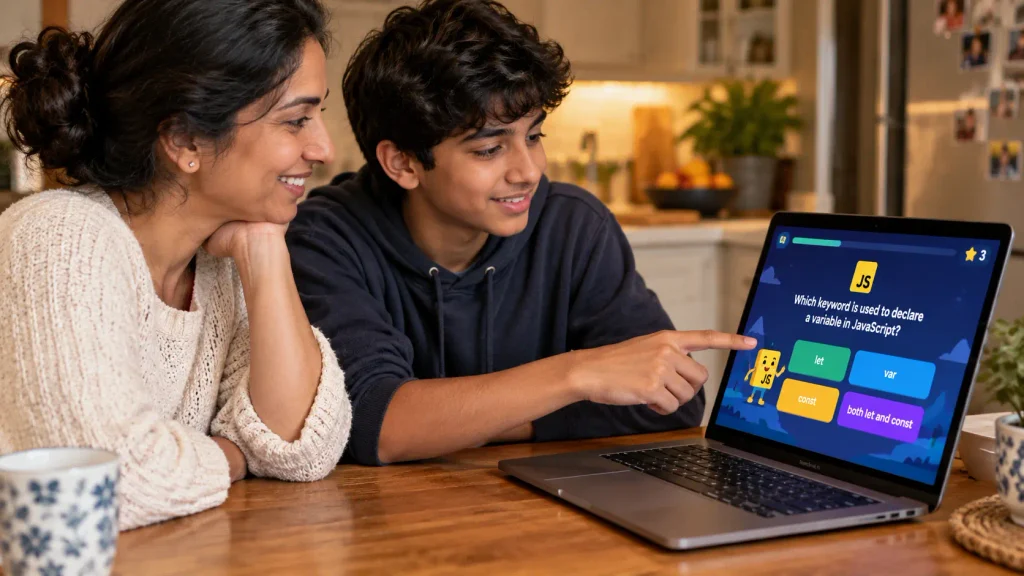
You don’t need to spend money to start. These free tools cover almost everything:
Free tools are great for testing your interest. A structured path with a mentor helps you keep going.
Pick one source from each group. Too many resources at once leads to tutorial hopping.
See more in our list of the best YouTube channels to learn coding.
ItsMyBot turns screen time into skill time. Our JavaScript classes for kids and teens use live mentors, personalized pacing, and projects your child chooses.
Not sure which course fits? Compare options in our best online coding classes for kids and teens, or start with how to choose the right coding course.
Key Takeaways
this, and ecosystem overload. Learn them late and in small pieces.The question isn’t whether JavaScript is too hard. It’s whether you’ve got a clear path. Pick a first project this week and start small. Not sure where to begin? Book a free trial class and let a mentor point the way.
Ready to see your child build their first interactive page? Free trial class with a live mentor.
Is JavaScript hard to learn for beginners?
No. JavaScript is moderately easy to start. Most beginners build a working interactive page in two to three weeks. The hard parts, such as asynchronous code and the this keyword, come later. Learn in order and practice with small projects to keep it manageable.
How long does it take to learn JavaScript?
Most beginners get comfortable with the basics in about three to four months of regular practice. A first interactive page takes two to three weeks. Job-ready skills usually take six to twelve months or more. Your pace depends on weekly hours and mentor support.
Is JavaScript harder than HTML and CSS?
Yes. HTML and CSS describe structure and style. JavaScript adds logic: variables, loops, functions, and events. Beginners usually learn basic HTML in a few weeks and need several months to feel solid in JavaScript. That’s why most paths teach HTML and CSS first.
Should I learn JavaScript or Python first?
Pick JavaScript if you want websites, web games, or interactive tools. Pick Python if you’re drawn to AI, data, or automation. Python’s syntax is slightly gentler. JavaScript gives instant visual results in the browser. Both teach the same core ideas.
Can a 12-year-old learn JavaScript?
Yes. Many children start between ages 10 and 12 with a patient teacher and visual projects. Younger learners often do better with Scratch first. A 12-year-old with some block coding can usually begin with HTML, CSS, and simple JavaScript within a few weeks.
Do I need to be good at math to learn JavaScript?
No. Basic arithmetic and logical thinking are enough for most web projects. More math helps in game physics, data visualization, and algorithms. Strong problem-solving and persistence matter more than math talent when you’re starting out.
What is the hardest part of learning JavaScript?
Most learners say asynchronous code: callbacks, promises, and async/await. The this keyword and the huge number of tools come next. Break each topic into tiny experiments, and learn them after you’re comfortable with functions and the DOM.
Do I need to learn HTML and CSS before JavaScript?
Yes, at least the basics. JavaScript changes HTML elements and CSS styles, so you need to know what they are. Two to four weeks of HTML and CSS makes JavaScript far easier. Our HTML and CSS for kids guide is a good start.
How can I practice JavaScript every day?
Spend 30–45 minutes a day. Review yesterday’s code, build one small feature, and note what you learned. Rebuild a small page from memory, add a feature to a project, or fix a bug. Short, steady sessions beat rare marathons.
Is JavaScript worth learning in 2026?
Yes. W3Techs reports 98.9% of websites use JavaScript on the client side, and 66% of Stack Overflow 2025 respondents used it. It also runs servers, mobile apps, and games. AI tools help write it, but people still need to understand and fix it.
Can I learn JavaScript in 2 weeks?
You can learn the basics in two weeks with focused daily study: variables, loops, functions, and a first interactive page. You won’t be job-ready. Most beginners need three to four months of regular practice to feel comfortable and six to twelve months for job-ready skills.
How do I know when I’m ready for JavaScript frameworks?
You’re ready when you can build a to-do app with filters and saved data in plain JavaScript, without following a tutorial. You should also be comfortable with functions, arrays, objects, the DOM, and async/await. If you still copy code line by line, practice plain JavaScript a little longer.

Online coding, AI, and robotics classes that help kids ages 5–16 build real skills — and confidence — one project at a time.
No commitment · Live class with an expert teacher
© ItsMyBot 2026. All Rights Reserved.