
October 2026 · 12 min read
Quick Overview
Table of Contents
Every parent has heard it by now: “Your child needs to learn AI.” But when you search for the best AI classes for kids, you hit a wall of options — apps, camps, online courses, in-person programs — with almost no help deciding which one actually delivers.
Most AI class marketing promises the same things. Real outcomes are rarer than the ads suggest. A child who takes the wrong class learns to use tools someone else built. A child who takes the right one learns to build tools themselves — and to think about AI critically, not just consume it.
This guide shows you exactly what to look for, what to avoid, and what your child should be building at every age between 6 and 16.
The term “AI class” covers an enormous range — from clicking through a pre-built app to writing Python code that trains a machine learning model. The difference in outcomes is not subtle. Here is what a quality AI class actually teaches:
✅ What a good AI class teaches
⚠️ What weak programs offer instead
For a full picture of what children can genuinely achieve, see our guide: AI projects for kids — real outcomes at every age and should kids learn AI in 2026?
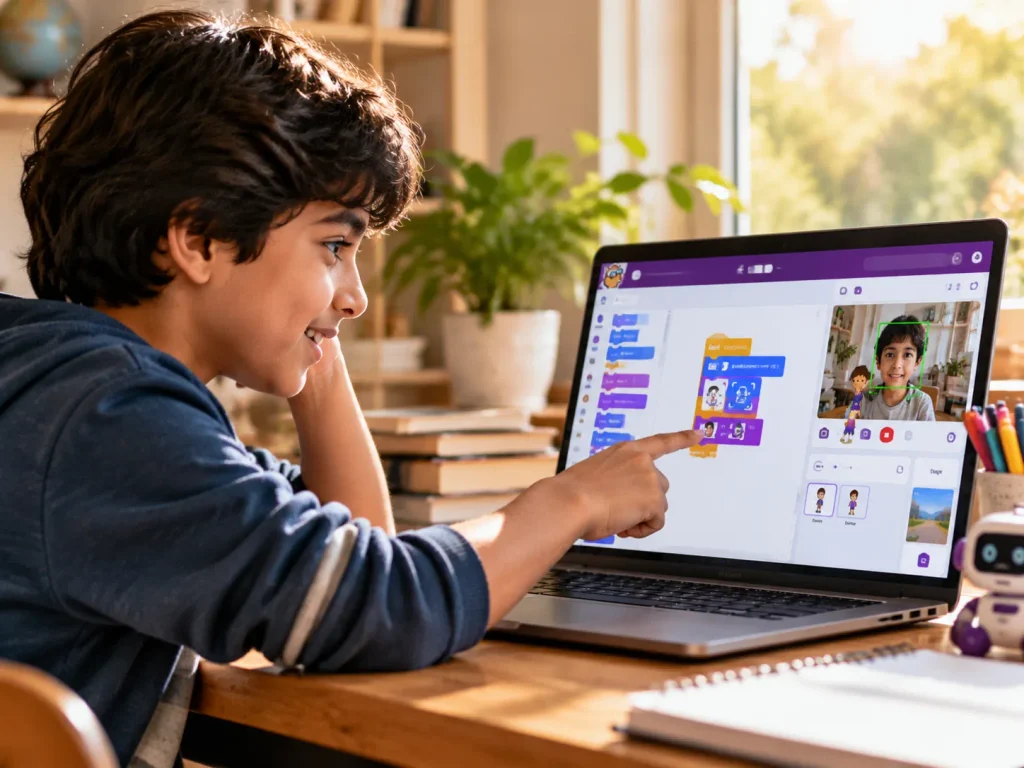
AI education looks completely different across the 6–16 age range. A program designed for a 7-year-old and one for a 15-year-old have almost nothing in common. Here is what works — and what to expect — at each stage.
Little Coder · PictoBlox · Block-based AI
Children at this age can understand that computers learn from examples — they just don’t need to know the mathematics. The best AI programs for 6–9 year-olds use visual, block-based tools that let children train simple models and see immediate results. The goal is building curiosity and a basic conceptual understanding, not technical depth.
→ See: PictoBlox projects for young learners | Junior Coder AI & ML course
Junior Coder → Senior Coder · Python · Machine Learning
This is the window where children transition from visual tools to real code — and where the most meaningful AI learning happens. Children aged 10–13 can understand variables, loops, functions, and data structures well enough to start working with genuine ML frameworks. Python is the language that connects them to everything AI is built on.
→ See: 25 best AI science fair projects | Complete AI for kids parent guide 2026
Senior Coder · Python + TensorFlow · University Portfolio Level
Teenagers in this age group can work with the same AI frameworks used by professional engineers. A strong program at this level builds university-portfolio-worthy projects and introduces neural networks, computer vision, NLP, and large language models. This is where AI education becomes genuinely career-relevant.
→ See: Why Python comes first for teens learning AI | LLMs explained for kids and teens | ItsMyBot AI & ML courses
Not sure which AI level is right for your child?
ItsMyBot offers a free trial session with a level assessment. One real class with a real mentor — before you commit to anything.
Both formats can work — but they serve different families and different children. Here is the honest comparison parents ask for but rarely get:
🌐 Online AI Classes
Advantages
Limitations
🏫 In-Person AI Classes
Advantages
Limitations
See the full format comparison: live 1:1 vs group coding classes for kids.
Here is how the main types of AI programs compare across the factors parents care about most:
| Program type | Best age | Tools used | Real projects? | Personalised? | Cost range |
|---|---|---|---|---|---|
| AI app / no-code platform | Any | Pre-built tools only | ⚠️ Limited | ❌ No | Free–$15/mo |
| Self-paced online course | 10+ | Varies by platform | ⚠️ Sometimes | ❌ No | $20–$80/mo |
| In-person group class | 7–14 | PictoBlox, Python basics | ✅ Often | ⚠️ Partly | $80–$200/mo |
| Live online 1:1 — Junior AI | 7–12 | PictoBlox AI, Python intro | ✅ Every session | ✅ Fully | $100–$200/mo |
| Live online 1:1 — Senior AI & ML | 10–16+ | Python, TensorFlow, PyTorch, LLMs | ✅ Every session | ✅ Fully | $150–$300/mo |
Also see: AI vs coding classes for kids — what’s the real difference?
These five questions separate programs that actually deliver from those that only look like they do. Ask every provider before paying anything.
“What will my child actually build in their first four sessions?”
A quality program can answer this specifically: “a gesture-controlled game,” “a text classifier,” “an image recognition tool.” A vague answer — “they’ll explore AI concepts” — is a red flag worth acting on.
“Is every session live with a real instructor?”
Pre-recorded videos are tutorials, not classes. If the answer includes “mostly recorded” or “self-paced with check-ins,” your child will not receive genuine instruction. Only fully live sessions adapt in real time to your child’s pace and questions.
“Will my child use tools that transfer to the real world?”
Programs built entirely on proprietary platforms produce skills that expire with the subscription. Python, PictoBlox’s AI extensions, scikit-learn, and TensorFlow are industry-relevant and will remain valuable for years. A bespoke kids’ platform with no real-world parallel is not.
“How will I know what my child is learning each week?”
Parent visibility is a trust signal. A program that keeps you informed proactively — not just when you chase — is one that’s confident in its outcomes. No visibility usually means no measurable progress to report.
“Can my child try a free session before we pay?”
Every quality AI program for children offers a free trial or demo session. One real session tells you more than any marketing page. If a provider won’t offer a trial, that is worth noting before you commit.
More guidance: how to choose the right coding course for your child and is your child ready for AI? Here’s how to find out.
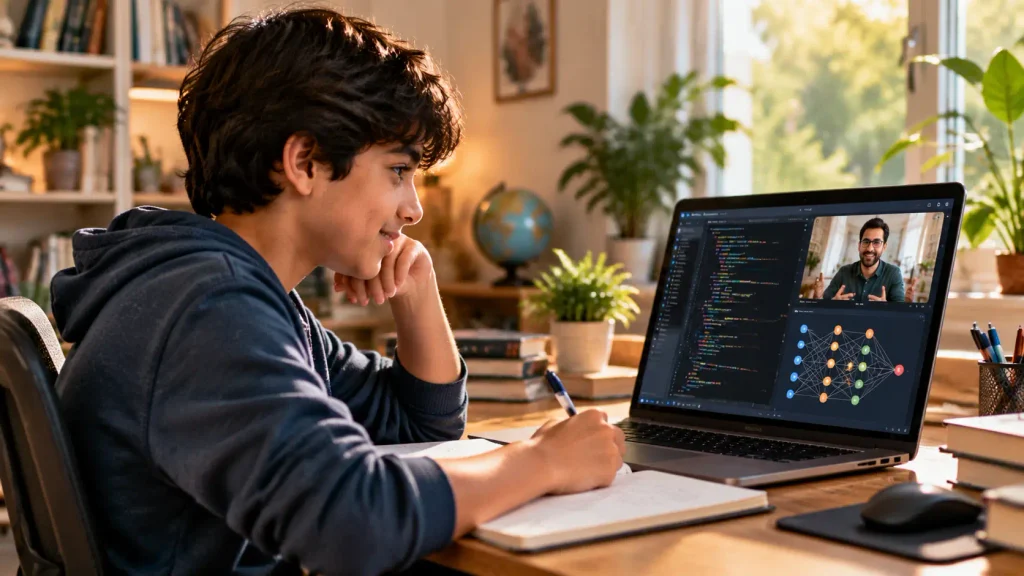
Projects are the most honest measure of any AI program. Here are the real outputs children build across ItsMyBot’s AI learning pathway — from first session to advanced level.
🤖 PictoBlox AI Projects
Ages 7–11 · Visual AI tools
💬 Chatbots & NLP Projects
Ages 10–14 · Python + NLP
👁️ Image Recognition Projects
Ages 10–15 · ML + Computer Vision
🧠 Advanced ML & LLM Projects
Ages 13–16 · Python + TensorFlow
ItsMyBot offers live 1:1 AI and ML courses across every age and skill level from 7 to 16+. Every program includes real projects, a dedicated mentor, parent progress updates after each session, and a free trial to confirm the right fit before you commit to anything.
🌱 Junior AI & ML
Ages 7–12 · PictoBlox + Python intro
Visual AI tools, block-based ML, and first image and gesture recognition projects. Designed for children with no prior coding experience — curiosity is the only prerequisite.
🚀 Advanced AI & ML
Ages 10–16+ · Python + ML Frameworks
Machine learning, computer vision, NLP, neural networks, and LLMs. Built for teens with Python foundations who are ready to build real, portfolio-grade AI projects.
🌐 All Online AI Classes
All Ages · Live 1:1 · Global Delivery
All ItsMyBot AI classes are fully online, live, and 1:1. Students across 40+ countries learn at their own pace with their own dedicated AI mentor.
What You Now Know
The best AI classes for kids are not the most expensive or the most marketed. They are the ones where your child builds something real in every session — where they leave knowing how to explain what their AI project does and why it works. That is the test.
Start with a free demo. One session with a real mentor building a real project answers every question on this page far more reliably than any guide. Explore ItsMyBot’s AI & ML courses or book a free demo class today.
Book a free AI demo class. No commitment — just one real session with a real mentor.
At what age can kids start learning AI?
Children can start learning AI concepts from age 6–7 using visual tools like PictoBlox, which allow them to train simple models without any coding. Meaningful programming-based AI learning typically begins at 10–11, when children can think logically enough to work with Python. The right starting point depends on the child’s curiosity level and prior experience.
Do kids need to learn coding before taking an AI class?
For visual AI programs (ages 6–10), no prior coding is needed. For Python-based AI and machine learning (ages 10+), 2–3 months of Python foundations are strongly recommended. Children who arrive at AI classes with solid Python skills progress far faster and don’t have to learn two difficult things at once. Most quality programs assess this in a free trial and advise on the right entry point.
How much do AI classes for kids cost?
Free apps exist but provide no live instruction. In-person group AI classes typically cost $80–$200/month. Live 1:1 online AI instruction from specialist providers runs $100–$300/month depending on session frequency and level. The right question is not cost but what your child actually builds — a cheaper program with no real outputs costs more in the long run.
What is PictoBlox and why is it used in AI classes for kids?
PictoBlox is a block-based programming platform with built-in AI extensions for image recognition, face detection, hand tracking, and speech recognition. It makes genuine AI concepts accessible to children aged 7–11 without requiring Python knowledge. Children train their own machine learning models and see real results, making it one of the most effective entry points into AI for younger learners. See examples at PictoBlox projects for kids.
Are online AI classes as effective as in-person for kids?
For AI specifically, live online 1:1 instruction consistently outperforms local group classes — because AI learning requires personalised pacing and access to specialist instructors, neither of which group formats deliver reliably. The format matters far less than whether sessions are live, personalised, and project-based.
Will AI classes help my child get into a good university?
Significantly — for children who build real projects over time. A teen who arrives at university applications with a portfolio of AI projects, documented Python experience, and science fair entries built with machine learning stands out in engineering, computer science, medicine, and business applications. The portfolio is the advantage, not the certificate. Read more: will coding and AI help my teen get into university?
What common mistakes should parents avoid when choosing an AI class?
The three most common mistakes:

Online coding, AI, and robotics classes that help kids ages 6–18 build real skills — and confidence — one project at a time.
No commitment · Live class with an expert teacher
© ItsMyBot 2026. All Rights Reserved.