
Creating a maze game in Scratch is one of the most exciting and educational projects for young programmers. Whether you’re a parent looking to introduce your child to coding or a teacher seeking engaging STEM activities, this comprehensive tutorial will guide you through building an interactive maze game from scratch. With Scratch’s intuitive drag-and-drop interface, you’ll discover how block-based programming makes coding accessible and fun for beginners of all ages.
By completing this Scratch maze tutorial, you’ll master essential programming concepts that form the foundation of game development. Sprites are the characters or objects that perform actions, Events are triggers that start a sequence of actions, Motion blocks control the movement of sprites, Conditionals check if certain conditions are true, and Loops repeat a sequence of instructions. These fundamental concepts will prepare you for more advanced programming languages and projects.
Key Programming Skills You’ll Develop:
Scratch is a free programming language and online community where you can create your own interactive stories, games, and animations. Developed by MIT Media Lab, Scratch 3.0 offers enhanced features perfect for maze game creation.
To begin your maze game project:
Pro Tip: Make sure to jot down the URL of your Scratch project in progress. It’s a lifesaver when you’re ready to dive back in.
Before diving into coding, proper planning ensures a smoother development process. Plan your game by deciding on the main theme and elements you want to include.
The first step is setting up your character sprites. Based on our project, you’ll need two costumes for your main character.
Creating Your Player Sprite:
Now comes the exciting part—bringing your maze game to life through code! Motion blocks (Blue): These blocks allow you to control the movement of a sprite (character) on the stage.
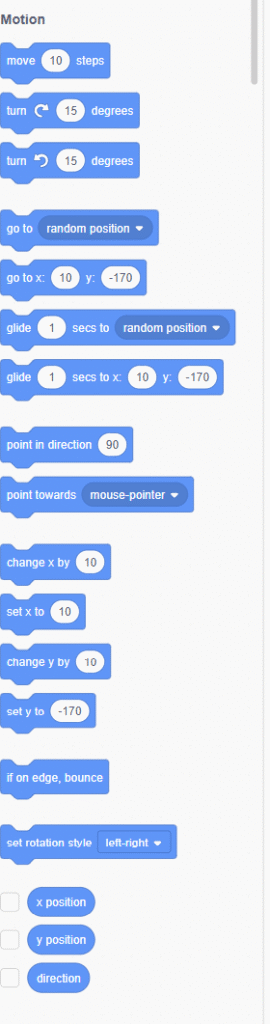
The Motion blocks panel includes essential commands for character movement:
Start by adding a forever loop and two if statements. We want to check if the up arrow key is pressed, and then change the y position by 2.
When [green flag] clicked
Forever
  If <key [up arrow] pressed?> then
    Change y by [5]
  End
  If <key [down arrow] pressed?> then
    Change y by [-5]
  End
  If <key [left arrow] pressed?> then
    Change x by [-5]
  End
  If <key [right arrow] pressed?> then
    Change x by [5]
  End
End
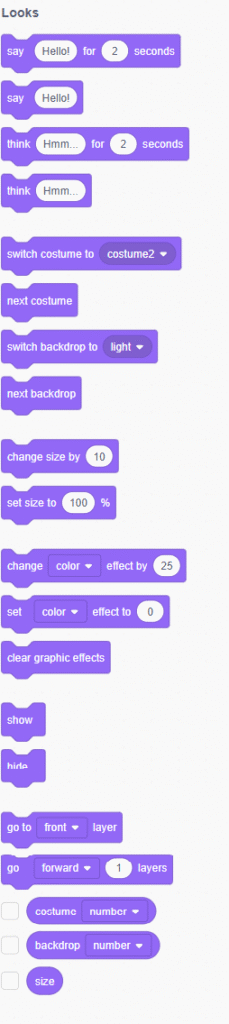
The Looks blocks control how your sprite appears on screen:
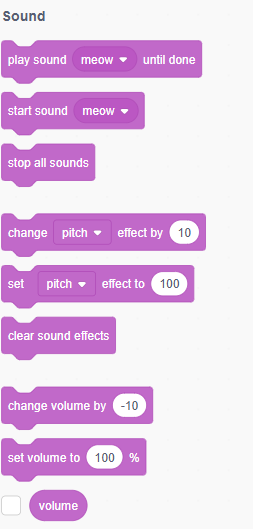
Sound blocks (Pink): These blocks allow you to play sounds or add music in your program. Essential sound commands include:
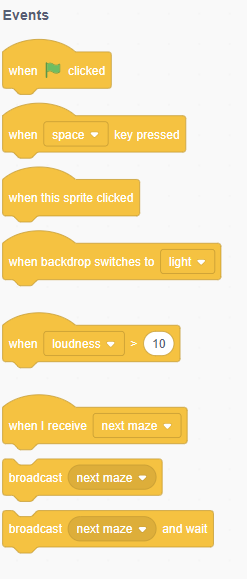
Events blocks are blocks that control events and the triggering of scripts. Key event blocks include:
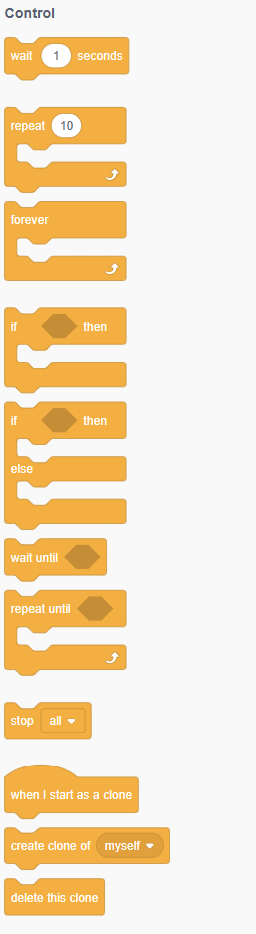
Control blocks are blocks that control the flow of your program, such as by repeating a section of code, having code wait before running, or stopping the program.
Essential control blocks:
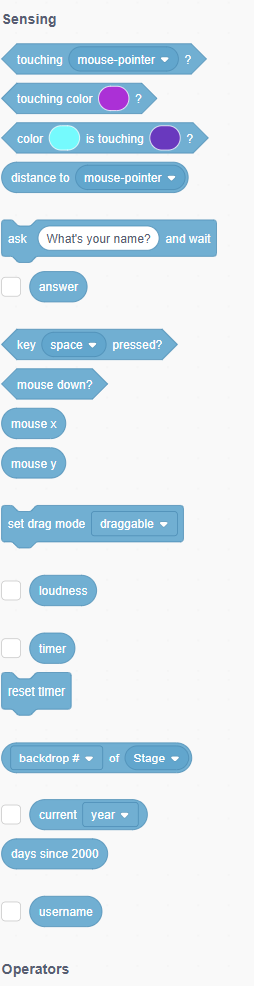
To check if the sprite is touching the walls, use a “touching colour” block and the eyedropper tool to choose what colour to check for.
Critical sensing blocks for maze games:
If <key [up arrow] pressed?> then
  Change y by [5]
  If <touching color [#000000]?> then
    Change y by [-5]
  End
End
Important: Make sure each if-statement has the exact same colour! Use the color picker tool to select the exact wall color from your maze backdrop.
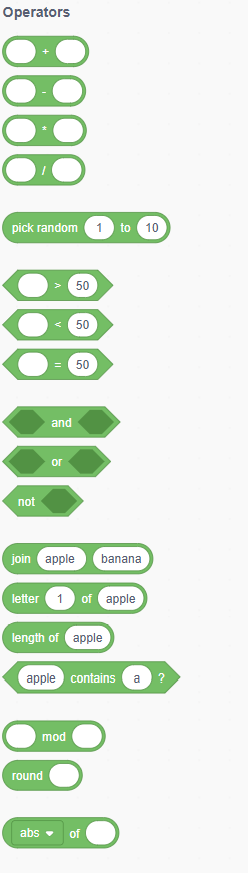
Operators blocks are the blocks that perform math functions and string handling. Key operators include:
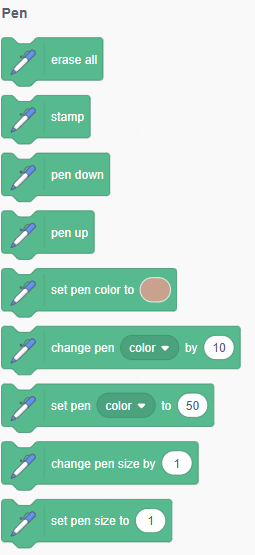
Pen blocks enable creative visual effects:
The Maze Runner game has a sprite for the player, the maze, and the apple at the end of the maze. Here’s the complete main game logic:

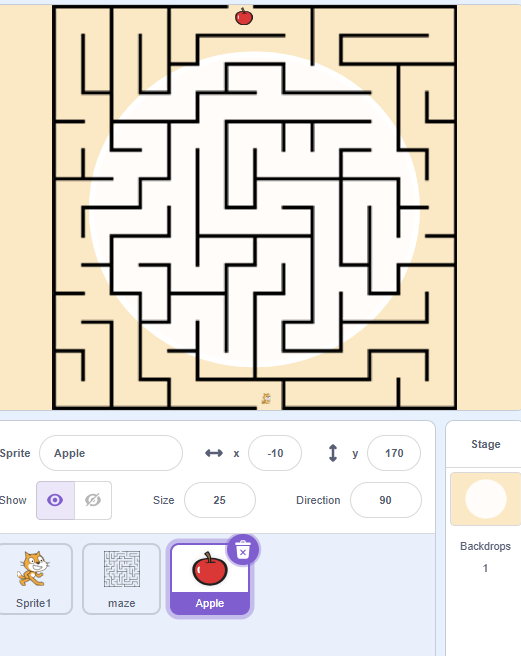
The final setup includes:
Next, try increasing the number of mazes. Just draw your favorite mazes as costumes, naming them like “Maze3,” and you’re set.
Level Progression System:
when I receive [level complete]
switch backdrop to [next backdrop]
go to x: [start x] y: [start y]
change [level] by [1]
say [Level Complete! Starting Level] join [level]
Add time pressure to increase excitement:
when [green flag] clicked
set [time] to [60]
repeat until <[time] = [0]>
  wait [1] seconds
  change [time] by [-1]
end
broadcast [time up]
Reward players for efficient maze solving:
These customizations can make the maze game more engaging and personalized.
Introduce temporary abilities:
If your Scratch program doesn’t work and you don’t know how to fix it, you can start over by using the maze-part-c.sb2 Scratch project file. Thorough testing ensures a polished gaming experience.
Character Sticks to Walls:
Inconsistent Movement:
Performance Problems:
If you’re a beginner, keep the maze design simple. Start with a few straight paths and avoid overly complex dead ends. You can always add complexity later.
Development Guidelines:
Expand your Scratch skills with these educational opportunities:
Once you’ve mastered basic maze creation, try these exciting variations:
Your maze game project teaches transferable skills valuable for future programming:
Congratulations on completing this comprehensive guide to creating a maze game in Scratch! You’ve learned essential programming concepts including sprite control, collision detection, event handling, and game design principles. Coding a maze helps learn about loops, collision detection, and events while testing memory, problem-solving skills, and patience.
Your maze game represents more than just a fun project—it’s evidence of your growing programming abilities and creative problem-solving skills. Whether you’re continuing with more advanced Scratch projects like how to make a clicker game on Scratch or exploring other programming languages, the foundational skills you’ve developed will serve you well.
Ready for Your Next Challenge? Explore our collection of Scratch coding tutorials to continue building your programming expertise. From creating a music player in Scratch to building a platformer game, there’s always a new coding adventure waiting!
Additional Project Ideas:
Remember, every expert programmer started with simple projects like your maze game. Keep experimenting, learning, and most importantly, having fun with code. The skills you’re developing today will open doors to exciting future opportunities in technology, game development, and creative problem-solving.
Share your maze game creations with friends and family—you’ve earned the right to be proud of your programming accomplishment!
Project Link: https://scratch.mit.edu/projects/11710850
Want your child to go further? Explore ItsMyBot’s Little Coder — structured coding courses designed for kids!

Online coding, AI, and robotics classes that help kids ages 6–18 build real skills — and confidence — one project at a time.
No commitment · Live class with an expert teacher
© ItsMyBot 2026. All Rights Reserved.