
Reading Time: 8 mins

You’ve watched your child spend hours on screens, and now you’re wondering: what if that time could build real skills? You’re not alone. Thousands of parents face the same decision: Scratch or Code.org—which platform truly helps kids learn to code?
The answer isn’t simple because both platforms are excellent. But they serve different purposes, teach different skills, and work best for different learning styles. This guide breaks down everything you need to know to make the right choice for your child’s coding journey.
Let’s explore how Scratch and Code.org compare, what makes each unique, and which platform will help your child master skills that matter.
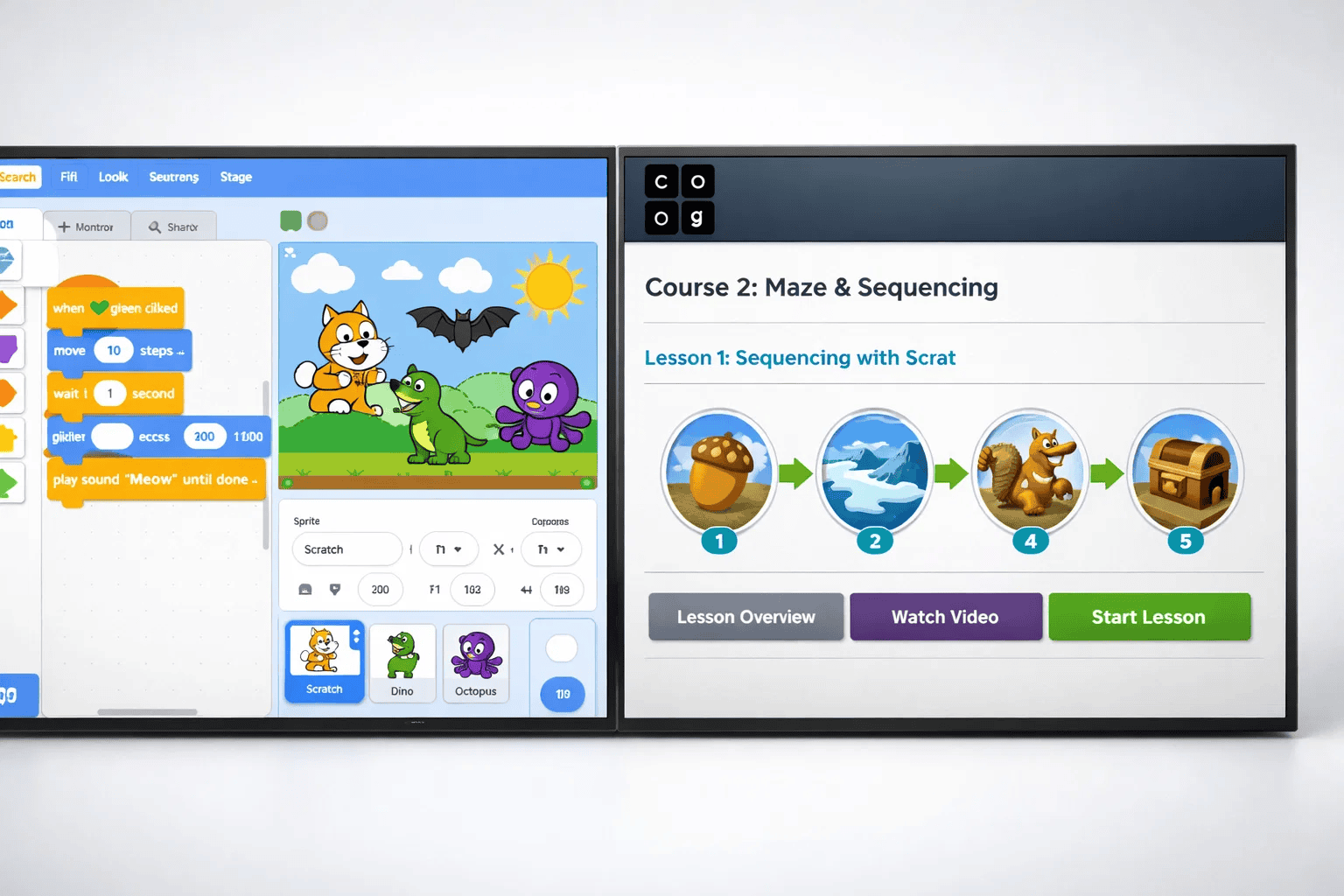
Scratch and Code.org both use block-based coding, but they approach learning from completely different angles. Understanding these differences helps you choose what aligns with your child’s goals and interests.
Scratch is an open-ended creative platform developed by MIT Media Lab. Think of it as a digital canvas where your child can bring any idea to life—from animated stories to complex games.
Key characteristics:
Scratch focuses on creative expression and computational thinking. Your child learns by building, not by following step-by-step instructions.
Code.org is a structured curriculum designed to teach computer science fundamentals through guided lessons. Think of it as a coding classroom with clear objectives and progression.
Key characteristics:
Code.org focuses on systematic skill development and foundational knowledge. Your child learns through guided instruction with measurable progress.
For parents exploring different learning approaches, our guide on block-based vs text-based coding explains how visual programming differs from traditional coding.
Let’s break down how Scratch and Code.org compare across the factors that matter most for your child’s learning experience.
Scratch:
Code.org:
Winner: Code.org for younger beginners (ages 4-7), Scratch for creative learners (ages 8+)
Scratch:
Code.org:
Winner: Depends on your child’s learning style—creators thrive in Scratch, structured learners excel with Code.org
Want to know when your child is ready to start? Read our guide on the best age for kids to start coding.
Scratch:
Code.org:
Winner: Scratch offers unlimited creative potential, Code.org provides achievable milestones
Learn how to create your first project with our tutorial on how to create a game on Code.org or explore making a clicker game in Scratch.
Scratch Community:
Code.org Community:
Winner: Scratch for creative community interaction, Code.org for classroom environments
Scratch Progression:
Ready to make the transition? Our guide on Scratch to Python shows you the next steps.
Code.org Progression:
Winner: Both provide solid foundations, with Scratch building creative thinking and Code.org building systematic knowledge
❌ Mistake 1: Choosing Based on Your Preferences Instead of Your Child’s Learning Style
Why it’s problematic: Your child might be a visual, hands-on learner who thrives with Scratch’s creative freedom, but you choose Code.org because it looks more “educational.” Or vice versa—you choose Scratch because it seems fun, but your child needs structure to feel confident.
✅ Correct approach: Observe how your child learns best. Do they follow instructions well, or do they prefer exploring on their own? Do they like clear goals, or do they enjoy open-ended projects? Let their learning style guide your decision.
❌ Mistake 2: Starting with Only One Platform and Never Exploring Alternatives
Why it’s problematic: Scratch and Code.org aren’t mutually exclusive. Many children benefit from using both—Code.org for structured learning and confidence-building, then Scratch for creative expression and complex projects.
✅ Correct approach: Start with whichever platform matches your child’s current needs, but remain open to introducing the other. Think of Code.org as building blocks and Scratch as the construction site where they build freely.
❌ Mistake 3: Not Setting Clear Goals or Expectations
Why it’s problematic: Without direction, your child might spend hours on these platforms without progressing. They remix projects endlessly in Scratch or repeat the same easy Code.org lessons instead of advancing.
✅ Correct approach: Set age-appropriate goals. For Scratch: “Create one complete project every two weeks.” For Code.org: “Complete one course every month.” Celebrate achievements and review progress together.
❌ Mistake 4: Forgetting That Coding Is Just One Piece of Tech Education
Why it’s problematic: Coding platforms teach programming logic, but your child needs broader skills—problem-solving, creativity, collaboration, and real-world application.
✅ Correct approach: Complement platform learning with hands-on activities. At ItsMyBot, we turn screen time into skill time by combining coding with robotics, AI projects, and collaborative challenges. Consider robotics kits or IoT projects to expand learning.
❌ Mistake 5: Not Understanding What Programming Language Your Child Is Actually Learning
Why it’s problematic: Parents often don’t realize that Scratch uses its own programming model and language system. This lack of understanding makes it hard to support your child’s progress or plan their next steps.
✅ Correct approach: Learn the basics yourself. Understand that block-based coding builds computational thinking that transfers to text-based languages. Know the progression path so you can guide your child’s journey confidently.

Best starting point: Begin with Scratch tutorials that guide initial project creation, then let creativity flourish.
Best starting point: Start with Hour of Code activities to build confidence, then progress through age-appropriate courses.
Best starting point: Begin with Code.org for foundations , then transition to Scratch for creative application of learned concepts.
Code.org works better for younger beginners (ages 4-7) with structured lessons and clear objectives. Scratch suits older beginners (ages 8+) who prefer exploration and creative freedom. Consider your child’s age and learning style. Our article on best age for kids to start coding provides guidance.
Yes! Start with Code.org to build foundations, then transition to Scratch for creative application. Both complement each other—Code.org teaches systematic thinking, Scratch develops creative problem-solving.
Children typically transition to Python (friendly syntax, versatile), JavaScript (web development), or Java (advanced programming). Our guide on Scratch to Python explains this transition, and we compare Python or Java to help plan next steps.
Yes! Block-based coding teaches real concepts—variables, loops, conditional logic, functions, and debugging. The blocks represent actual code; the visual format just removes syntax barriers. Children transition smoothly to text-based languages because they already understand programming logic.
Choose Scratch if your child loves creating unique projects and enjoys games, art, or storytelling. Choose Code.org if your child needs clear direction and loves themed activities like Minecraft or Star Wars.
Both build computational thinking, problem-solving, and technical foundations that employers value. These transferable skills open doors to software engineering, data science, robotics, AI, and game development careers.
Whether you choose Scratch, Code.org, or both, the most important step is starting. Every project your child creates, every challenge they overcome, and every concept they master builds the skills and confidence they’ll need for tomorrow’s opportunities.
At ItsMyBot, we turn screen time into skill time, helping children explore technology through personalized, industry-level courses. We don’t just teach coding—we build creativity, confidence, and future-ready skills while keeping parents informed every step of the way.
Ready to discover how ItsMyBot can accelerate your child’s learning journey? Explore our courses, read more coding guides or connect with our community of parents building brighter futures for their children.
Remember: The best coding platform is the one your child uses consistently. Start today, stay curious, and watch your child’s potential unfold—one project, one line of code, one breakthrough at a time.


