
Ever clicked on a website link only to see “404 Not Found” or “500 Internal Server Error”? These cryptic messages are HTTP error codes, and understanding them is crucial for anyone working with websites or web applications. Whether you’re a beginner learning web development or an experienced developer troubleshooting issues, this comprehensive guide will demystify every HTTP status code you need to know.
HTTP error codes are like a universal language between web browsers and servers. When something goes wrong—or right—these three-digit numbers tell us exactly what happened. But here’s the problem: most people see these codes and panic, not knowing whether it’s something they can fix or if they need to contact technical support.
In this complete guide, you’ll learn what every major HTTP error code means, see real-world examples of when they occur, and discover how to fix the most common issues. By the end, you’ll be able to diagnose web problems like a pro and implement proper error handling in your own projects.
HTTP error codes are three-digit numbers that web servers send to browsers to indicate the status of a web request. These codes are part of the Hypertext Transfer Protocol (HTTP), which governs how data is transferred between web browsers and servers.
Every time you visit a website, your browser sends an HTTP request to the server hosting that site. The server processes this request and responds with an HTTP status code along with the requested content (or an error message).
HTTP status codes follow a specific pattern:
Understanding HTTP error codes is essential for several reasons:
For Website Owners
For Developers
For Users
The same error codes apply to both HTTP and HTTPS connections. The only difference is that HTTPS adds an encryption layer for security, but the status code system remains identical.
To understand HTTP error codes, let’s look at how web communication works. Think of it like ordering food at a restaurant—you make a request, and the kitchen (server) responds with a status update.

HTTP status codes are organized into five main categories:
1xx – Informational Responses
2xx – Success Responses
3xx – Redirection Responses
4xx – Client Error Responses
5xx – Server Error Responses
Informational status codes indicate that the request has been received and the process is continuing. These codes are rarely seen by end users but are important for developers working with APIs and web applications.
Meaning: The server has received the request headers and the client should proceed to send the request body.
When it occurs: Used with large file uploads where the client wants to check if the server will accept the request before sending data.
Example scenario: Uploading a large video file to a content management system.
HTTP/1.1 100 Continue
Meaning: The server is switching to a different protocol as requested by the client.
When it occurs: Most commonly seen when upgrading from HTTP to WebSocket connections.
Example scenario: Real-time chat applications that need persistent connections.
HTTP/1.1 101 Switching Protocols
Upgrade: websocket
Connection: Upgrade
Meaning: The server has received and is processing the request, but no response is available yet.
When it occurs: Used in WebDAV operations that might take a long time to complete.
Example scenario: Bulk file operations on cloud storage systems.
Success status codes indicate that the client’s request was successfully received, understood, and accepted. These are the codes you want to see when everything is working correctly.
Meaning: The request was successful and the server returned the requested resource.
When it occurs: This is the standard response for successful HTTP requests.
Example scenario: Successfully loading a webpage, submitting a form, or fetching data from an API.
HTTP/1.1 200 OK
Content-Type: text/html
Content-Length: 1234
Meaning: The request was successful and a new resource was created as a result.
When it occurs: Typically used after POST requests that create new data.
Example scenario: Successfully creating a new user account or posting a new blog article.
HTTP/1.1 201 Created
Location: /users/12345
Content-Type: application/json
Meaning: The request has been accepted but processing is not complete.
When it occurs: Used for asynchronous operations that will be processed later.
Example scenario: Submitting a large file for processing or queuing a background task.
Meaning: The request was successful but there’s no content to return.
When it occurs: Common with DELETE operations or when updating data without returning anything.
Example scenario: Successfully deleting a file or updating user preferences.
Redirection status codes indicate that further action needs to be taken by the client to complete the request. These codes help manage content that has moved or changed location.
Meaning: The requested resource has been permanently moved to a new URL.
When it occurs: Used when content has permanently moved to a new location.
Example scenario: A website changes its domain name or restructures its URL system.
SEO Impact: Passes most of the original page’s SEO value to the new URL.
HTTP/1.1 301 Moved Permanently
Location: https://example.com/new-page
Meaning: The resource temporarily resides at a different URL.
When it occurs: Used for temporary redirects where the original URL should still be used.
Example scenario: Redirecting users during website maintenance or A/B testing.
SEO Impact: Does not pass SEO value to the new URL.
Meaning: The resource hasn’t been modified since the last request.
When it occurs: Used with caching mechanisms to improve performance.
Example scenario: Browser checks if a cached image is still current.
HTTP/1.1 304 Not Modified
Cache-Control: max-age=3600
Meaning: Similar to 302 but guarantees that the request method won’t change.
When it occurs: Used when you need to preserve the original HTTP method (GET, POST, etc.).
Example scenario: Temporarily redirecting a POST request while maintaining the POST method.
Meaning: Similar to 301 but guarantees that the request method won’t change.
When it occurs: Used for permanent redirects while preserving the HTTP method.
Example scenario: Permanently moving an API endpoint while maintaining POST requests.
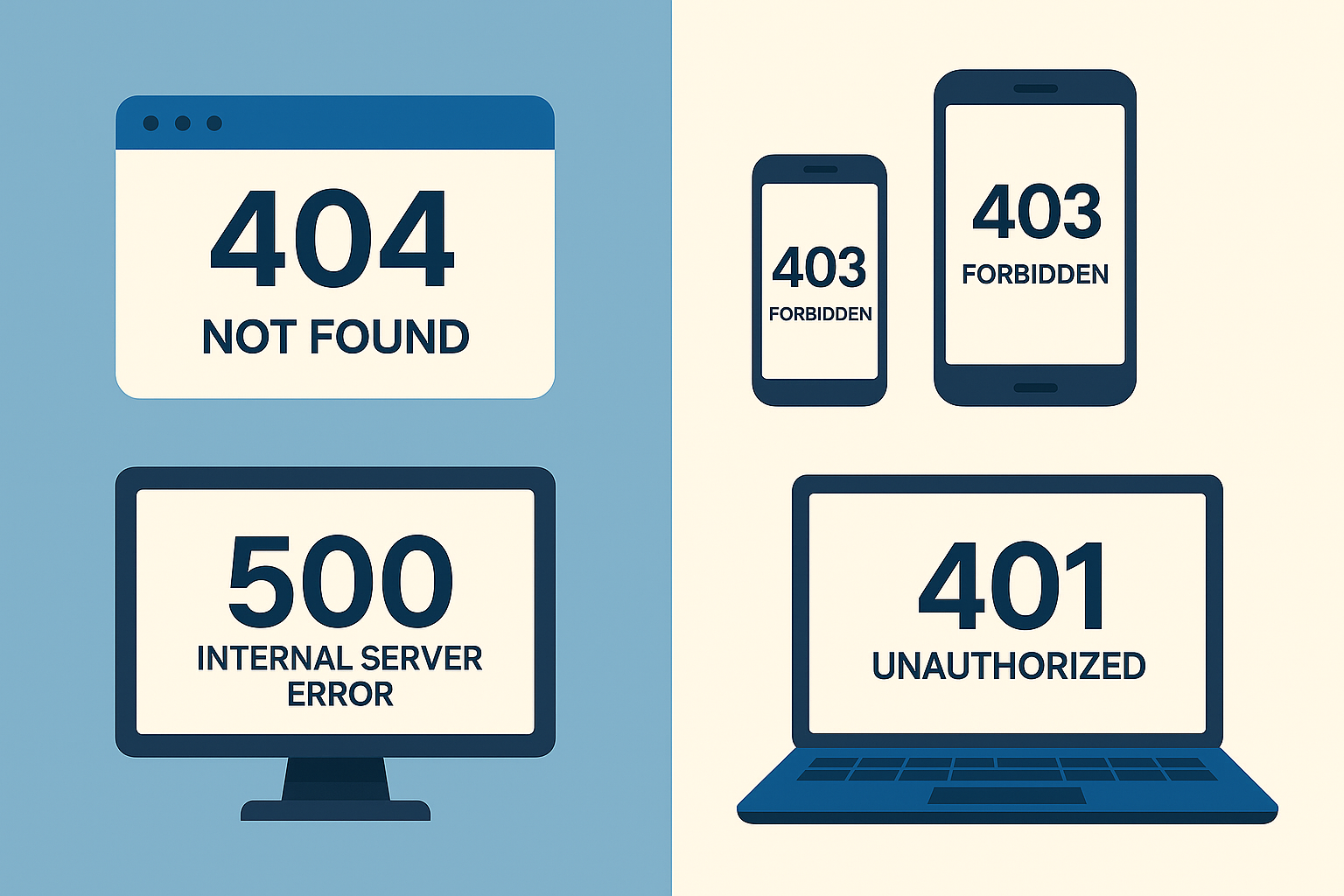
Client error codes indicate that the request contains an error or cannot be fulfilled due to a problem on the client side. These are the errors most commonly encountered by website visitors.
Meaning: The server cannot process the request due to invalid syntax or malformed request.
When it occurs:
Example scenario: Submitting a form with invalid data format.
How to fix: Check request syntax, validate form data, and ensure proper encoding.
HTTP/1.1 400 Bad Request
Content-Type: application/json

{
  "error": "Invalid email format"
}
Meaning: Authentication is required and has failed or has not been provided.
When it occurs:
Example scenario: Trying to access your bank account with wrong password.
How to fix: Provide valid authentication credentials or log in properly.
Meaning: The server understood the request but refuses to authorize it.
When it occurs:
Example scenario: Trying to access admin pages as a regular user.
How to fix: Contact the website administrator or check if you have proper permissions.
Meaning: The server cannot find the requested resource.
When it occurs:
Example scenario: Clicking on an old bookmark to a page that no longer exists.
How to fix:
HTTP/1.1 404 Not Found
Content-Type: text/html

<h1>Page Not Found</h1>
<p>The requested page could not be found.</p>
Meaning: The request method is not supported for the requested resource.
When it occurs: Using wrong HTTP method (e.g., POST instead of GET).
Example scenario: Trying to POST data to an endpoint that only accepts GET requests.
How to fix: Use the correct HTTP method as specified in the API documentation.
Meaning: The server timed out waiting for the request.
When it occurs: Slow internet connections or large file uploads.
Example scenario: Uploading a large video file over a slow connection.
How to fix: Try again with a faster internet connection or smaller files.
Meaning: The request conflicts with the current state of the server.
When it occurs: Data conflicts during updates or resource conflicts.
Example scenario: Trying to create a user account with an email that already exists.
How to fix: Resolve the conflict by updating conflicting data or choosing different values.
Meaning: The resource was available previously but is no longer available and will not be available again.
When it occurs: Permanently removed content.
Example scenario: A discontinued product page that won’t be coming back.
How to fix: The content is permanently gone; look for alternatives.
Meaning: The user has sent too many requests in a given time period (rate limiting).
When it occurs: API rate limiting or spam protection.
Example scenario: Making too many API calls in a short time period.
How to fix: Wait before making more requests or implement proper rate limiting in your code.
Server error codes indicate that the server failed to fulfill a valid request. These errors are typically temporary and indicate problems with the website’s infrastructure.
Meaning: A generic error message when the server encounters an unexpected condition.
When it occurs:
Example scenario: A website’s database server crashes during high traffic.
How to fix:
HTTP/1.1 500 Internal Server Error
Content-Type: text/html

<h1>Something went wrong</h1>
<p>We're working to fix this issue. Please try again later.</p>
Meaning: The server does not support the functionality required to fulfill the request.
When it occurs: Using HTTP methods or features not supported by the server.
Example scenario: Using a PATCH request on a server that doesn’t support it.
How to fix: Use supported HTTP methods or upgrade the server software.
Meaning: The server, acting as a gateway, received an invalid response from an upstream server.
When it occurs:
Example scenario: A CDN cannot connect to the origin server.
How to fix:
Meaning: The server is currently unavailable (overloaded or down for maintenance).
When it occurs:
Example scenario: A popular website experiencing unexpected traffic surge.
How to fix:
HTTP/1.1 503 Service Unavailable
Retry-After: 3600

<h1>Maintenance in Progress</h1>
<p>We'll be back shortly. Please try again in an hour.</p>
Meaning: The server, acting as a gateway, did not receive a timely response from an upstream server.
When it occurs:
Example scenario: A web application waiting too long for a database query to complete.
How to fix:
Meaning: The server is unable to store the representation needed to complete the request.
When it occurs: Server running out of disk space.
Example scenario: Trying to upload files when the server’s storage is full.
How to fix: Free up server storage space or upgrade storage capacity.
Understanding how to troubleshoot and fix HTTP errors is essential for maintaining a healthy website. Here’s a comprehensive guide to resolving the most common issues.
Step 1: Identify Broken Links
Step 2: Implement Solutions
Step 3: Prevention
<!-- Custom 404 Page Example -->
<!DOCTYPE html>
<html>
<head>
    <title>Page Not Found</title>
</head>
<body>
    <h1>Oops! Page Not Found</h1>
    <p>The page you're looking for doesn't exist.</p>
    <a href="/">Return to Homepage</a>
    <form action="/search" method="get">
        <input type="text" name="q" placeholder="Search our site...">
        <button type="submit">Search</button>
    </form>
</body>
</html>
Step 1: Check Server Logs
Step 2: Common Solutions
Step 3: Monitoring and Prevention
Step 1: Check File Permissions
Step 2: Server Configuration
Step 3: Content Management
For Website Owners
For Developers
For Users

Implementing proper error handling improves user experience and helps maintain website credibility. Here are the best practices for developers and website owners.
Design Principles
Essential Elements
Implementation Strategy
Key Metrics to Track
// Example error handling in JavaScript
function handleApiError(error) {
    console.error('API Error:', error);

    switch(error.status) {
        case 401:
            // Redirect to login
            window.location.href = '/login';
            break;
        case 403:
            // Show permission error
            showErrorMessage('You don't have permission to access this resource.');
            break;
        case 404:
            // Show not found error
            showErrorMessage('The requested resource was not found.');
            break;
        case 500:
            // Show generic error
            showErrorMessage('Something went wrong. Please try again later.');
            break;
        default:
            showErrorMessage('An unexpected error occurred.');
    }
}
Impact on Search Rankings
Best Practices
Progressive Enhancement
Communication Strategies
4xx errors indicate client-side problems, meaning the issue is with the request being made (wrong URL, missing authentication, etc.). 5xx errors indicate server-side problems, meaning the server failed to fulfill a valid request due to internal issues.
Common causes of 404 errors include:
To fix this, audit your links regularly and implement proper redirects for moved content.
As a user:
As a website owner:
HTTP error codes can impact SEO in several ways:
Yes, you can customize how HTTP error codes are displayed to users:
However, you should always return the correct HTTP status code even with custom pages.
Several tools can help monitor and debug HTTP errors:
Free Tools
Paid Tools
Server-Level Tools
Regular Monitoring Schedule:
Automated Monitoring: Set up alerts for:
For more information about web development basics and error handling, check out these helpful resources:
Understanding HTTP error codes is fundamental to creating robust web applications and maintaining healthy websites. From the user-friendly 200 OK to the dreaded 500 Internal Server Error, each code tells a story about what happened during a web request.
The key takeaways from this comprehensive guide:
For Developers: Implement proper error handling, use correct status codes, and create meaningful error messages. Tools like VS Code shortcut keys can help you code more efficiently when debugging these issues.
For Website Owners: Monitor your site regularly, fix broken links promptly, and create custom error pages that help rather than frustrate users. Understanding these codes helps you communicate effectively with technical support.
For Users: Know that most HTTP errors are temporary. When you encounter them, try basic troubleshooting steps before assuming the worst.
The web development landscape continues evolving, but HTTP status codes remain a constant foundation for web communication. Whether you’re building your first website or managing enterprise applications, mastering these codes will make you a more effective developer and a savvier internet user.
Remember, every error is an opportunity to improve user experience. By implementing proper error handling, monitoring, and user-friendly messages, you transform potentially frustrating moments into opportunities to guide users toward success.
Ready to dive deeper into web development? Explore our guide on how to start learning to code and discover the programming fundamentals that will help you handle HTTP errors like a pro.
Want your child to go further? Explore ItsMyBot’s Web Design Course for Kids — structured coding courses designed for kids!

Online coding, AI, and robotics classes that help kids ages 6–18 build real skills — and confidence — one project at a time.
No commitment · Live class with an expert teacher
© ItsMyBot 2026. All Rights Reserved.