
Reading Time: 16 mins
Last week, a parent asked me something that caught me off guard. “Should I wait for Scratch 4.0 before my daughter starts learning Scratch? I heard it’s coming out soon.”
I see this question constantly on forums, in parent groups, and from educators. There’s this swirling mix of excitement, speculation, and confusion about when Scratch 4.0 will actually arrive and what it will look like.
Here’s what I told that parent, and what I want to tell you: Don’t wait. But do stay informed.
The reality of Scratch 4.0 is more nuanced than the rumors suggest. After digging through official Scratch Foundation documents, community discussions, and job listings, I can separate fact from fiction for you. And spoiler alert: if you’re waiting for Scratch 4.0 to start learning, you might be waiting a very long time for something that may not even be called “4.0” when it arrives.
Let me walk you through everything we actually know, what we’re still guessing at, and what it all means for kids learning to code today.
Let’s start with the facts. Not speculation, not rumors from forum posts, but verifiable information from official sources.
In late 2024, the Scratch Foundation’s annual report and certain job listings referenced “Scratch 4.0” as a development priority. This was the first official acknowledgment that a next generation Scratch was even being considered.
Specifically, a job listing for a Senior Back End Engineer mentioned that developing Scratch 4.0 would be prioritized in 2025. The Foundation’s 2024 annual report stated they are “developing a new generation of Scratch, called Scratch 4.0.”
This is significant because for years, the Scratch Team had explicitly said they had no plans for a 4.0 version. They were focused entirely on improving Scratch 3.0. So this represents a real shift in strategy.
According to those same official sources, development work on whatever Scratch 4.0 becomes started sometime in 2025. That means as of January 2026, it’s been in development for roughly a year, maybe less.
To put this in perspective, Scratch 3.0 took about three years to develop from start to public release. It entered development in 2016 and launched in January 2019.
If Scratch 4.0 follows a similar timeline, we’re looking at a 2027 or 2028 release at the earliest. And that’s assuming everything goes smoothly, which major software projects rarely do.
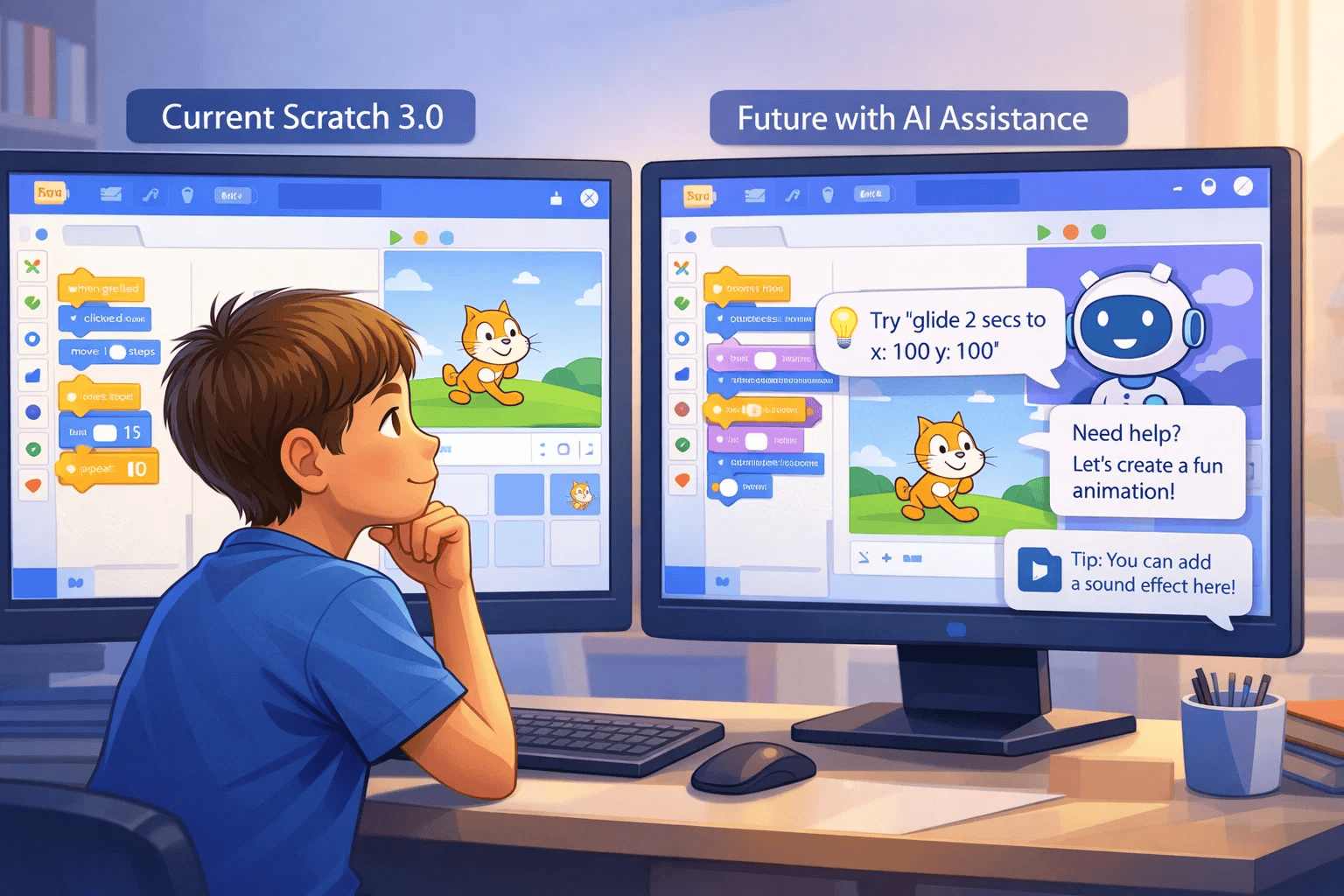
The Scratch Foundation has been explicit about one major feature: generative AI integration. But, and this is crucial, they’ve emphasized that AI will “support, not replace” young people’s creativity.
What does this mean in practice? We don’t know exactly yet. But the intent seems to be AI that helps kids when they’re stuck, suggests improvements, or assists with certain tedious tasks, rather than AI that codes for them.
This aligns with Scratch’s educational philosophy. The platform has always been about learning to think computationally, not just producing end results. AI that does the thinking for you defeats the purpose.
Everything else you’ve heard, read on forums, or seen in YouTube videos is speculation. Educated guessing at best, wishful thinking at worst.
The Scratch Team hasn’t announced a release date. They haven’t shown screenshots or demos. They haven’t detailed specific features beyond AI integration. They haven’t even confirmed it will definitely be called “Scratch 4.0” rather than just major updates to Scratch 3.0.
This is important to understand because the internet is full of confident predictions that turn out to be completely wrong.
This is the question everyone wants answered, and unfortunately, there’s no definitive answer. But we can make informed estimates based on patterns and official hints.
Various Scratch community members have analyzed job listings and statements to estimate different timeframes:
Late 2026: Some foundation members reportedly mentioned (in unofficial, off site conversations) targeting the second half of 2026 for release. This would align with Scratch’s 20th anniversary approaching in 2027.
2027 or 2028: Given that development likely started in early 2025, and major Scratch versions historically take 2 to 4 years to complete, late 2027 to early 2028 seems more realistic to many developers familiar with software timelines.
Later or Never: Some skeptics point out that the Scratch Team might decide to simply fold planned features into Scratch 3.0 as incremental updates rather than releasing a distinct 4.0 version. One Scratch Team member was quoted saying it’s “not really official 4.0 work at this point” and might end up being “a new feature built on top of 3.0.”
Software development timelines are notoriously unpredictable. Features take longer than expected. Technical challenges emerge. Priorities shift. The Scratch Team is relatively small, and they’re simultaneously maintaining Scratch 3.0, which still receives regular updates.
Additionally, unlike commercial software companies that announce release dates to build marketing hype, educational nonprofits like the Scratch Foundation tend to launch when they’re truly ready, not when a calendar says they should.
The “six year pattern” that some people cite (Scratch 1.0 in 2007, 2.0 in 2013, 3.0 in 2019) was always coincidental. The Scratch Team has said explicitly that there’s no fixed release schedule. Each version came out when technological shifts or major feature sets justified it, not because time had passed.
Based on everything I’ve seen, if Scratch 4.0 launches before late 2027, I’ll be genuinely surprised. Software of this scope, built by a small nonprofit team, with educational quality standards and extensive testing requirements, doesn’t move quickly.
But here’s the real question: does it matter? For kids learning today, Scratch 3.0 is excellent. It’s not a placeholder or a compromised version. It’s a fully featured, actively maintained platform that teaches computational thinking beautifully. Our guide on how to use Scratch covers everything kids need to know to create amazing projects right now.
Waiting for 4.0 is like refusing to learn to read until better textbooks come out. The tool doesn’t matter nearly as much as the learning.
Let’s talk about what could realistically be included, based on both official statements and educated guesses from the developer community.
This is the only feature explicitly mentioned by the Scratch Foundation. But what form will it take?
Possibilities include:
Intelligent code suggestions: As kids build projects, AI might suggest relevant blocks or patterns based on what they’re trying to accomplish.
Debugging assistance: When code doesn’t work as expected, AI could help identify problems and explain what’s going wrong in kid friendly terms.
Project idea generation: AI might help kids brainstorm project ideas or suggest ways to extend what they’ve already built.
Natural language to blocks: Kids might be able to describe what they want in plain English and have AI translate that into Scratch blocks as a starting point.
The key word in all of this is “assistance.” The Scratch philosophy is about kids learning to think and create, not about producing polished results quickly. Any AI features will likely be designed to enhance learning, not shortcut it.
Every major Scratch version has improved performance. Scratch 3.0 runs significantly faster than 2.0 did, especially for complex projects with many sprites and scripts.
Scratch 4.0 will almost certainly continue this trend. Expect projects to load faster, run smoother, and handle more complexity without lag. This is especially important as kids create increasingly sophisticated games and simulations.
The Scratch Foundation has emphasized reaching more kids globally and building community. Enhanced real time collaboration features could support this goal.
Imagine multiple students working on the same project simultaneously, seeing each other’s changes in real time. Think Google Docs, but for Scratch projects. This would be transformative for classrooms and remote learning.
While Scratch 3.0 works on tablets and phones, it’s clearly designed for desktop computers. Improved mobile support could expand access significantly, especially in regions where phones are more common than computers.
This might include touch optimized interfaces, simplified views for smaller screens, and mobile specific features.
Scratch extensions add capabilities beyond the core blocks. Current extensions include things like video sensing, text to speech, and music composition.
Scratch 4.0 might introduce extensions for more advanced concepts like basic machine learning, advanced data visualization, or connections to real world hardware beyond the current robotics options.
Despite being one of the most requested features in community forums, full 3D support is unlikely. The Scratch Team has repeatedly stated that 3D would make the platform too complex for beginners.
Their philosophy is that Scratch should be as simple as possible while still being powerful. Adding a Z axis and 3D rendering would fundamentally change that balance.
For kids interested in 3D programming, other block based platforms like Beetle Blocks or CreatiCode exist. Scratch will likely remain 2D focused.
Some community members have speculated about “Scratch Premium” with paid features. This contradicts the Scratch Foundation’s nonprofit mission and commitment to keeping Scratch completely free.
The Foundation has stated unequivocally that Scratch will remain free for all users. They’re exploring sustainable funding through philanthropy and partnerships, not user fees.
This is what that parent was really asking me. And my answer was immediate and unequivocal: no.
Here’s why waiting makes no sense:
Everything kids need to learn computational thinking, build impressive projects, and develop problem solving skills exists in Scratch 3.0 today. It’s not a beta version. It’s not limited. It’s a complete, mature platform.
I’ve watched 8 year olds build platformer games with multiple levels. I’ve seen 10 year olds create quiz apps with scoring systems and dynamic questions. I’ve witnessed 12 year olds make simulations of physics concepts and mathematical visualizations. All in Scratch 3.0.
Whatever Scratch 4.0 adds, it won’t fundamentally change what makes Scratch valuable: the ability to learn programming concepts through creating things you care about.
Even if Scratch 4.0 introduces significant changes, the skills kids learn in 3.0 will transfer completely. Loops, variables, conditionals, events, these fundamental concepts don’t change. The way you think through problems doesn’t change.
Think of it like learning to drive. Whether you learn in a 2020 car or a 2026 car, you’re learning the same core skills. The interface might look slightly different, but you’re still learning to drive.
Kids who master Scratch 3.0 will adapt to Scratch 4.0 instantly if and when it arrives. They won’t need to relearn anything fundamental. If you want to understand what skills kids develop through Scratch that will last regardless of version, check out our article on block based vs text based coding.
If Scratch 4.0 doesn’t launch until 2028, a child who’s 8 today will be 10 by then. That’s two years of potential learning and growth sacrificed while waiting for a new version that might not be dramatically different anyway.
Those two years are developmentally significant. An 8 year old’s cognitive abilities are different from a 10 year old’s. Starting earlier, when interest is high and enthusiasm is genuine, almost always yields better outcomes.
When Scratch 3.0 launched, Scratch 2.0 didn’t disappear overnight. The offline editor remained available for years. Old projects continued to work. The transition was gradual and well supported.
The same will happen with 4.0 if it launches. Existing projects will be compatible or easily converted. The Scratch Team puts enormous effort into backward compatibility because they know millions of kids have invested time in their projects.
Starting with 3.0 doesn’t mean losing work when 4.0 arrives. It means having a portfolio of projects and years of experience by the time the new version launches.
If you’re deciding whether to introduce Scratch to your child or students, here’s my practical advice:
Don’t wait. The platform is mature, fully featured, and perfect for learning. There’s no advantage to waiting and significant disadvantage in lost time.
Resources, tutorials, and support for Scratch 3.0 are abundant. The community is massive. If you have questions or need help, thousands of experienced users and educators can assist. When Scratch 4.0 launches, there will be a period of adjustment as resources update. Starting now means you benefit from years of accumulated knowledge.
Keep an eye on official Scratch Foundation announcements if you’re curious about 4.0’s development. But don’t let speculation distract from actual learning happening now.
The Scratch Team will announce major updates when they’re ready. Until then, focus on what kids are creating and learning today, not what features might exist tomorrow.
The most important thing kids learn through Scratch isn’t the specific blocks or interface. It’s computational thinking. Problem decomposition. Debugging mindset. Creative confidence.
These transcend any particular version of Scratch. They transfer to Python, JavaScript, and every other programming environment. They apply to non coding challenges too.
Teaching with that mindset means version updates become interesting changes rather than disruptions. At ItsMyBot, our instructors focus on building these transferable skills. When Scratch updates, whether to 3.1 or eventually 4.0, our students adapt seamlessly because they understand the underlying concepts.
When Scratch 4.0 does launch, there will be an adjustment period. Some features might work differently. The interface might change. This is normal and healthy.
Kids who’ve been using 3.0 will have an easier transition than complete beginners trying to learn 4.0 from scratch (pun intended). They’ll already understand the core concepts and just need to learn the new features or interface changes.
Think of it as moving from an iPhone 12 to an iPhone 15. Yes, there are new features. Yes, things look slightly different. But you already know how smartphones work, so you adapt quickly.
To really understand what Scratch 4.0 might be and when it might arrive, you need to understand how the Scratch Foundation thinks about updates.
Scratch doesn’t release new major versions just because time has passed. Each version has addressed specific needs or enabled new capabilities.
Scratch 1.0 (2007): Introduced visual programming to a broad audience. Desktop only.
Scratch 2.0 (2013): Moved from desktop to web based editor. Enabled easier sharing and eliminated installation barriers.
Scratch 3.0 (2019): Mobile device support, updated look, improved performance, horizontal blocks.
Each version represented a significant shift in how Scratch worked or who could access it. For insights into how Scratch has evolved over time, our complete history of Scratch versions provides comprehensive context.
Scratch 4.0, if it happens, will likely follow this pattern. It won’t be “3.0 but slightly better.” It will be “3.0 plus something fundamentally new.”
That “something new” seems to be meaningful AI integration. Whether that alone justifies a full version number bump remains to be seen.
The Scratch Team has increasingly favored continuous improvement over waiting for major releases. Scratch 3.0 has received regular updates since launch, adding features like:
This approach might continue. Features planned for “Scratch 4.0” could simply roll out as updates to 3.0, much like how websites and apps now update constantly rather than releasing “Website 2.0.”
In that scenario, there might never be a distinct “Scratch 4.0 launch day.” Just a gradual evolution where one day we look back and realize Scratch has changed significantly from what it was a few years ago.
The Scratch Team listens to educators, students, and researchers. They don’t develop in isolation. Major decisions about features and direction come from real world observations of how Scratch is used.
This is both good and challenging. Good because Scratch stays relevant and useful. Challenging because it means development can shift direction based on community needs, making timelines unpredictable.

Whether Scratch 4.0 launches in 2026, 2028, or gets absorbed into 3.0 updates, here’s how to be ready:
The best preparation for future Scratch versions is mastery of current Scratch. Kids who deeply understand variables, loops, conditionals, events, and cloning will adapt to any interface changes effortlessly.
Focus on projects that genuinely challenge and engage. Don’t just follow tutorials. Build things that require figuring out solutions to novel problems. That’s where real learning happens.
While learning Scratch, also expose kids to related concepts. If they’re interested in game design, look at other platforms. If they love animation, try other tools. If they’re ready for text based coding, transition to Python.
This isn’t about moving on from Scratch. It’s about understanding that Scratch is one tool in a bigger creative technology landscape. Kids who understand this adapt better to change because they’re not locked into one way of working. Our guide on transitioning from Scratch to Python helps families understand what that progression looks like.
The Scratch community is massive and supportive. Forums, the project sharing website, educator networks, all of these keep you informed and connected.
When Scratch 4.0 eventually launches, this community will share tips, create tutorials, and help everyone adapt. Being part of that community now means you’ll have support when changes come.
The Scratch Foundation has earned trust through nearly two decades of thoughtful development and genuine commitment to educational values. They won’t release Scratch 4.0 until it’s truly ready and truly better.
That might mean waiting longer than we’d prefer. But it also means whatever arrives will be well designed, thoroughly tested, and genuinely valuable for kids.
Here’s what you need to remember about Scratch 4.0:
When: Probably late 2027 or 2028. Maybe earlier, maybe later, maybe never as a distinct version.
What: AI integration for sure. Other improvements likely. No dramatic reinvention of what Scratch is.
Should you wait: Absolutely not. Start learning with Scratch 3.0 now.
Should you care: Only mildly. Stay informed but don’t obsess. Focus on learning and creating today.
The parent who asked me about waiting for Scratch 4.0 eventually enrolled her daughter in our program. Three months later, that 9 year old had built a quiz game about marine biology, a simple platformer, and an interactive story about a space explorer.
By the time Scratch 4.0 actually launches, whenever that is, she’ll have years of experience, dozens of completed projects, and deeply developed computational thinking skills. She’ll adapt to the new version in days and barely notice the difference because she understands programming concepts, not just interface details.
That’s the student you want your child to be. Not waiting for perfect tools, but creating with whatever’s available and learning constantly.
Scratch 4.0 will arrive when it arrives. Until then, there’s incredible learning to be done right now, today, with the excellent platform that already exists.
Start creating. Stop waiting.
Is Scratch 4.0 officially confirmed by the Scratch Foundation?
Yes and no. The Scratch Foundation mentioned “Scratch 4.0” in their 2024 annual report and job listings as a development priority for 2025. However, they’ve also indicated that what’s currently being developed might not necessarily launch as a separate “4.0” version. It could end up being major updates integrated into Scratch 3.0 instead. A Scratch Team member was quoted saying it’s “not really official 4.0 work at this point” and might become “a new feature built on top of 3.0” rather than an entirely new version. So while next generation development is happening, whether it becomes “Scratch 4.0” isn’t certain.
Will my child’s Scratch 3.0 projects stop working when 4.0 comes out?
No. The Scratch Foundation has a strong track record of backward compatibility. When Scratch 3.0 launched, virtually all Scratch 2.0 projects could be opened and run in the new version with minimal issues. Some features needed updating, but projects weren’t lost or broken. The same approach will almost certainly apply to any 4.0 release. Your child’s work represents hours of creativity and learning. The Scratch Team understands this and designs transitions to preserve that work. Projects created today will still be accessible and functional for years to come.
Should I teach my child Scratch 3.0 now or wait for the next version?
Teach Scratch 3.0 now, absolutely. Waiting serves no purpose and wastes valuable learning time. The skills your child develops in Scratch 3.0 (understanding loops, variables, conditional logic, problem solving, debugging) transfer completely to any future version. Additionally, Scratch 3.0 is a mature, fully featured platform with abundant resources, tutorials, and community support. When 4.0 eventually launches, students with 3.0 experience will adapt far more easily than complete beginners trying to learn 4.0 from scratch. You gain nothing by waiting and lose potentially years of learning opportunity.
What AI features are confirmed for Scratch 4.0?
The only confirmed detail is that Scratch 4.0 will integrate generative AI in ways that “support, not replace” young people’s creativity. The Scratch Foundation hasn’t specified exactly what this means. Possibilities include AI assisted debugging, code suggestions, project idea generation, or natural language to blocks translation. The emphasis is on assistance and learning support rather than automation. Whatever AI features arrive, they’ll be designed to enhance educational value, not shortcut the learning process. The Scratch Team is committed to maintaining the platform’s focus on helping kids learn to think computationally.
How long will development take before Scratch 4.0 launches?
Based on historical patterns, major Scratch versions take 2 to 4 years from start of development to public release. Development likely began in early 2025, suggesting a 2027 to 2028 release timeline at earliest. However, software timelines are notoriously unpredictable. Technical challenges, changing priorities, or resource constraints could push this later. Some community members speculate late 2026 based on unofficial hints, but given the complexity of integrating new AI features while maintaining Scratch’s educational quality standards, 2027 or later seems more realistic. The Scratch Foundation won’t rush release just to meet a timeline.
Will Scratch 4.0 have 3D capabilities or premium paid features?
Almost certainly not on both counts. The Scratch Team has repeatedly rejected 3D capabilities in their official list of declined suggestions, stating that 3D would make the platform too complex for beginners and contradicts Scratch’s philosophy of maximum simplicity. For kids interested in 3D, other platforms like Beetle Blocks exist. As for premium features, Scratch is operated by a nonprofit foundation committed to keeping the platform completely free for all users. Introducing paid tiers would contradict their mission and create legal complications. They’re exploring sustainable funding through philanthropy and partnerships, not user subscriptions.
Where can I find official updates about Scratch 4.0 development?
The most reliable source is the Scratch Foundation’s official website and annual reports at scratchfoundation.org. Major announcements would also appear on the Scratch Team’s account on scratch.mit.edu. Be cautious about information from forum discussions, YouTube videos, or social media, as much of it is speculation rather than confirmed details. The Scratch Wiki, while community maintained, attempts to distinguish between confirmed information and speculation. If you’re making educational planning decisions, rely only on official Scratch Foundation sources or wait for clear announcements from the Scratch Team itself.
Complete History of Scratch Versions: 2006 to 2025 Guide Understand how Scratch has evolved from version 1.0 through 3.0, providing context for what version 4.0 might bring and why major versions happen.
How to Use Scratch: Complete Guide Master Scratch 3.0 right now with comprehensive coverage of blocks, projects, and programming concepts that will remain valuable regardless of future versions.
Block Based vs Text Based Coding for Kids Understand why block based platforms like Scratch teach transferable programming skills that apply across all coding environments and versions.
From Scratch to Python: Success Story & Transition Guide See how skills learned in Scratch prepare kids for text based programming, demonstrating why current Scratch learning has lasting value beyond any specific version.
Best Age for Kids to Start Coding Discover the ideal timing for introducing programming concepts, emphasizing that starting with available tools today beats waiting for perfect future tools.