✦ Junior Coder Ages 7–12

Creative Web Design for kids

Give your child the opportunity to build real websites from scratch using HTML and CSS — the foundational technologies behind the modern internet. In this live, project-based course, students learn how websites are structured, styled, and designed while creating interactive web pages, blogs, portfolios, forms, navigation menus, and creative layouts.
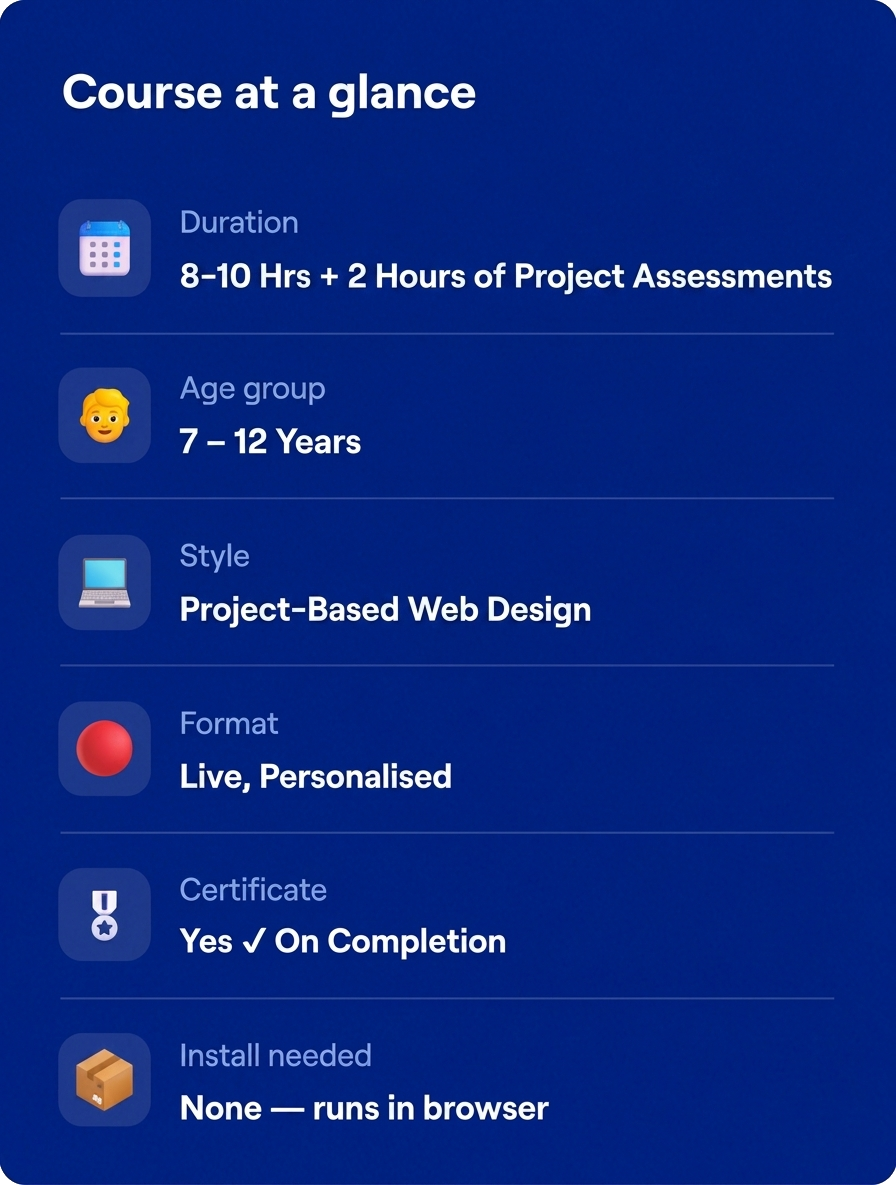
⏱ 8-10 Hours +2 Hours of Assessment
🔴 Live Classes, Personalized
🌐Project-Based Web Design
🎖 Certificate On Completion
Rated 4.8/5
on TrustPilot
Rated 4.8/5
on Google
500,000+
Hours of learning
40+
Countries

Junior Coder

Ages 7–12
Curriculum Designed By Educators And Technologists Who Worked For Tech Leaders
About Course

What is This Course About?

Websites are everywhere - from blogs and games to shopping platforms and social media. This beginner-friendly web design course teaches children how websites are created using HTML and CSS, the core building blocks of web development.
Students learn how to structure content, add images and links, style pages, create layouts, build forms, and design visually appealing web experiences - all through hands-on projects and guided activities.
The course combines creativity with technical skills, helping children understand both the design and functionality behind websites. Every session is conducted live with personalized instructor support to ensure students learn at a comfortable pace while building confidence through practical creation.
By the end of the course, students will have designed multiple fully functional web pages and developed strong foundational web development skills.
Book a Free Trial Class
Why This Course?

What Your Child Actually Gains

Web Development Foundations
Learns the foundations of real-world web development using HTML5 and CSS3. Understands how websites are built, structured, and styled.
Web Design Principles
Learns design concepts including layouts, colors, fonts, spacing, and navigation systems.
Creative Website Building
Builds creative and responsive web pages through hands-on projects. Creates personal portfolio websites, blogs, menus, image galleries, forms, and more.
Creative & Logical Thinking
Develops logical thinking, creativity, and digital design skills while applying design concepts and building interactive web projects.
Modern Coding Workflows
Explores modern web design practices and beginner-friendly coding workflows. Builds confidence using industry-standard technologies used by professional developers.
Personalized Guidance & Certification
Receives personalized instructor guidance and real-time feedback throughout the course. Earns an ItsMyBot certificate upon successful completion of the course.
Why ItsMyBot

What Will Your Child Build?

A Personal Portfolio Website

A Creative Blog Page with Images & Hyperlinks

Styled Language Vocabulary Pages using CSS

An Interactive Image Gallery

A Restaurant Menu Webpage

A Class Schedule & Planner Layout

A Grocery & Shopping List Organizer

A Trivia Quiz Form with User Inputs

A Login & Registration Page

Note: Projects may vary slightly based on the child’s pace, creativity, and instructor-led customization.
Course Curriculum

10 structured modules + assessment

8-10 hours of live instruction. Each module builds on the last.

  • Understanding how websites work
  • Introduction to the internet and browsers
  • Understanding webpages and web applications
  • Introduction to HTML and CSS
  • Exploring developer tools
  • Website structure and layouts
  • Beginner web design activities
  • Interactive web demonstrations

  • Introduction to HTML structure
  • Understanding tags and elements
  • Working with headings and paragraphs
  • HTML comments and metadata
  • Nested elements and attributes
  • Creating simple webpage layouts
  • Personal portfolio page activity
  • Beginner webpage project

  • Working with hyperlinks
  • Absolute and relative file paths
  • Adding and styling images
  • Creating internal page navigation
  • Designing clickable buttons and links
  • Building blog-style web pages
  • Navigation menu concepts
  • Personal blog mini project

s

  • Understanding the role of CSS
  • CSS syntax and styling rules
  • Inline, internal, and external CSS
  • Selectors and specificity
  • Styling text, backgrounds, and layouts
  • Working with stylesheets
  • Customizing webpage appearance
  • Creative styling activities

  • Understanding typography in web design
  • Working with fonts and font families
  • Text alignment and spacing
  • Font sizes and responsive units
  • Text decoration and transformations
  • Creating visually attractive webpages
  • Typography practice activities

  • Creating tables in HTML
  • Working with rows, columns, and headers
  • Styling tables with CSS
  • Organizing information visually
  • Building schedules and menus
  • Inventory and data display concepts
  • Table design mini project

  • Ordered and unordered lists
  • Description and nested lists
  • Designing menus and sidebars
  • Creating image galleries
  • Organizing content effectively
  • Interactive webpage sections

  • Introduction to HTML forms
  • Working with text inputs and labels
  • Radio buttons and checkboxes
  • Form validation basics
  • Buttons and submit actions
  • Interactive trivia and quiz forms
  • User-friendly form design
  • Form-building activities

  • Password and email input systems
  • Date pickers and color pickers
  • Search and range inputs
  • Login and registration pages
  • Survey and feedback forms
  • User interaction design concepts
  • Interactive form mini projects

  • Introduction to semantic HTML
  • Header, footer, nav, and aside elements
  • Improving webpage organization
  • Accessibility and clean coding concepts
  • HTML style guide practices
  • Structuring professional webpages
  • Adding contact and information sections
  • Website improvement activities
Learning Experience

The ItsMyBot Learning Experience

Every child learns differently. That's why we combine exceptional educators, personalised guidance, and continuous progress tracking to create a learning experience parents can trust and children enjoy.
Live, Personalized Instruction
Live, personalized instruction with expert mentors
Project-Based Learning
Project-based learning focused on creativity and practical outcomes
Flexible Scheduling Options
Flexible scheduling options including evenings and weekends
Progress Tracking & Parent Updates
Continuous progress tracking and parent feedback updates
Beginner-Friendly Learning Approach
Beginner-friendly learning approach with step-by-step guidance
Confidence-Building Environment
Encouraging environment designed to build confidence and creativity
Simple start

How it works

3 Easy Steps to Get Started:

1

Book a free trial

Fill in the form. An academic counsellor will schedule a free session and assess your child's current level and interests.
2

Get a personalised roadmap

Based on the trial, counsellors build a custom learning path — right pace, right projects, right instructor for your child.
3

Build, learn, and earn

Live sessions, progress reports after every class, parent feedback calls, and a certificate on completion. Your child keeps all their projects.
faqs

Get to Know Us Better

No prior experience is needed. The course is designed for complete beginners.

Students learn HTML and CSS — the foundational technologies of web development.

Yes! Students build multiple fully functional web pages and creative website projects throughout the course.

The course is highly project-based with hands-on coding and design activities in every session.

No heavy installations are required. Most activities can be done using a browser and beginner-friendly coding tools.

Yes. All sessions are live, interactive, and personalized according to each student’s learning pace.

Yes! Students receive an ItsMyBot certificate upon successful completion of the course.

testimonials

Trusted by Parents like You!

I was extremely happy with the teacher and her approach to my daughter, like a close family teacher.
By Canavady
Rated 5/5
My daughter, Rishika is thoroughly enjoying the learning experience at ItsMyBot.

Ms. Poornima is teaching the program very well, at the right pace, making sure Rishika understands the concepts well. During the feedback session, she provided the details of Rishika’s strengths and areas of improvement giving me the confidence that she is well aware of how to guide her holistically.

The daily class reports and feedback gives a clear understanding of the progress in each class.

I also appreciate the excellent coordination, hassle free class scheduling and timely response to queries by Sandhya.

I would definitely recommend ItsMyBot to my friends and family.
By rehana
Rated 5/5
Enrolling my son in classes in September has been a great decision. The trial class helped us identify his interests, and Ms. Jiya's engaging approach has made learning enjoyable. I appreciate her encouragement for my son to draw and write, recognizing it as a positive habit for his development.

The flexibility of classes is a significant advantage, accommodating our unpredictable schedule. Ms. Jiya's understanding and willingness to reschedule when needed make the learning process enjoyable for both my son and us as parents.

I'm grateful for the positive environment Ms. Jiya creates, and we look forward to more enjoyable learning experiences. Kudos to the iTSMYBOT team for their exceptional responsiveness and clear lesson reports, contributing to a smooth and enriching educational journey for our son.
By Dimple Jain
Rated 5/5

Rated 4.7 out of 5 based on  65 reviews on Trustpilot

🚀 Hurry! Reserve Your FREE Trial Class Seat Today

Ready to Build Amazing Websites?

Help your child turn creativity into real digital experiences through hands-on web design and coding.
ItsMyBot
Empowering children with the right skills today enables them to drive innovation tomorrow. Join us on this exciting journey, and let's unlock the boundless potential within every child.
© ItsMyBot 2026. All Rights Reserved.